• maiweb v0.1.0
  • ★
  • Feedback

Kevin Powell

active · last success 2026-08-04 14:07

Visit site ↗ · Feed ↗

  • Kevin Powell youtube.com channel tutorial video youtube 2026-07-30 13:00

    ↗

    offset-path and offset-distance are two underused properties that open up some fun possiblities. #css

    ▶ Watch on YouTube Opens in a new tab
    offset-path and offset-distance are two underused properties that open up some fun possiblities. #css
  • Kevin Powell youtube.com channel tutorial video youtube 2026-07-29 13:00

    ↗

    👉 Start writing CSS with confidence: https://thecascade.dev/courses/css-demystified/?utm_source=youtube&utm_medium=social&utm_campaign=regular-video ✉ Keep up to date with everything I'm up to https://www.kevinpowell.co/newsletter 💬 Come hang out with other devs in my Discord...

    ▶ Watch on YouTube Opens in a new tab
    👉 Start writing CSS with confidence: https://thecascade.dev/courses/css-demystified/?utm_source=youtube&utm_medium=social&utm_campaign=regular-video ✉ Keep up to date with everything I'm up to https://www.kevinpowell.co/newsletter 💬 Come hang out with other devs in my Discord Community https://discord.gg/nTYCvrK ⭐ Are you a beginner? HTML & CSS for absolute beginners is for you: https://learn.kevinpowell.co 🎓 Start writing CSS with confidence with CSS Demystified: https://cssdemystified.com 🚀 Already mastered CSS? Check out my advanced course, Beyond CSS: https://www.beyondcss.dev/ --- Help support my channel 👨‍🎓 Get a course: https://www.kevinpowell.co/courses 👕 Buy a shirt: https://cottonbureau.com/people/kevin-powell 💖 Support me on Patreon: https://www.patreon.com/kevinpowell or through YT memberships: https://youtube.com/@KevinPowell/join --- 🧑‍💻 My editors: In most videos, I’m using CodePen these days: https://codepen.io/ - with High Contrast Dark theme and the font Commit Mono And if not CodePen, then I’m probably using Zed: https://zed.dev/ with the theme Ayu Dark, and the font ZedMono In older videos, I was using VS Code - https://code.visualstudio.com/ with the theme One Dark Pro Var, and the font Cascadia --- ⌚ Timestamps: 00:00 - Intro 00:30 - How we usually see this done 01:10 - Doing this with a custom prop instead 04:10 - Why the “logic” should be in the CSS --- I'm on some other places on the internet too! If you'd like a behind the scenes and previews of what's coming up on my YouTube channel: Bluesky: https://bsky.app/profile/kevinpowell.co Codepen: https://codepen.io/kevinpowell/ Github: https://github.com/kevin-powell --- And whatever you do, don't forget to keep on making your corner of the internet just a little bit more awesome! #css
  • Kevin Powell youtube.com channel tutorial video youtube 2026-07-23 13:00

    ↗

    I'd like to say I knew this and just forgot because I never use anything other than unitless, but this might just have been something I never knew 🤷

    ▶ Watch on YouTube Opens in a new tab
    I'd like to say I knew this and just forgot because I never use anything other than unitless, but this might just have been something I never knew 🤷
  • Kevin Powell youtube.com channel tutorial video youtube 2026-07-22 13:00

    ↗

    👉 Start writing CSS with confidence: https://thecascade.dev/courses/css-demystified/?utm_source=youtube&utm_medium=social&utm_campaign=regular-video 🔗 Links ✅ Code from this video: ✉ Keep up to date with everything I'm up to https://www.kevinpowell.co/newsletter 💬 Come hang...

    ▶ Watch on YouTube Opens in a new tab
    👉 Start writing CSS with confidence: https://thecascade.dev/courses/css-demystified/?utm_source=youtube&utm_medium=social&utm_campaign=regular-video 🔗 Links ✅ Code from this video: ✉ Keep up to date with everything I'm up to https://www.kevinpowell.co/newsletter 💬 Come hang out with other devs in my Discord Community https://discord.gg/nTYCvrK ⭐ Are you a beginner? HTML & CSS for absolute beginners is for you: https://learn.kevinpowell.co 🎓 Start writing CSS with confidence with CSS Demystified: https://cssdemystified.com 🚀 Already mastered CSS? Check out my advanced course, Beyond CSS: https://www.beyondcss.dev/ --- Help support my channel 👨‍🎓 Get a course: https://www.kevinpowell.co/courses 👕 Buy a shirt: https://cottonbureau.com/people/kevin-powell 💖 Support me on Patreon: https://www.patreon.com/kevinpowell or through YT memberships: https://youtube.com/@KevinPowell/join --- 🧑‍💻 My editors: In most videos, I’m using CodePen these days: https://codepen.io/ - with High Contrast Dark theme and the font Commit Mono And if not CodePen, then I’m probably using Zed: https://zed.dev/ with the theme Ayu Dark, and the font ZedMono In older videos, I was using VS Code - https://code.visualstudio.com/ with the theme One Dark Pro Var, and the font Cascadia --- ⌚ Timestamps: 00:00 - Intro 00:22 - Using transition-behavior to allow transitions to and from display none 02:17 - Adding @starting-style for the initial styles when it transitions in 03:17 - Different in and out transitions 04:25 - Transitioning the backdrop --- I'm on some other places on the internet too! If you'd like a behind the scenes and previews of what's coming up on my YouTube channel: Bluesky: https://bsky.app/profile/kevinpowell.co Codepen: https://codepen.io/kevinpowell/ Github: https://github.com/kevin-powell --- And whatever you do, don't forget to keep on making your corner of the internet just a little bit more awesome! #css
  • Kevin Powell youtube.com channel tutorial video youtube 2026-07-16 13:00

    ↗

    Thanks to @starting-style and transition-behavior we can now easily transition to and from display: none #css

    ▶ Watch on YouTube Opens in a new tab
    Thanks to @starting-style and transition-behavior we can now easily transition to and from display: none #css
  • Kevin Powell youtube.com channel tutorial video youtube 2026-07-15 13:00

    ↗

    👉 Start writing CSS with confidence: https://thecascade.dev/courses/css-demystified/?utm_source=youtube&utm_medium=social&utm_campaign=regular-video 🔗 Links ✅ Finished version: https://codepen.io/editor/kevinpowell/pen/019edbf1-79cb-739e-a285-9780858eb92e ✉ Keep up to date...

    ▶ Watch on YouTube Opens in a new tab
    👉 Start writing CSS with confidence: https://thecascade.dev/courses/css-demystified/?utm_source=youtube&utm_medium=social&utm_campaign=regular-video 🔗 Links ✅ Finished version: https://codepen.io/editor/kevinpowell/pen/019edbf1-79cb-739e-a285-9780858eb92e ✉ Keep up to date with everything I'm up to https://www.kevinpowell.co/newsletter 💬 Come hang out with other devs in my Discord Community https://discord.gg/nTYCvrK ⭐ Are you a beginner? HTML & CSS for absolute beginners is for you: https://learn.kevinpowell.co 🎓 Start writing CSS with confidence with CSS Demystified: https://cssdemystified.com 🚀 Already mastered CSS? Check out my advanced course, Beyond CSS: https://www.beyondcss.dev/ --- Help support my channel 👨‍🎓 Get a course: https://www.kevinpowell.co/courses 👕 Buy a shirt: https://cottonbureau.com/people/kevin-powell 💖 Support me on Patreon: https://www.patreon.com/kevinpowell or through YT memberships: https://youtube.com/@KevinPowell/join --- 🧑‍💻 My editors: In most videos, I’m using CodePen these days: https://codepen.io/ - with High Contrast Dark theme and the font Commit Mono And if not CodePen, then I’m probably using Zed: https://zed.dev/ with the theme Ayu Dark, and the font ZedMono In older videos, I was using VS Code - https://code.visualstudio.com/ with the theme One Dark Pro Var, and the font Cascadia --- ⌚ Timestamps: 00:00 - Intro 00:35 - The HTML and basic styling 02:00 - Getting an element placed on the border of another element 04:00 - Offset-rotate to prevent rotation 05:30 - Using pseudo-elements to make more of a star shape 06:30 - Adding translates to have it shift off the edge 08:30 - Creating an animation to fade the decoration in and out 11:15 - Controlling everything with custom properties 15:00 - Adding the other stars with more controls --- I'm on some other places on the internet too! If you'd like a behind the scenes and previews of what's coming up on my YouTube channel: Bluesky: https://bsky.app/profile/kevinpowell.co Codepen: https://codepen.io/kevinpowell/ Github: https://github.com/kevin-powell --- And whatever you do, don't forget to keep on making your corner of the internet just a little bit more awesome! #css
  • Kevin Powell youtube.com channel tutorial video youtube 2026-07-09 13:00

    ↗

    Popovers make life so much easier

    ▶ Watch on YouTube Opens in a new tab
    Popovers make life so much easier
  • Kevin Powell youtube.com channel tutorial video youtube 2026-07-08 13:00

    ↗

    👉 Best landing page challenge on CodeTV: https://www.youtube.com/watch?v=Is7PCAWLbKc&list=PLz8Iz-Fnk_eTkZvSNWXW_TKZ2UwVirT2M&index=1&t=1s 🧑‍💻 Berst landing page hackaton: https://codetv-gsap-cloud.webflow.io/ 🔗 Links 👉 Start writing CSS with confidence:...

    ▶ Watch on YouTube Opens in a new tab
    👉 Best landing page challenge on CodeTV: https://www.youtube.com/watch?v=Is7PCAWLbKc&list=PLz8Iz-Fnk_eTkZvSNWXW_TKZ2UwVirT2M&index=1&t=1s 🧑‍💻 Berst landing page hackaton: https://codetv-gsap-cloud.webflow.io/ 🔗 Links 👉 Start writing CSS with confidence: https://thecascade.dev/courses/css-demystified/?utm_source=youtube&utm_medium=social&utm_campaign=regular-video ✅ Finished version of this site: https://cascade-racing-ba2549.webflow.io/ ✅ Where I ranked the F1 team websites: https://youtu.be/PBDU2krty0M ✅ Infinite scroller with css-only: https://youtu.be/iLmBy-HKIAw ✉ Keep up to date with everything I'm up to https://www.kevinpowell.co/newsletter 💬 Come hang out with other devs in my Discord Community https://discord.gg/nTYCvrK ⭐ Are you a beginner? HTML & CSS for absolute beginners is for you: https://learn.kevinpowell.co 🎓 Start writing CSS with confidence with CSS Demystified: https://cssdemystified.com 🚀 Already mastered CSS? Check out my advanced course, Beyond CSS: https://www.beyondcss.dev/ --- Help support my channel 👨‍🎓 Get a course: https://www.kevinpowell.co/courses 👕 Buy a shirt: https://cottonbureau.com/people/kevin-powell 💖 Support me on Patreon: https://www.patreon.com/kevinpowell or through YT memberships: https://youtube.com/@KevinPowell/join --- 🧑‍💻 My editors: In most videos, I’m using CodePen these days: https://codepen.io/ - with High Contrast Dark theme and the font Commit Mono And if not CodePen, then I’m probably using Zed: https://zed.dev/ with the theme Ayu Dark, and the font ZedMono In older videos, I was using VS Code - https://code.visualstudio.com/ with the theme One Dark Pro Var, and the font Cascadia --- ⌚ Timestamps: 00:00 - Intro 01:10 - The project I’m working on 01:50 - Installing GSAP into my project 04:50 - Simple scroll-triggered animation 10:50 - Scroll-triggered on individual elements 15:26 - Updating text with GSAP with a custom scrollTrigger 25:03 - Creating a timeline animation 30:10 - Using SplitText to animate characters individually 33:55 - Fading in the navigation 35:44 - Creating an infinite, draggable scroller 44:18 - Getting the project online --- I'm on some other places on the internet too! If you'd like a behind the scenes and previews of what's coming up on my YouTube channel: Bluesky: https://bsky.app/profile/kevinpowell.co Codepen: https://codepen.io/kevinpowell/ Github: https://github.com/kevin-powell --- And whatever you do, don't forget to keep on making your corner of the internet just a little bit more awesome! #css
  • Kevin Powell youtube.com channel tutorial video youtube 2026-07-01 23:52

    ↗

    Happy Canada Day everyone, and yeah, modern #css rocks.

    ▶ Watch on YouTube Opens in a new tab
    Happy Canada Day everyone, and yeah, modern #css rocks.
  • Kevin Powell youtube.com channel tutorial video youtube 2026-07-01 13:00

    ↗

    👉 Start writing CSS with confidence: https://thecascade.dev/courses/css-demystified/?utm_source=youtube&utm_medium=social&utm_campaign=regular-video 🔗 Links ✅ The finished code from this video: https://codepen.io/editor/kevinpowell/pen/019edff0-144f-762c-85f3-9483030c56f4 ✅...

    ▶ Watch on YouTube Opens in a new tab
    👉 Start writing CSS with confidence: https://thecascade.dev/courses/css-demystified/?utm_source=youtube&utm_medium=social&utm_campaign=regular-video 🔗 Links ✅ The finished code from this video: https://codepen.io/editor/kevinpowell/pen/019edff0-144f-762c-85f3-9483030c56f4 ✅ Manuel’s better popover defaults post: https://matuzo.at/blog/2026/better-defaults-for-popovers ✅ Oddbird’s dos & don’ts of anchor positioning: https://www.oddbird.net/2026/04/16/winging-it-31/ ✅ Oddbird’sHere’s why your anchor positioning isn’t working: https://www.oddbird.net/2025/01/29/anchor-position-validity/ ✅ Anchor positioning polyfill: https://anchor-positioning.oddbird.net/ ✉ Keep up to date with everything I'm up to https://www.kevinpowell.co/newsletter 💬 Come hang out with other devs in my Discord Community https://discord.gg/nTYCvrK ⭐ Are you a beginner? HTML & CSS for absolute beginners is for you: https://learn.kevinpowell.co 🎓 Start writing CSS with confidence with CSS Demystified: https://cssdemystified.com 🚀 Already mastered CSS? Check out my advanced course, Beyond CSS: https://www.beyondcss.dev/ --- Help support my channel 👨‍🎓 Get a course: https://www.kevinpowell.co/courses 👕 Buy a shirt: https://cottonbureau.com/people/kevin-powell 💖 Support me on Patreon: https://www.patreon.com/kevinpowell or through YT memberships: https://youtube.com/@KevinPowell/join --- 🧑‍💻 My editors: In most videos, I’m using CodePen these days: https://codepen.io/ - with High Contrast Dark theme and the font Commit Mono And if not CodePen, then I’m probably using Zed: https://zed.dev/ with the theme Ayu Dark, and the font ZedMono In older videos, I was using VS Code - https://code.visualstudio.com/ with the theme One Dark Pro Var, and the font Cascadia --- ⌚ Timestamps: 00:00 - Intro 00:08 - The HTML 02:22 - The user agent styles can get in the way 03:42 - Some simple overwrites you might want to use 06:05 - Positioning the popover relative to the button 07:08 - Fallbacks for when the position doesn’t fit 09:18 - Use :popover-open if you want a different display type 10:18 - Adding opening and closing transitions 15:13 - Fixing my grid columns when it closes --- I'm on some other places on the internet too! If you'd like a behind the scenes and previews of what's coming up on my YouTube channel: Bluesky: https://bsky.app/profile/kevinpowell.co Codepen: https://codepen.io/kevinpowell/ Github: https://github.com/kevin-powell --- And whatever you do, don't forget to keep on making your corner of the internet just a little bit more awesome! #css
  • Kevin Powell youtube.com channel tutorial video youtube 2026-06-27 13:00

    ↗

    And they say #css isn't a programming language

    ▶ Watch on YouTube Opens in a new tab
    And they say #css isn't a programming language
  • Kevin Powell youtube.com channel tutorial video youtube 2026-06-25 14:04

    ↗

    Browser support for anchor positioning isn't amazing, but for simple things like this, the polyfill does a great job.

    ▶ Watch on YouTube Opens in a new tab
    Browser support for anchor positioning isn't amazing, but for simple things like this, the polyfill does a great job.
  • Kevin Powell youtube.com channel tutorial video youtube 2026-06-24 13:00

    ↗

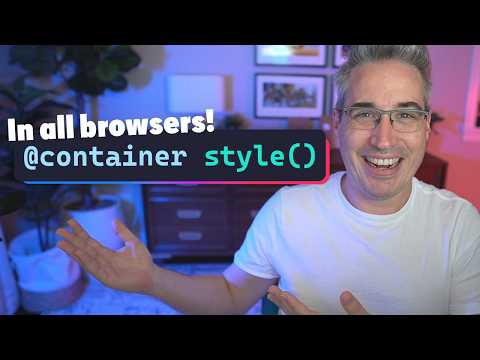
    👉 Start writing CSS with confidence: https://thecascade.dev/courses/css-demystified/?utm_source=youtube&utm_medium=social&utm_campaign=regular-video ✉ Keep up to date with everything I'm up to https://www.kevinpowell.co/newsletter 🔗 Links ✅ More on if():...
    ▶ Watch on YouTube Opens in a new tab
    👉 Start writing CSS with confidence: https://thecascade.dev/courses/css-demystified/?utm_source=youtube&utm_medium=social&utm_campaign=regular-video ✉ Keep up to date with everything I'm up to https://www.kevinpowell.co/newsletter 🔗 Links ✅ More on if(): https://developer.mozilla.org/en-US/docs/Web/CSS/Reference/Values/if ✅ More info on @function: https://developer.mozilla.org/en-US/docs/Web/CSS/Reference/At-rules/@function 💬 Come hang out with other devs in my Discord Community https://discord.gg/nTYCvrK ⭐ Are you a beginner? HTML & CSS for absolute beginners is for you: https://learn.kevinpowell.co 🎓 Start writing CSS with confidence with CSS Demystified: https://cssdemystified.com 🚀 Already mastered CSS? Check out my advanced course, Beyond CSS: https://www.beyondcss.dev/ --- Help support my channel 👨‍🎓 Get a course: https://www.kevinpowell.co/courses 👕 Buy a shirt: https://cottonbureau.com/people/kevin-powell 💖 Support me on Patreon: https://www.patreon.com/kevinpowell or through YT memberships: https://youtube.com/@KevinPowell/join --- 🧑‍💻 My editors: In most videos, I’m using CodePen these days: https://codepen.io/ - with High Contrast Dark theme and the font Commit Mono And if not CodePen, then I’m probably using Zed: https://zed.dev/ with the theme Ayu Dark, and the font ZedMono In older videos, I was using VS Code - https://code.visualstudio.com/ with the theme One Dark Pro Var, and the font Cascadia --- ⌚ Timestamps: 00:00 - Intro 00:58 - the basics of CSS functions 02:30 - stepping it up with optional arguments 05:25 - creating a media query function --- I'm on some other places on the internet too! If you'd like a behind the scenes and previews of what's coming up on my YouTube channel: Bluesky: https://bsky.app/profile/kevinpowell.co Codepen: https://codepen.io/kevinpowell/ Github: https://github.com/kevin-powell --- And whatever you do, don't forget to keep on making your corner of the internet just a little bit more awesome! #css
  • Kevin Powell youtube.com channel tutorial video youtube 2026-06-18 13:00

    ↗

    Style queries with attr() are great! #css

    ▶ Watch on YouTube Opens in a new tab
    Style queries with attr() are great! #css
  • Kevin Powell youtube.com channel tutorial video youtube 2026-06-17 13:00

    ↗

    👉 Start writing CSS with confidence: https://thecascade.dev/courses/css-demystified/?utm_source=youtube&utm_medium=social&utm_campaign=regular-video ✉ Keep up to date with everything I'm up to https://www.kevinpowell.co/newsletter 💬 Come hang out with other devs in my Discord...

    ▶ Watch on YouTube Opens in a new tab
    👉 Start writing CSS with confidence: https://thecascade.dev/courses/css-demystified/?utm_source=youtube&utm_medium=social&utm_campaign=regular-video ✉ Keep up to date with everything I'm up to https://www.kevinpowell.co/newsletter 💬 Come hang out with other devs in my Discord Community https://discord.gg/nTYCvrK ⭐ Are you a beginner? HTML & CSS for absolute beginners is for you: https://learn.kevinpowell.co 🎓 Start writing CSS with confidence with CSS Demystified: https://cssdemystified.com 🚀 Already mastered CSS? Check out my advanced course, Beyond CSS: https://www.beyondcss.dev/ --- Help support my channel 👨‍🎓 Get a course: https://www.kevinpowell.co/courses 👕 Buy a shirt: https://cottonbureau.com/people/kevin-powell 💖 Support me on Patreon: https://www.patreon.com/kevinpowell or through YT memberships: https://youtube.com/@KevinPowell/join --- 🧑‍💻 My editors: In most videos, I’m using CodePen these days: https://codepen.io/ - with High Contrast Dark theme and the font Commit Mono And if not CodePen, then I’m probably using Zed: https://zed.dev/ with the theme Ayu Dark, and the font ZedMono In older videos, I was using VS Code - https://code.visualstudio.com/ with the theme One Dark Pro Var, and the font Cascadia --- ⌚ Timestamps: 00:00 - Intro 00:43 - using a style query instead of a modifier class 02:25 - using style queries as conditional modifier classes --- I'm on some other places on the internet too! If you'd like a behind the scenes and previews of what's coming up on my YouTube channel: Bluesky: https://bsky.app/profile/kevinpowell.co Codepen: https://codepen.io/kevinpowell/ Github: https://github.com/kevin-powell --- And whatever you do, don't forget to keep on making your corner of the internet just a little bit more awesome! #css
  • Kevin Powell youtube.com channel tutorial video youtube 2026-06-11 13:00

    ↗

    Would love to know what you think about this :)

    ▶ Watch on YouTube Opens in a new tab
    Would love to know what you think about this :)
  • Kevin Powell youtube.com channel tutorial video youtube 2026-06-04 13:00

    ↗

    #css nesting has a few side effects you need to watch out for

    ▶ Watch on YouTube Opens in a new tab
    #css nesting has a few side effects you need to watch out for
  • Kevin Powell youtube.com channel tutorial video youtube 2026-06-03 20:04

    ↗

    👉 CSS Demystified - Start writing CSS with confidence: https://thecascade.dev/courses/css-demystified/?utm_source=youtube&utm_medium=social&utm_campaign=regular-video 🔗 Links ✅ Grid alignment & justification: https://youtu.be/WvoYYok1Ddo ✉ Keep up to date with everything I'm...

    ▶ Watch on YouTube Opens in a new tab
    👉 CSS Demystified - Start writing CSS with confidence: https://thecascade.dev/courses/css-demystified/?utm_source=youtube&utm_medium=social&utm_campaign=regular-video 🔗 Links ✅ Grid alignment & justification: https://youtu.be/WvoYYok1Ddo ✉ Keep up to date with everything I'm up to https://www.kevinpowell.co/newsletter 💬 Come hang out with other devs in my Discord Community https://discord.gg/nTYCvrK ⭐ Are you a beginner? HTML & CSS for absolute beginners is for you: https://learn.kevinpowell.co 🎓 Start writing CSS with confidence with CSS Demystified: https://cssdemystified.com 🚀 Already mastered CSS? Check out my advanced course, Beyond CSS: https://www.beyondcss.dev/ ⌚ Timestamps 00:00 - Introduction 00:27 - stack 04:15 - prose 06:55 - pile 10:35 - lesser-used versions of the pile #css --- Help support my channel 👨‍🎓 Get a course: https://www.kevinpowell.co/courses 👕 Buy a shirt: https://cottonbureau.com/people/kevin-powell 💖 Support me on Patreon: https://www.patreon.com/kevinpowell or through YT memberships: https://youtube.com/@KevinPowell/join --- 🧑‍💻 My editor: VS Code - https://code.visualstudio.com/ 🌈 My theme: One Dark Pro Var Night 🔤 My font: Cascadia Code --- I'm on some other places on the internet too! If you'd like a behind the scenes and previews of what's coming up on my YouTube channel: Bluesky: https://bsky.app/profile/kevinpowell.co Codepen: https://codepen.io/kevinpowell/ Github: https://github.com/kevin-powell --- And whatever you do, don't forget to keep on making your corner of the internet just a little bit more awesome!
  • Kevin Powell youtube.com channel tutorial video youtube 2026-05-30 13:00

    ↗

    And they say #css isn't a programming language

    ▶ Watch on YouTube Opens in a new tab
    And they say #css isn't a programming language
  • Kevin Powell youtube.com channel tutorial video youtube 2026-05-28 13:00

    ↗

    Prevent distorted and squishy images with height: auto in your #css reset

    ▶ Watch on YouTube Opens in a new tab
    Prevent distorted and squishy images with height: auto in your #css reset
  • Kevin Powell youtube.com channel tutorial video youtube 2026-05-27 13:00

    ↗

    👉 Start writing CSS with confidence: https://thecascade.dev/courses/css-demystified/?utm_source=youtube&utm_medium=social&utm_campaign=regular-video 🔗 Links ✅ The previous video I mentioned: https://youtu.be/1qduzphMJHs?si=wBESSXV6ndW5zPw7&t=10 ✅ A deeper dive into counters:...

    ▶ Watch on YouTube Opens in a new tab
    👉 Start writing CSS with confidence: https://thecascade.dev/courses/css-demystified/?utm_source=youtube&utm_medium=social&utm_campaign=regular-video 🔗 Links ✅ The previous video I mentioned: https://youtu.be/1qduzphMJHs?si=wBESSXV6ndW5zPw7&t=10 ✅ A deeper dive into counters: https://youtu.be/tnSzkAiiQ4w ✉ Keep up to date with everything I'm up to https://www.kevinpowell.co/newsletter 💬 Come hang out with other devs in my Discord Community https://discord.gg/nTYCvrK ⭐ Are you a beginner? HTML & CSS for absolute beginners is for you: https://learn.kevinpowell.co 🎓 Start writing CSS with confidence with CSS Demystified: [https://cssdemystified.com](https://cssdemystified.com/) 🚀 Already mastered CSS? Check out my advanced course, Beyond CSS: https://www.beyondcss.dev/ ⌚ Timestamps 00:30 - The setup0 01:30 - The animation 02:00 - linking the animation to the scroll position 03:30 - controlling the animation #css --- Help support my channel 👨‍🎓 Get a course: https://www.kevinpowell.co/courses 👕 Buy a shirt: https://cottonbureau.com/people/kevin-powell 💖 Support me on Patreon: https://www.patreon.com/kevinpowell or through YT memberships: https://youtube.com/@KevinPowell/join --- 🧑‍💻 My editor: VS Code - https://code.visualstudio.com/ 🌈 My theme: One Dark Pro Var Night 🔤 My font: Cascadia Code --- I'm on some other places on the internet too! If you'd like a behind the scenes and previews of what's coming up on my YouTube channel: Bluesky: https://bsky.app/profile/kevinpowell.co Codepen: https://codepen.io/kevinpowell/ Github: https://github.com/kevin-powell --- And whatever you do, don't forget to keep on making your corner of the internet just a little bit more awesome!
  • Kevin Powell youtube.com channel tutorial video youtube 2026-05-21 13:00

    ↗

    Modern #css is amazing

    ▶ Watch on YouTube Opens in a new tab
    Modern #css is amazing
  • Kevin Powell youtube.com channel tutorial video youtube 2026-05-20 13:00

    ↗

    👉 Start writing CSS with confidence: https://thecascade.dev/courses/css-demystified/?utm_source=youtube&utm_medium=social&utm_campaign=regular-video 🔗 Links ✅ More on counters: https://youtu.be/tnSzkAiiQ4w ✅ CSS columns: https://www.youtube.com/watch?v=nJfrThH92WU ✅ More on...

    ▶ Watch on YouTube Opens in a new tab
    👉 Start writing CSS with confidence: https://thecascade.dev/courses/css-demystified/?utm_source=youtube&utm_medium=social&utm_campaign=regular-video 🔗 Links ✅ More on counters: https://youtu.be/tnSzkAiiQ4w ✅ CSS columns: https://www.youtube.com/watch?v=nJfrThH92WU ✅ More on gap decorations with Flexbox and Grid: https://developer.chrome.com/blog/gap-decorations-stable ✉ Keep up to date with everything I'm up to https://www.kevinpowell.co/newsletter 💬 Come hang out with other devs in my Discord Community https://discord.gg/nTYCvrK ⭐ Are you a beginner? HTML & CSS for absolute beginners is for you: https://learn.kevinpowell.co 🎓 Start writing CSS with confidence with CSS Demystified: [https://cssdemystified.com](https://cssdemystified.com/) 🚀 Already mastered CSS? Check out my advanced course, Beyond CSS: https://www.beyondcss.dev/ --- Help support my channel 👨‍🎓 Get a course: https://www.kevinpowell.co/courses 👕 Buy a shirt: https://cottonbureau.com/people/kevin-powell 💖 Support me on Patreon: https://www.patreon.com/kevinpowell or through YT memberships: https://youtube.com/@KevinPowell/join --- 🧑‍💻 My editor: VS Code - https://code.visualstudio.com/ 🌈 My theme: One Dark Pro Var Night 🔤 My font: Cascadia Code --- I'm on some other places on the internet too! If you'd like a behind the scenes and previews of what's coming up on my YouTube channel: Bluesky: https://bsky.app/profile/kevinpowell.co Codepen: https://codepen.io/kevinpowell/ Github: https://github.com/kevin-powell --- ⌚ Timestamps 00:00 - Introduction 00:10 - counters 03:50 - user-select: none 05:40 - tabular-nums 06:58 - multi column 10:53 - text decorations styling #css And whatever you do, don't forget to keep on making your corner of the internet just a little bit more awesome!
  • Kevin Powell youtube.com channel tutorial video youtube 2026-05-19 13:00

    ↗

    And they say #css isn't a programming language

    ▶ Watch on YouTube Opens in a new tab
    And they say #css isn't a programming language
  • Kevin Powell youtube.com channel tutorial video youtube 2026-05-14 13:01

    ↗

    Invoker commands are here, and they are amazing

    ▶ Watch on YouTube Opens in a new tab
    Invoker commands are here, and they are amazing
  • Kevin Powell youtube.com channel tutorial video youtube 2026-05-13 13:00

    ↗

    👉 Start writing CSS with confidence: https://thecascade.dev/courses/css-demystified/?utm_source=youtube&utm_medium=social&utm_campaign=regular-video 🔗 Links ✅ light-dark() video: https://youtube.com/shorts/1-yzpfTTGIg (short) ✅ color-mix() video: https://youtu.be/I9zHX-jSKpA...

    ▶ Watch on YouTube Opens in a new tab
    👉 Start writing CSS with confidence: https://thecascade.dev/courses/css-demystified/?utm_source=youtube&utm_medium=social&utm_campaign=regular-video 🔗 Links ✅ light-dark() video: https://youtube.com/shorts/1-yzpfTTGIg (short) ✅ color-mix() video: https://youtu.be/I9zHX-jSKpA ✅ CSS Day: https://cssday.nl/ ✅ ZurichJS: https://conf.zurichjs.com/ ✉ Keep up to date with everything I'm up to https://www.kevinpowell.co/newsletter 💬 Come hang out with other devs in my Discord Community https://discord.gg/nTYCvrK ⭐ Are you a beginner? HTML & CSS for absolute beginners is for you: https://learn.kevinpowell.co 🎓 Start writing CSS with confidence with CSS Demystified: [https://cssdemystified.com](https://cssdemystified.com/) 🚀 Already mastered CSS? Check out my advanced course, Beyond CSS: https://www.beyondcss.dev/ --- Help support my channel 👨‍🎓 Get a course: https://www.kevinpowell.co/courses 👕 Buy a shirt: https://cottonbureau.com/people/kevin-powell 💖 Support me on Patreon: https://www.patreon.com/kevinpowell or through YT memberships: https://youtube.com/@KevinPowell/join --- 🧑‍💻 My editors: In most videos, I’m using CodePen these days: https://codepen.io/ - with High Contrast Dark theme and the font Commit Mono And if not CodePen, then I’m probably using Zed: https://zed.dev/ with the theme Ayu Dark, and the font ZedMono In older videos, I was using VS Code - https://code.visualstudio.com/ with the theme One Dark Pro Var, and the font Cascadia --- ⌚ Timestamps: 00:00 - Intro 00:58 - The basics of contrast-color() 03:15 - Using it with a more robust setup --- I'm on some other places on the internet too! If you'd like a behind the scenes and previews of what's coming up on my YouTube channel: Bluesky: https://bsky.app/profile/kevinpowell.co Codepen: https://codepen.io/kevinpowell/ Github: https://github.com/kevin-powell --- And whatever you do, don't forget to keep on making your corner of the internet just a little bit more awesome! #css
  • Kevin Powell youtube.com channel tutorial video youtube 2026-05-12 13:00

    ↗

    I'll be talking at CSS Day again this year! cssday.com - full talk is here: https://www.youtube.com/watch?v=k_3pRxdv-cI - and sorry it's not clickable, YouTube doesn't make links cilckable in Short descriptions or comments, and I can't make a "related video" go to one that's...

    ▶ Watch on YouTube Opens in a new tab
    I'll be talking at CSS Day again this year! cssday.com - full talk is here: https://www.youtube.com/watch?v=k_3pRxdv-cI - and sorry it's not clickable, YouTube doesn't make links cilckable in Short descriptions or comments, and I can't make a "related video" go to one that's on another channel
  • Kevin Powell youtube.com channel tutorial video youtube 2026-05-07 13:00

    ↗

    I'll be talking at CSS Day again this year! cssday.com - full talk is here: https://www.youtube.com/watch?v=k_3pRxdv-cI - and sorry it's not clickable, YouTube doesn't make links cilckable in Short descriptions or comments, and I can't make a "related video" go to one that's...

    ▶ Watch on YouTube Opens in a new tab
    I'll be talking at CSS Day again this year! cssday.com - full talk is here: https://www.youtube.com/watch?v=k_3pRxdv-cI - and sorry it's not clickable, YouTube doesn't make links cilckable in Short descriptions or comments, and I can't make a "related video" go to one that's on another channel
  • End of feed
Maibook — your private personalized AI community
  • rcanand.com
  • mlaillc.com
  • @rcanand (X)
  • LinkedIn
  • Feedback
  • Credits