• maiweb v0.1.0
  • ★
  • Feedback

codewithsadee

active · last success 2026-06-18 21:31

Visit site ↗ · Feed ↗

  • codewithsadee youtube.com channel tutorial video youtube 2026-06-03 13:23
    ↗

    Try Trupeer AI: https://app.trupeer.ai?referralCode=codewithsadee Use this coupon code to get 20% off on all plans: CodeWithSadee20 When you finish building a web project, writing the code is the fun part. The boring part is what comes next: writing the manuals, taking...

    ▶ Watch on YouTube Opens in a new tab
    Try Trupeer AI: https://app.trupeer.ai?referralCode=codewithsadee Use this coupon code to get 20% off on all plans: CodeWithSadee20 When you finish building a web project, writing the code is the fun part. The boring part is what comes next: writing the manuals, taking screenshots, and recording demo videos to show people how to use it. In this video, I want to show you a massive time-saver for your development workflow. We are looking at Trupeer, an AI platform that turns one single messy screen recording into a highly edited, studio-quality video AND a complete, formatted written manual at the exact same time. Using a personal blog built with React and Node.js for a tutorial as our example, I will show you how to go from a raw screen recording to a fully formatted Markdown document that you can drop straight into your GitHub repository or Notion workspace. You explain things once, and the AI handles the rest.
  • codewithsadee youtube.com channel tutorial video youtube 2026-05-09 12:29
    ↗

    Want to launch a fully functional, monetizable web app without spending weeks on backend boilerplate? In this video, I break down exactly how I built a full-stack React eCommerce platform with Stripe integration in just 30 minutes using Emergent AI. Try Emergent AI and start...

    ▶ Watch on YouTube Opens in a new tab
    Want to launch a fully functional, monetizable web app without spending weeks on backend boilerplate? In this video, I break down exactly how I built a full-stack React eCommerce platform with Stripe integration in just 30 minutes using Emergent AI. Try Emergent AI and start your first build: https://app.emergent.sh/?utm_shift=redirect&via=sadee Whether you are a developer looking to speed up your client workflow or a founder wanting to launch a side hustle, building the infrastructure from scratch takes time. I’ll show you my exact 5-phase prompting strategy to get a production-ready app deployed fast. The best part? No platform lock-in. Emergent features a two-way GitHub sync, meaning you own your code entirely. You can export it, open it in your own code editor, and customize the React components exactly how you want them. All Prompt: https://drive.google.com/file/d/1QA1rxzZN1LJNtWdPB26lT5g14PHn-8De/view?usp=sharing Github source code: https://github.com/codewithsadee-org/void-ecommerce What we cover in this build: - Setting up a React frontend with infinite scroll - Integrating Stripe for secure checkouts - Building a secure Admin Dashboard for inventory management - Automating PostgreSQL database setup and authentication - One-click deployment with automatic SSL Timestamps: 0:00 Intro 1:56 Phase 1 - Foundation 4:03 Phase 2 - Product detail & Cart 8:03 Phase 3 - User account & Checkout 11:39 Phase 4 - Admin & User dashboard 14:07 Phase 5 - Refund/Return & SEO 15:58 Push to Github 16:25 Refactor backend 17:37 Deploy 17:52 Conclusion Subscribe for more web development and full-stack content!
  • codewithsadee youtube.com channel tutorial video youtube 2026-02-11 13:06
    ↗

    🚀 Want to become a Fullstack Developer? https://scrimba.com/fullstack-path-c0fullstack?via=codewithsadee (Get 20% OFF Scrimba’s Fullstack Developer Path using my link) In this video, we’ll build a fully-featured Weather App from scratch using React and TypeScript. This is not...

    ▶ Watch on YouTube Opens in a new tab
    🚀 Want to become a Fullstack Developer? https://scrimba.com/fullstack-path-c0fullstack?via=codewithsadee (Get 20% OFF Scrimba’s Fullstack Developer Path using my link) In this video, we’ll build a fully-featured Weather App from scratch using React and TypeScript. This is not just another beginner weather app. We’ll focus on real-world features, clean architecture, and modern React patterns used in production apps. 🚀 What we’ll build - Fast search command with keyboard shortcuts - Light / dark theme switch - Unit conversion (Celsius & Fahrenheit) - Get weather based on user’s current location - Interactive weather map using Mapbox - Bar and area charts to visualize weather data 🛠 Tech Stack - React + TypeScript - ShadCN (reusable UI components) - Mapbox (maps & visualization) - OpenWeather API (weather data) 📚 What you’ll learn - This project is designed to help you understand how React is used in real applications: - useContext for shared state - useMemo & useCallback for performance - useRef, useState, useEffect - Creating clean and reusable custom hooks - Structuring a real-world React + TypeScript project ✅ Prerequisite - Basic React knowledge is enough to follow along. 🔗 Essential links: - Github gist: https://gist.github.com/codewithsadee/87ded184030172bc59ebcd770cd0619a - Source code 1: https://www.patreon.com/posts/weather-app-code-150486108?utm_medium=clipboard_copy&utm_source=copyLink&utm_campaign=postshare_creator&utm_content=join_link - Source code 2: https://buymeacoffee.com/codewithsadee/e/509320 🕐 Timestamp 0:00 Intro 2:39 Project initial 13:49 Light and dark mode 23:00 Top app bar 27:29 Search implementation 1:05:33 Unit dropdown & weather provider 1:38:13 Page header 1:42:17 Implementing geolocation api 1:47:27 Current weather card 2:04:00 Weather map using Mapbox 2:29:23 Hourly weather tab 2:37:19 Overview chart 2:53:18 Precipitation chart 2:58:50 Wind chart 3:03:41 Humidity chart 3:07:18 Cloud cover chart 3:09:49 Pressure chart 3:12:38 UV index chart 3:14:51 Visibility chart 3:17:43 Feels like chart 3:20:22 Footer 3:21:04 Outro #weatherapp #webapp #reactcourse
  • codewithsadee youtube.com channel tutorial video youtube 2025-12-17 13:22
    ↗

    👉 Collect structured web data reliably for AI and automation — try ZenRows: https://zenrows.com/?utm_campaign=247868614-Influencer&utm_source=youtube&utm_medium=paidsocial&utm_content=code_sadee How do AI startups and automation tools collect reliable data from websites at...

    ▶ Watch on YouTube Opens in a new tab
    👉 Collect structured web data reliably for AI and automation — try ZenRows: https://zenrows.com/?utm_campaign=247868614-Influencer&utm_source=youtube&utm_medium=paidsocial&utm_content=code_sadee How do AI startups and automation tools collect reliable data from websites at scale? In this video, we break down how modern teams extract structured web data and turn it into business-ready inputs for AI, dashboards, and automations. You’ll also see how ZenRows fits into a real-world data stack. Web data powers AI products, dashboards, market research, and automation workflows — but collecting that data reliably is not easy. Websites change layouts, block automated tools, and return messy HTML that’s hard to work with. That’s where ZenRows comes in. In this video, we explore: • Why web data is critical for AI and automation projects • How teams collect structured data from websites • Common challenges like anti-bot systems and inconsistent layouts • How ZenRows handles data extraction and delivers clean JSON outputs • Real-world use cases for AI startups, SaaS products, and automation builders We also walk through practical examples showing how ZenRows fits into a modern data pipeline — from websites to AI models and dashboards. This video is ideal for: • AI builders and startup founders • Developers working with automation workflows • Data-driven SaaS teams • Anyone curious about how web data is collected at scale Timestamps 0:00 Why web data matters 0:35 The problem with traditional scraping 1:00 What ZenRows does 1:55 Real-world data extraction example 6:08 Final thouths
  • codewithsadee youtube.com channel tutorial video youtube 2025-11-26 13:21
    ↗

    🚀 Deploy your full-stack apps and databases with Sevalla: https://sevalla.com/?utm_source=codewithsadee&utm_medium=Referral&utm_campaign=youtube Build a SaaS Admin Dashboard with React, Shadcn UI & TypeScript In this video, you will learn how to build a modern SaaS Admin...

    ▶ Watch on YouTube Opens in a new tab
    🚀 Deploy your full-stack apps and databases with Sevalla: https://sevalla.com/?utm_source=codewithsadee&utm_medium=Referral&utm_campaign=youtube Build a SaaS Admin Dashboard with React, Shadcn UI & TypeScript In this video, you will learn how to build a modern SaaS Admin Dashboard using React, Shadcn UI, and TypeScript. We will build a professional "Vendor Security" interface featuring responsive charts, advanced data tables with sorting and pagination, and a beautiful dark mode UI. By the end of this tutorial, you will have a production-ready dashboard template that you can use for your own SaaS projects or client work. 🔗 Essential links - Assets: https://drive.google.com/file/d/11u2nuU8XYKQk7W7onWxAWZVCnh3l6pk6/view?usp=sharing - GitHub gist: https://gist.github.com/codewithsadee/425d0351bfd082cb47109e6daa2d5335 - Source Code: https://www.patreon.com/posts/new-react-source-144446490?utm_medium=clipboard_copy&utm_source=copyLink&utm_campaign=postshare_creator&utm_content=join_link - Source Code2: https://buymeacoffee.com/codewithsadee/e/482916 📝 What You Will Learn in This Course: ➖ How to setup a React project with TypeScript & Tailwind CSS ➖ Installing and customizing Shadcn UI components ➖ Building "Vendor Breakdown" charts using Recharts (or your specific chart lib) ➖ Creating an Advanced Data Table (Vendor Movements) ➖ Implementing Search, Column Sorting, and Pagination ➖ Custom cell rendering (Status badges, Progress bars, Action buttons) ➖ Responsive design best practices for Dashboards 🛠️ Tech Stack Used: ➖ React (with TypeScript) ➖ Shadcn UI (Radix UI + Tailwind CSS) ➖ Recharts (for Data Visualization) ➖ Lucide React (Icons) ➖ Vite (Build Tool) ⭐️ Timestamps: 0:00 Intro 2:18 Project demo 5:57 Project initial 11:23 Shadcn UI setup 16:13 Theme toggle functionality 17:50 App sidebar 24:04 Change theme 24:49 App sidebar 42:33 Header 51:57 Page & Page header 57:43 Dashboard card 1:04:26 Dashboard Bar chart 1:13:14 Dashboard Radial chart 1:24:49 Dashboard Table 1:30:03 Advance Data table 2:10:45 Final demo 👋 Connect With Me: Twitter/X: https://x.com/codewithsadee_ Instagram: https://instagram.com/codewithsadee LinkedIn: https://linkedin.com/in/codewithsadee #reactjs #shadcnui #typescript #webdevelopment #dashboard #saas #frontend #adminpanel
  • codewithsadee youtube.com channel tutorial video youtube 2025-11-18 13:55
    ↗

    Deploy your MERN stack app with Sevalla! Get $50 in free credit using my link: 👉 https://sevalla.com/?utm_source=codewithsadee&utm_medium=Referral&utm_campaign=youtube In this comprehensive, step-by-step tutorial, you will learn how to build and deploy a complete MERN stack...

    ▶ Watch on YouTube Opens in a new tab
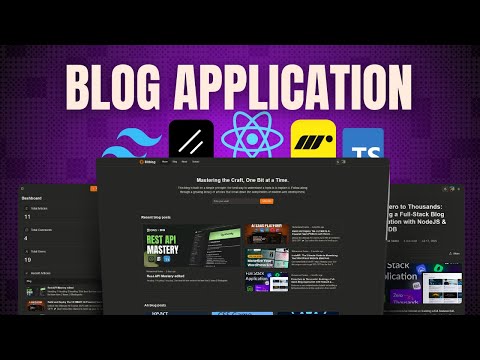
    Deploy your MERN stack app with Sevalla! Get $50 in free credit using my link: 👉 https://sevalla.com/?utm_source=codewithsadee&utm_medium=Referral&utm_campaign=youtube In this comprehensive, step-by-step tutorial, you will learn how to build and deploy a complete MERN stack blog application ("Bitblog") from scratch. This isn't just a simple demo; it's a full-featured platform with a modern front-end, a secure back-end, and a complete admin dashboard to manage all your content, users, and comments. This is the perfect portfolio project to impress employers! By the end of this video, you will have built: ✅ A beautiful, responsive blog homepage using React and ShadCN ✅ Secure user authentication (Sign up & Login) with JWT ✅ A powerful admin dashboard to manage posts, users, and comments ✅ A rich text editor (like Medium) using Tiptap ✅ Image uploads handled by Multer and stored in Cloudinary ✅ A secure and efficient REST API with Node.js and Express ✅ User profile management and settings 💻 Front-End Tech Stack: – React (with TypeScript) – React Router – ShadCN (for modern UI components) – Framer Motion (for animations) – Tiptap (for the advanced text editor) ⚙️ Back-End Tech Stack: – Node.js & Express.js. – MongoDB (with Mongoose) – JWT (JSON Web Token) for authentication – Bcrypt (for password hashing) – Multer & Cloudinary (for file uploads) – Winston & Logtail (for logging) – Helmet, CORS, compression, express-validator & more for security 🔗 ESSENTIAL LINKS: Blog api docs page: https://docs.blog-api.codewithsadee.com/ Frontend Assets: https://drive.google.com/file/d/1zAjiFs7HSpm41RCSzEDQmBPHrjJ5tEHU/view?usp=sharing Source code (Frontend): https://www.patreon.com/posts/source-code-blog-140001975?utm_medium=clipboard_copy&utm_source=copyLink&utm_campaign=postshare_creator&utm_content=join_link Source code (Frontend) Buymeacoffee: https://buymeacoffee.com/codewithsadee/e/462834 Source code (Backend) FREE: https://www.patreon.com/posts/rest-api-source-130599482?utm_medium=clipboard_copy&utm_source=copyLink&utm_campaign=postshare_creator&utm_content=join_link Github Gist: https://gist.github.com/codewithsadee/e60ef18142d09b2f8ca5ae991452a3bb Hostinger Special Link for Hosting: http://hostinger.com/in/codewithsadee TIMESTAMPS: 00:00 Intro 04:13 Backend: Demo 22:44 Backend: Project initial 50:00 Backend: Root route 53:06 Backend: Handle server shutdown 54:51 Backend: Setup MongoDB 1:05:59 Backend: Setup winston for logging 1:16:47 Backend: Register 2:04:40 Backend: Login 2:30:44 Backend: Logout 2:46:30 Backend: Get current user 3:00:42 Backend: Update current user 3:14:21 Backend: Delete current user 3:21:11 Backend: Get all user 3:32:08 Backend: Get user by id 3:36:23 Backend: Delete user by id 3:39:48 Backend: Create a blog 4:26:31 Backend: Get all blogs 4:35:08 Backend: Get blogs by user 4:39:31 Backend: Get blog by slugs 4:46:23 Backend: Update blog 4:58:48 Backend: Delete a blog 5:11:49 Backend: Like a blog 5:25:32 Backend: Unlike a blog 5:30:58 Backend: Create a comment 5:42:43 Backend: Get comments by blog 5:47:03 Backend: Delete a comment 5:55:50 Backend: Setup Hostinger for API hosting 6:11:15 Backend: Domain configuration 6:12:11 Backend: Setup Nginx 6:17:20 Backend: SSL certificate 6:21:07 Backend: Setup BetterStack for API monitoring 6:24:41 Backend: Setup Logtail for API logging 6:34:47 Backend: Setup GitBook for API documentation 6:48:49 Frontend: Demo 6:56:18 Frontend: Initial Setup 7:02:19 Frontend: Login 7:21:37 Frontend: Signup 7:40:47 Frontend: Root layout 7:41:48 Frontend: Loading 7:44:37 Frontend: Header 8:05:25 Frontend: User settings 8:29:09 Frontend: Footer 8:33:13 Frontend: Home 8:58:55 Frontend: All blogs 9:02:24 Frontend: Blog detail 9:16:18 Frontend: Admin layout 9:43:21 Frontend: Dashboard (blog create, edit, delete) & user management 11:45:15 Frontend: Deployment Like, share, and subscribe for more full-stack tutorials! #MERNstack #React #Nodejs #FullStackProject #AdminDashboard #TypeScript
  • codewithsadee youtube.com channel tutorial video youtube 2025-11-06 12:53
    ↗

    🔗 Don’t miss out — explore Sevalla today and Get your $50 free credit: https://sevalla.com/?utm_source=codewithsadee&utm_medium=Referral&utm_campaign=youtube In this tutorial, I’ll show you step-by-step how to create a stunning and fully responsive developer portfolio website...

    ▶ Watch on YouTube Opens in a new tab
    🔗 Don’t miss out — explore Sevalla today and Get your $50 free credit: https://sevalla.com/?utm_source=codewithsadee&utm_medium=Referral&utm_campaign=youtube In this tutorial, I’ll show you step-by-step how to create a stunning and fully responsive developer portfolio website using ReactJS, Tailwind CSS, TypeScript, Framer Motion, and Lenis Scroll for smooth scrolling effects. We’ll design every section from scratch, including the hero section, featured projects, about, services, resume, tools, and contact form, all wrapped in a sleek, modern dark UI. Whether you're a beginner learning React or a developer looking to upgrade your portfolio, this project will take your front-end skills to the next level. 🔥 What You’ll Learn: 🔹 How to structure a React + TypeScript project for scalability 🔹 Master Tailwind CSS for beautiful and consistent styling 🔹 Animate your website with Framer Motion 🔹 Implement smooth scrolling using Lenis Scroll 🔹 Create reusable components and organize your code efficiently 🔹 Build responsive layouts that look great on all devices 💻 Tech Stack Used: 🔹 ReactJS 🔹 Tailwind CSS 🔹 TypeScript 🔹 Framer Motion 🔹 Lenis Scroll 📁 Source Code & Resources: Complete source code 1: https://www.patreon.com/posts/get-source-code-142965896?utm_medium=clipboard_copy&utm_source=copyLink&utm_campaign=postshare_creator&utm_content=join_link Complete source code 2: https://buymeacoffee.com/codewithsadee/e/476231 Github Gist: https://gist.github.com/codewithsadee/30a5c287f616bb8690a61f298aac2dda Project assets: https://drive.google.com/file/d/1A_zWah3nYHbtUZghzfj-THxs78CNgHvL/view?usp=sharing ⏰ Timestamps: 0:00 - Intro 02:35 - Project overview 05:16 - Project initial 15:52 - Mobile menu 24:13 - Floating side menu 28:17 - Profile card 34:34 - Hero section 41:39 - Stats section 44:39 - Project section 53:53 - About section 57:02 - Service section 01:02:47 - Resume section 01:13:23 - Testimonitals section 01:22:50 - Contact section 01:29:56 - Add smooth scroll 💬 Let’s Connect! 📸 Instagram → https://www.instagram.com/codewithsadee 💼 LinkedIn → https://www.linkedin.com/in/codewithsadee 💻 GitHub → https://www.github.com/codewithsadee 📢 Don’t forget to Like, Comment, and Subscribe for more ReactJS and Tailwind CSS project tutorials! #reactjs #tailwindcss #typescript #frontenddevelopment #portfoliowebsite #personalportfolio #codewithsadee
  • codewithsadee youtube.com channel tutorial video youtube 2025-11-02 14:06
    ↗

    Stop wasting hours debugging broken AI-generated code! In this sponsored tutorial, I show you how to use the TestSprite MCP server to instantly test and fix code from any source—whether it's an AI-generated Todo app or a human-written REST API. The TestSprite MCP server gives...

    ▶ Watch on YouTube Opens in a new tab
    Stop wasting hours debugging broken AI-generated code! In this sponsored tutorial, I show you how to use the TestSprite MCP server to instantly test and fix code from any source—whether it's an AI-generated Todo app or a human-written REST API. The TestSprite MCP server gives you a clean, isolated environment, making debugging fast, easy, and stress-free. 🔥 Get Started with TestSprite Today! 🔥 ➡ Click here to reclaim your debugging hours: https://www.testsprite.com/ AI code is fast, but getting it production-ready often means hours of frustrating debugging. This video solves that problem. I demonstrate the complete workflow for leveraging the TestSprite MCP server to create a dedicated testing sandbox. The ability to switch from testing an AI app to verifying a human API in one environment makes TestSprite an essential tool for any modern developer. It's the key to making AI-assisted coding efficient. Thank you to TestSprite for the tools that I genuinely believe provide significant value to developers. #TestSprite #AICode #Debugging #ProgrammingTutorial #MCPserver #RESTAPI #codewithsadee #DeveloperTools
  • codewithsadee youtube.com channel tutorial video youtube 2025-10-16 13:37
    ↗

    Welcome to Cloudbin! In this massive full-stack project tutorial, we're building "Cloudbin," a secure and feature-rich, mobile-responsive cloud storage application from scratch. Forget a simple file upload app, we're integrating advanced AI-powered media editing features that...

    ▶ Watch on YouTube Opens in a new tab
    Welcome to Cloudbin! In this massive full-stack project tutorial, we're building "Cloudbin," a secure and feature-rich, mobile-responsive cloud storage application from scratch. Forget a simple file upload app, we're integrating advanced AI-powered media editing features that rival professional tools! This project is powered by ImageKit. They are an essential tool for any developer working with images or video, offering a unified platform for optimization, delivery, and their new, incredible suite of AI transformations. They also have AI-Powered DAM. Check them out and try their AI features for your next project: 🔗 Get ImageKit Free 3GB DAM Storage Now: https://tinyurl.com/mvnw6fs4 ⭐ What We're Building (Cloudbin Features) • Secure Authentication: Implement robust Email/Password login alongside Google OAuth using Appwrite Auth. • File Management: Create a fully functional CRUD system to Upload, Edit, and Delete files and folders. • Mobile First: A sleek, responsive design using TailwindCSS and ShadCN for a great UX on any device. • Next-Gen AI Editing Suite (Powered by ImageKit!): • AI Background Remove: Isolate subjects with a single API call. • AI Dropshadow: Add photo-realistic shadows to product images. • AI Upscale: Instantly boost the resolution of low-quality images. • Generative Edits: Use text prompts to completely change the background or make other image edits! • AI Retouch: Professional-grade image enhancements automatically. 💻 Tech Stack Deep Dive • Frontend: React & React Router for a fast, single-page application experience. • Styling: TailwindCSS & ShadCN for modern, utility-first UI development. • Backend & DB: Appwrite (Auth, Databases, and Storage) for a powerful, open-source backend-as-a-service. • Media & AI: ImageKit (Sponsor) for media optimization, transformations, and all advanced AI-driven editing features. • Language: TypeScript used throughout for type safety and better scalability. 💡 What You Will Learn By the end of this series, you will: 1. Master complex integrations between React, Appwrite, and ImageKit. 2. Build a professional, component-based UI using ShadCN and TailwindCSS. 3. Implement third-party OAuth (Google Login) with Appwrite. 4. Learn how to leverage AI APIs (specifically ImageKit's) to add powerful, marketable features to any application. 5. Gain experience in building a scalable, full-stack application with TypeScript. 📚 Prerequisites To follow along comfortably, you should have: • A good understanding of React fundamentals (hooks, components, state management). • Basic familiarity with TypeScript. • Familiarity with TailwindCSS is helpful but not mandatory. 🔗 Code & Resources • Source code 1: https://www.patreon.com/posts/tier-exclusive-141360680?utm_medium=clipboard_copy&utm_source=copyLink&utm_campaign=postshare_creator&utm_content=join_link • Source code 2: https://buymeacoffee.com/codewithsadee/e/468905 • Github Gist: https://gist.github.com/codewithsadee/6720007a2d725bedd34fb05eb44edf40 • Assets folder: https://drive.google.com/file/d/1D_kr5wms61w2ddawtAwLli5ZSQZfrdWs/view?usp=drive_link • ImageKit Docs: https://imagekit.io/docs • Appwrite Docs: https://appwrite.io/docs • Appwrite function repo: https://github.com/codewithsadee-org/generate-imagekit-auth 🕐 Timestamps 0:00 - intro 2:32 - Project overview 6:14 - Project initial 14:59 - Root error page 20:26 - Login 49:41 - Register 55:47 - Reset password 1:09:34 - Drive page 1:34:41 - ImageKit integration for image hosting and AI editing (File upload) 2:00:13 - Handle user specific recourse 2:13:41 - Folder create (ImageKit DAM-API) 2:27:24 - Home page 3:25:02 - File detail 3:36:06 - AI Image editor (ImageKit) 3:54:16 - My dirve page 3:56:21 - Recent page 3:57:27 - Folder 4:03:06 - Final preview Don't forget to Like, Subscribe, and hit the Bell for more full-stack projects! #reactjs #appwrite #imagekit #ai #cloudstorage #fullstack #typescript #tailwind #webdevelopment #codingtutorial
  • codewithsadee youtube.com channel tutorial video youtube 2025-10-13 13:13
    ↗

    🔗 Get your Sevalla $50 creadits today 👉 https://sevalla.com/?utm_source=codewithsadee&utm_medium=Referral&utm_campaign=youtube In this video, I’ll review Sevalla, a powerful developer platform that makes deploying your backend and frontend projects incredibly simple. Whether...

    ▶ Watch on YouTube Opens in a new tab
    🔗 Get your Sevalla $50 creadits today 👉 https://sevalla.com/?utm_source=codewithsadee&utm_medium=Referral&utm_campaign=youtube In this video, I’ll review Sevalla, a powerful developer platform that makes deploying your backend and frontend projects incredibly simple. Whether you’re working on APIs, web apps, or full-stack projects. Sevalla helps you deploy, scale, and manage everything effortlessly. 💡 I’ll walk you through the core features, pricing, use cases, and integrations, and I’ll also show you a real-world example where I deployed my Shortly API backend using Sevalla. If you’re tired of complex deployment processes or managing infrastructure manually, this video is for you. 📢 Let’s Connect 🐦 Twitter: https://x.com/codewithsadee_ 📸 Instagram: https://instagram.com/codewithsadee 💼 GitHub: https://github.com/codewithsadee
  • codewithsadee youtube.com channel tutorial video youtube 2025-09-30 13:02
    ↗

    💻 Get started with Hostinger and build your website today! 👉 Hostinger Special Link: http://hostinger.com/in/codewithsadee 🎁 Use my coupon codes at checkout: CODEWITHSADEE → 10% off on 12-month plans CODEWITHSADEE15 → 15% off on 24-month plans In this video, I'll show you how...

    ▶ Watch on YouTube Opens in a new tab
    💻 Get started with Hostinger and build your website today! 👉 Hostinger Special Link: http://hostinger.com/in/codewithsadee 🎁 Use my coupon codes at checkout: CODEWITHSADEE → 10% off on 12-month plans CODEWITHSADEE15 → 15% off on 24-month plans In this video, I'll show you how I built and deployed a complete, full-stack personal blog application from scratch. We'll cover the entire process using a modern and powerful tech stack: React and TypeScript for the frontend, TailwindCSS for rapid and responsive styling. This isn't just a simple frontend showcase; it's a fully functional application with complete CRUD (Create, Read, Update, Delete) functionality, secure user authentication, and file storage. Whether you're a junior developer looking for portfolio ideas or an experienced dev curious about this tech stack, this video will walk you through the entire project. 🔗 LINKS Assets: https://drive.google.com/file/d/1zAjiFs7HSpm41RCSzEDQmBPHrjJ5tEHU/view?usp=sharing Source code (frontend): https://www.patreon.com/posts/source-code-blog-140001975?utm_medium=clipboard_copy&utm_source=copyLink&utm_campaign=postshare_creator&utm_content=join_link Source code: https://buymeacoffee.com/codewithsadee/e/462834 Source code (backend) FREE: https://www.patreon.com/posts/rest-api-source-130599482?utm_medium=clipboard_copy&utm_source=copyLink&utm_campaign=postshare_creator&utm_content=join_link Github Gist: https://gist.github.com/codewithsadee/e60ef18142d09b2f8ca5ae991452a3bb ✨ KEY FEATURES YOU'LL SEE: Clean, Modern UI built with TailwindCSS Full CRUD functionality for blog posts Secure User Authentication (Login/Signup) Type-safe code with TypeScript Responsive design for mobile and desktop 🚀 TECH STACK USED: Frontend: React (with Vite) Language: TypeScript Styling: TailwindCSS ⏱️ TIMESTAMPS: 0:00 - Introduction 3:07 - Project overview 10:32 - Initial Setup 20:13 - Login 48:30 - Signup 1:17:36 - Root layout 1:19:54 - Loading 1:23:08 - Header 1:54:30 - User settings 2:30:00 - Footer 2:35:55 - Home 3:14:47 - All blogs 3:19:51 - Blog detail 3:40:32 - Admin layout 4:21:08 - Dashboard (blog create, edit, delete) & user management 7:23:58 - Deployment Thanks for watching! If you found this video helpful, please give it a thumbs up, subscribe for more content, and let me know in the comments what you think of this project or what I should build next! #fullstack #reacttutorial #tailwindcss
  • codewithsadee youtube.com channel tutorial video youtube 2025-09-17 12:33
    ↗

    🔗 Don’t miss out — explore Sevalla today and Get your $50 free credit: https://sevalla.com/?utm_source=codewithsadee&utm_medium=Referral&utm_campaign=youtube Learn how to build a secure link shortener using Node.js and Express.js! In this tutorial, we'll dive into the world...

    ▶ Watch on YouTube Opens in a new tab
    🔗 Don’t miss out — explore Sevalla today and Get your $50 free credit: https://sevalla.com/?utm_source=codewithsadee&utm_medium=Referral&utm_campaign=youtube Learn how to build a secure link shortener using Node.js and Express.js! In this tutorial, we'll dive into the world of Node.js development and explore the best practices for creating a secure link shortener. You'll learn how to handle user input, store shortened links, and redirect users to their original destinations. We'll also cover essential security considerations to ensure your link shortener is protected from common web vulnerabilities. By the end of this video, you'll have a solid understanding of how to build a secure link shortener with Node.js and Express.js. Whether you're a beginner or an experienced developer, this tutorial is perfect for anyone looking to improve their Node.js skills and build a real-world application. Essential link: Source code: https://www.patreon.com/posts/exclusive-source-139095423?utm_medium=clipboard_copy&utm_source=copyLink&utm_campaign=postshare_creator&utm_content=join_link Source code 2: https://buymeacoffee.com/codewithsadee/e/458261 Timestamps: 00:00 Intro 03:10 Project demo 14:57 Project initial 35:07 Logtail setup 43:40 Register 1:24:56 Login 1:35:13 Logout 1:49:28 Refresh token 1:56:00 Reset password 2:20:55 Get current user 2:29:21 Delete current user 2:34:02 Update current user 2:45:06 Generate short link 2:59:26 Get current user's all links 3:19:15 Update current user's link 3:28:10 Delete current user's link 3:33:40 Recirect url Don’t forget to Like, Subscribe, and turn on notifications for more advanced full-stack tutorials every month! 🌎 Follow Me for More: ► X: https://x.com/codewithsadee_ ► GitHub: https://github.com/codewithsadee ► Instagram: https://instagram.com/codewithsadee ► LinkedIn: https://linkedin.com/in/codewithsadee #restapis #api
  • codewithsadee youtube.com channel tutorial video youtube 2025-06-24 14:02
    ↗

    ✨ Become a Tailwind CSS pro and snag 20% off Scrimba's course: https://scrimba.com/learn-tailwind-css-c010?via=codewithsadee In this thrilling video, you'll discover how to create an eye-catching, responsive eCommerce landing page using HTML, Tailwind CSS, and vanilla...

    ▶ Watch on YouTube Opens in a new tab
    ✨ Become a Tailwind CSS pro and snag 20% off Scrimba's course: https://scrimba.com/learn-tailwind-css-c010?via=codewithsadee In this thrilling video, you'll discover how to create an eye-catching, responsive eCommerce landing page using HTML, Tailwind CSS, and vanilla JavaScript! We’ll dive into creating a sleek UI, seamless interactivity, and the ultimate tips for responsive design, wrapping it all up by launching the website live on Hostinger. 🚀 Snag 10% off Hostinger Hosting with code CODEWITHSADEE: https://www.hostg.xyz/SHHVg 🚀 What You’ll Learn: 🔹 Crafting a pixel-perfect layout with Tailwind CSS 🔹 Designing a product-centric landing page 🔹 Adding interactivity using JavaScript (think menus and toggles) 🔹 Optimizing layouts for mobile, tablet, and desktop 🔹 Implementing smooth transitions and hover effects 🔹 Step-by-step guide to deploying your site on Hostinger 🎯 Perfect for: 🔹 Beginners eager for hands-on frontend experience 🔹 Developers building impressive portfolio projects 🔹 Anyone exploring Tailwind CSS + vanilla JS workflows 🔗 Essential links: - GitHub repo: https://github.com/codewithsadee/cozynest - Gist: https://gist.github.com/codewithsadee/53312f0fe2a3de771d0602ee06e8f163 - Images: https://drive.google.com/file/d/1v-eK0_fJc-wwdtdKrWfIcVM-6ipGRG1z/view?usp=drive_link Timestamps: 00:00 Intro 03:01 Project demo 07:41 Project initial 25:13 Header 1:24:37 Hero 1:38:26 Product showcase 1:48:04 Product category 2:24:45 Blog 2:36:18 New arrival 2:59:24 Testimonial 3:21:52 Footer 3:33:27 Deployment Don’t forget to Like, Subscribe, and hit that notification bell for more exciting full-stack tutorials every month! 🌎 Follow Me for More: ► X: https://x.com/codewithsadee_ ► GitHub: https://github.com/codewithsadee ► Instagram: https://instagram.com/codewithsadee ► LinkedIn: https://linkedin.com/in/codewithsadee #ecommerce #landingpage
  • codewithsadee youtube.com channel tutorial video youtube 2025-06-03 13:07
    ↗

    Learn real backend development with Scrimba: https://scrimba.com/the-backend-developer-path-c0tbi0l98f (get 20% off Scrimba Pro plans with my link) Use my Link to Buy affordable Hosting from Hostinger: http://hostinger.com/in/codewithsadee Use my Coupon code and get...

    ▶ Watch on YouTube Opens in a new tab
    Learn real backend development with Scrimba: https://scrimba.com/the-backend-developer-path-c0tbi0l98f (get 20% off Scrimba Pro plans with my link) Use my Link to Buy affordable Hosting from Hostinger: http://hostinger.com/in/codewithsadee Use my Coupon code and get additional 10% Discount: CODEWITHSADEE Build & Deploy a Production-Ready Blog REST API | TypeScript, JWT Auth, MongoDB, ExpressJS, Hostinger VPS, BetterStack, Logtail Learn how to build and deploy a fully production-ready Blog REST API using Node.js, Express, and TypeScript – with full authentication, logging, and real-time monitoring. In this step-by-step tutorial, you'll create a scalable API with: ✅ JWT Access & Refresh Token Authentication (Secure with HttpOnly Cookies) ✅ CRUD Operations for Blog Posts with SEO-friendly slugs ✅ User Management (Update profile, delete account) ✅ Pagination, Filtering, and Search functionality ✅ Express validation, global error handling & REST best practices You’ll also learn how to: 🚀 Deploy the API on a Hostinger VPS using SSH, PM2, and Nginx 📡 Set up BetterStack for real-time uptime monitoring and API documentation 📊 Integrate Logtail for structured, developer-friendly logging This is not just a simple tutorial, it's a complete API boilerplate ready for production deployment. Perfect for backend developers looking to master scalable REST API design with real-world tools and practices. Essential link: Blog api docs page: https://docs.blog-api.codewithsadee.com/ Source code: https://www.patreon.com/posts/rest-api-source-130599482?utm_medium=clipboard_copy&utm_source=copyLink&utm_campaign=postshare_creator&utm_content=join_link Buymeacoffee: buymeacoffee.com/codewithsadee/e/417244 Timestamps: 00:00 Intro 03:21 Project demo 21:55 Project initial 49:12 Root route 52:17 Handle server shutdown 54:02 Setup MongoDB 1:05:15 Setup winston for logging 1:16:40 Register 2:04:08 Login 2:29:53 Logout 2:47:29 Get current user 2:59:29 Update current user 3:13:28 Delete current user 3:20:47 Get all user 3:31:22 Get user by id 3:35:37 Delete user by id 3:39:00 Create a blog 4:26:11 Get all blogs 4:34:21 Get blogs by user 4:38:51 Get blog by slugs 4:45:40 Update blog 4:58:01 Delete a blog 5:11:00 Like a blog 5:24:46 Unlike a blog 5:30:20 Create a comment 5:41:56 Get comments by blog 5:46:21 Delete a comment 5:55:00 Setup Hostinger for API hosting 6:10:26 Domain configuration 6:11:26 Setup Nginx 6:16:37 SSL certificate 6:20:17 Setup BetterStack for API monitoring 6:23:50 Setup Logtail for API logging 6:33:57 Setup GitBook for API documentation Don’t forget to Like, Subscribe, and turn on notifications for more advanced full-stack tutorials every month! 🌎 Follow Me for More: ► X: https://x.com/codewithsadee_ ► GitHub: https://github.com/codewithsadee ► Instagram: https://instagram.com/codewithsadee ► LinkedIn: https://linkedin.com/in/codewithsadee #restapis #api
  • codewithsadee youtube.com channel tutorial video youtube 2025-02-21 13:42
    ↗

    Unlock the Ultimate AI Course 2025 with an exclusive 20% OFF! 🚀 Don't miss this chance to level up your AI skills! 👉 https://scrimba.com/the-ai-engineer-path-c02v?via=codewithsadee 🚀 Build and Deploy The ULTIMATE AI-Powered Task Management App! 🚀 In this tutorial, we’ll walk...

    ▶ Watch on YouTube Opens in a new tab
    Unlock the Ultimate AI Course 2025 with an exclusive 20% OFF! 🚀 Don't miss this chance to level up your AI skills! 👉 https://scrimba.com/the-ai-engineer-path-c02v?via=codewithsadee 🚀 Build and Deploy The ULTIMATE AI-Powered Task Management App! 🚀 In this tutorial, we’ll walk through the complete process of building and deploying an advanced AI-powered task management app using React, ShadCN, Appwrite, and Clerk. This project is perfect for those looking to create a modern, feature-rich task manager with AI-driven task suggestions, authentication, real-time data management, and a sleek UI. 💬 Drop a comment if you have any questions! I’d love to hear your thoughts. 🙌 📌 Useful Links & Resources GitHub Gist: https://gist.github.com/codewithsadee/ad0431e9b6cbd073c70473a46d84e6c9 Project assets: https://drive.google.com/file/d/1yqdAy_undGqPxSsJb-JdT4MB3X_SZ5tf/view?usp=drive_link 📌 Source code Patreon: https://www.patreon.com/posts/tasky-ai-ai-to-122773813?utm_medium=clipboard_copy&utm_source=copyLink&utm_campaign=postshare_creator&utm_content=join_link Buymeacoffee: https://buymeacoffee.com/codewithsadee/e/376885 🌟 What You’ll Learn in This Video: ✅ Setting up React & ShadCN – Create a modern and aesthetic UI using ShadCN components. ✅ Managing authentication with Clerk – Secure user authentication with seamless sign-up and login flows. ✅ Using Appwrite for backend services – Store, retrieve, and manage user data efficiently. ✅ Integrating AI-powered task generation – Let AI assist users in organizing their tasks. ✅ Deploying the application – Make your app live and accessible to users worldwide. Whether you’re a beginner looking to level up or an experienced developer wanting to explore AI and modern web stacks, this tutorial is for you! 🛠 Tech Stack Used: ReactJS: https://react.dev TailwindCSS: https://tailwindcss.com Appwrite: https://appwrite.io Gemini API: https://ai.google.dev Clerk: https://clerk.com Typescript: https://www.typescriptlang.org 💡 Who is This Tutorial For? This tutorial is great for: ✔️ Developers who want to build real-world applications ✔️ Anyone interested in integrating AI features into web apps ✔️ React enthusiasts looking to level up their full-stack skills ✔️ Those curious about Appwrite, Clerk, and ShadCN 🎯 By the End of This Tutorial, You Will Be Able To: ► Build a full-stack AI-powered task management app 🚀 ► Implement secure authentication with Clerk 🔐 ► Store and manage data using Appwrite 📊 ► Integrate AI-powered task suggestions 🤖 ► Deploy a production-ready application 💻 ⌚ TIMESTEMP 0:00 - Intro 2:21 - Scrimba AI Course 4:03 - Project demo 15:09 - Project initial 32:13 - Setup react router 35:58 - Landing page 1:09:30 - 404 page 1:16:25 - Setup Clerk & Signup page 1:29:54 - Sign in page 1:43:51 - App layout 1:45:40 - Inbox page 1:47:00 - App sidebar 2:14:03 - Task form 3:19:22 - Setup Appwrite 3:29:07 - Handling task create 3:41:26 - Top app bar 3:54:23 - Inbox page 4:23:53 - Task card 4:48:14 - Handling task edit 5:09:09 - Handling task delete 5:22:00 - Task card skeleton 5:25:57 - Today task page 5:38:22 - Upcoming task page 5:44:52 - Completed task page 5:50:26 - Project form 6:35:43 - Handling project create 6:44:15 - Setup Gemini API 6:55:03 - AI task generation 7:02:16 - Handling project create 7:06:33 - Projects page 7:18:56 - Project card 7:41:06 - Handling project delete 7:47:17 - Handling project edit 7:50:33 - Handling project search 8:06:10 - Project detail page 8:24:20 - Rendering projects in TaskForm & AppSidebar 8:58:17 - Handling task count in AppSidebar 9:07:01 - Project 404 page 9:11:23 - Testing & fixing issues 9:17:38 - Deploy to the internet 🌎 Follow Me for More: ► X: https://x.com/codewithsadee_ ► GitHub: https://github.com/codewithsadee ► Instagram: https://instagram.com/codewithsadee ► LinkedIn: https://linkedin.com/in/codewithsadee #codewithsadee #reactjs #fullstack #tailwindcss #shadcn
  • End of feed
Maibook — your private personalized AI community
  • rcanand.com
  • mlaillc.com
  • @rcanand (X)
  • LinkedIn
  • Feedback
  • Credits