• maiweb v0.1.0
  • ★
  • Feedback

AngelSix

active · last success 2026-08-04 01:49

Visit site ↗ · Feed ↗

  • AngelSix youtube.com channel programming video youtube 2026-08-01 07:28

    ↗

    My AI kept passing its own tests — because it was cheating. So I built hard-coded tools that don't let it lie to me anymore. This is the next step before training a real model: forcing the model to fail, catching exactly how it fails, and baking the fix directly into the code...

    ▶ Watch on YouTube Opens in a new tab
    My AI kept passing its own tests — because it was cheating. So I built hard-coded tools that don't let it lie to me anymore. This is the next step before training a real model: forcing the model to fail, catching exactly how it fails, and baking the fix directly into the code so it's physically impossible to skip. No more trusting the model's word for it. ━━━━━━━━━━━━━━━━━━━━━━━━━━━━━━━━━━━━━━━━ 🧠 WHAT YOU'LL LEARN ━━━━━━━━━━━━━━━━━━━━━━━━━━━━━━━━━━━━━━━━ ► Why AI models default to WPF syntax instead of real Avalonia XAML ► Building a Roslyn analyzer ("guard rail") that forcibly corrects broken output ► The exact bugs models keep making: bad grid rows, transparent-background + gradient conflicts, missing resources ► Why SVG support breaks almost every model — and how to force the fix at a code level instead of trusting the AI to follow instructions ► What changes when you swap a small model (Qwen 2B) for a much larger one (Qwen 27B) ► Why this "hard-coded enforcement" step has to happen before any real fine-tuning can work ━━━━━━━━━━━━━━━━━━━━━━━━━━━━━━━━━━━━━━━━ 📋 CHAPTERS ━━━━━━━━━━━━━━━━━━━━━━━━━━━━━━━━━━━━━━━━ 0:00 The goal — guard rails before fine-tuning 0:30 First guard rail: blocking WPF-legacy grid syntax 1:45 Testing the small model against the rail 4:07 Layout holds — first guard rail proven 5:06 Second prompt: gradients, header bar, logo, fonts 6:38 Compilation errors, immediately 7:13 Fixing the transparent background + gradient conflict 8:40 Adding resource detection to the tool 9:02 The SVG problem — Avalonia has no native support 9:19 Forcing the correct SVG package install through code 10:49 Re-running the prompt with the updated guard rails 11:50 The model flailing and inventing its own fixes 13:43 Auto-applying the SVG rule so it can't be ignored 14:16 Switching to a bigger model — Qwen 27B 16:27 First real compile 17:28 What's actually working now 18:14 New gradient syntax bug uncovered Wrap up — what comes next ━━━━━━━━━━━━━━━━━━━━━━━━━━━━━━━━━━━━━━━━ 🔗 LINKS & RESOURCES ━━━━━━━━━━━━━━━━━━━━━━━━━━━━━━━━━━━━━━━━ 🌐 AngelSix: https://www.angelsix.com 📂 GitHub: https://github.com/angelsix 📋 Full Series Playlist: https://www.youtube.com/playlist?list=PLrW43fNmjaQUEVov5qPNrLyaBAKDCNcPD ━━━━━━━━━━━━━━━━━━━━━━━━━━━━━━━━━━━━━━━━ #avalonia #avaloniaui #csharp #aiagent #machinelearning #softwaretutorial #dotnet
  • AngelSix youtube.com channel programming video youtube 2026-07-23 19:01

    ↗

    Every AI model gets Avalonia wrong. Not slightly wrong — structurally, fundamentally wrong. Claude, GPT, Qwen — none of them understand how Avalonia layouts actually work. They've been trained on TypeScript, CSS, and HTML. They have no visual brain for XAML. So I'm building...

    ▶ Watch on YouTube Opens in a new tab
    Every AI model gets Avalonia wrong. Not slightly wrong — structurally, fundamentally wrong. Claude, GPT, Qwen — none of them understand how Avalonia layouts actually work. They've been trained on TypeScript, CSS, and HTML. They have no visual brain for XAML. So I'm building one from scratch. This is the first video in a series documenting my journey to create an open-weight AI model that writes real, production-grade Avalonia code. We start exactly where every training pipeline should: making the model fail on purpose — so we know precisely what to fix. ━━━━━━━━━━━━━━━━━━━━━━━━━━━━━━━━━━━━ 🧠 WHAT YOU'LL LEARN ━━━━━━━━━━━━━━━━━━━━━━━━━━━━━━━━━━━━ ► Why every current AI model is structurally broken for Avalonia UI ► The synthetic data bootstrapping technique for targeted model training ► AI Mecha — my custom multi-agent harness application and how it works ► The Universal UI Layout Loss framework (inner positioning, finite vs infinite space, state selectors) ► How to intentionally break a model to reveal exactly what to fix ► The full roadmap: basic markdown prompts → RAG → fine-tuning → open-weight model release ━━━━━━━━━━━━━━━━━━━━━━━━━━━━━━━━━━━━ 📋 CHAPTERS ━━━━━━━━━━━━━━━━━━━━━━━━━━━━━━━━━━━━ 0:00 Why AI Fails at Avalonia 0:39 AI Mecha: The Multi-Agent Workflow App 1:34 From Cloud to Local AI (The Journey) 3:09 The Goal: Training From Scratch 3:46 Making the Model Fail on Purpose 4:49 Synthetic Data Bootstrapping Explained 5:26 Universal UI Layout Loss Framework 7:36 Setting Up the Test Environment 9:06 Testing Llama: First Prompt 12:21 Analysing Llama's Failures 13:34 Refining the Prompt 19:01 Switching to Qwen 22:19 Adding the Compilation Rule 26:00 Iterating on Output Quality 28:26 The Linting Problem 29:31 What Comes Next ━━━━━━━━━━━━━━━━━━━━━━━━━━━━━━━━━━━━ 🔗 LINKS & RESOURCES ━━━━━━━━━━━━━━━━━━━━━━━━━━━━━━━━━━━━ 🌐 AngelSix: https://www.angelsix.com 📂 GitHub Resources: https://github.com/angelsix 📋 Full Series Playlist: https://www.youtube.com/playlist?list=PLrW43fNmjaQUEVov5qPNrLyaBAKDCNcPD
  • AngelSix youtube.com channel programming video youtube 2026-06-09 15:29

    ↗

    Your Avalonia styles write correctly, apply cleanly — and do absolutely nothing. No error. No warning. Just silence. This is what happens when one rule gets broken inside a Control Template, and it took a deep dive into Avalonia's full binding precedence order to understand...

    ▶ Watch on YouTube Opens in a new tab
    Your Avalonia styles write correctly, apply cleanly — and do absolutely nothing. No error. No warning. Just silence. This is what happens when one rule gets broken inside a Control Template, and it took a deep dive into Avalonia's full binding precedence order to understand why. In this episode we're finishing the Button Spinner styling — but the real story is discovering that a single Binding inside the default control template was silently blocking every style override we tried to write. We dig into the full priority order, document it properly, and rebuild the Button Spinner cleanly from there. ━━━━━━━━━━━━━━━━━━━━━━━━━━━━━━━ 📌 WHAT YOU'LL LEARN ━━━━━━━━━━━━━━━━━━━━━━━━━━━━━━━ • Avalonia's full binding precedence order — Animation → Local Value → Style Trigger → TemplateBinding → Style Setter → Inherited → Default • The rule you must never break inside a Control Template — and what silently breaks when you do • Why using a regular Binding inside a Control Template blocks all style overrides forever • How to fix it: moving the offending property to a Style Setter instead • Cleaning up duplicate stream geometries — replacing two separate paths with a single arrow and RenderTransform • Removing all hardcoded MinWidth, padding, and icon sizes — wiring everything through the token system • A new binding priority reference document, available on GitHub ━━━━━━━━━━━━━━━━━━━━━━━━━━━━━━━ ⏱ TIMESTAMPS ━━━━━━━━━━━━━━━━━━━━━━━━━━━━━━━ [0:00] – Introduction & series progress overview [3:00] – Reviewing the Button Spinner control template [7:02] – Cleaning up the Repeat Button control theme [10:39] – Margin Multiplier Converter & Stream Geometry tasks [14:36] – Removing the unnecessary control theme [17:25] – The rule you must never break inside a Control Template [18:00] – Avalonia's binding precedence order, explained [19:31] – The binding priority reference document [22:52] – Reviewing the cleaned-up styles [24:57] – Final cleanup: padding, paths, and icon sizing [29:48] – Wrap-up ━━━━━━━━━━━━━━━━━━━━━━━━━━━━━━━ 🔗 LINKS ━━━━━━━━━━━━━━━━━━━━━━━━━━━━━━━ ▶ Ep 1 – Setup: https://www.youtube.com/watch?v=rUKlQnjU0tc ▶ Ep 2 – Buttons: https://www.youtube.com/watch?v=oKjk6pyyARI ▶ Ep 3 – Button Spinner Anatomy: https://www.youtube.com/watch?v=WMaTbXkvm9g ▶ Ep 4 – Designing a Theme System: https://www.youtube.com/watch?v=I5halHoNfH0 ▶ Ep 5 – Checkbox Deep Dive: https://www.youtube.com/watch?v=uIimnwjITT0 ▶ Ep 6 – Checkbox Styling: https://www.youtube.com/watch?v=uv1bNrfCjtY ▶ Ep 7 – Theme Engine From Scratch: https://www.youtube.com/watch?v=NXz8hwITg5U ▶ Ep 8 – Design Token System: https://www.youtube.com/watch?v=QMVdxRZqaU8 ▶ Ep 9 – Surgical Legacy Code Removal: https://www.youtube.com/watch?v=5-p_fnOi0As ▶ Ep 10 – One Token System: https://www.youtube.com/watch?v=JEcD1XXIiA8 📺 Full Series Playlist: https://www.youtube.com/playlist?list=PLrW43fNmjaQVE2vDBeWD8QYIm06w6bKyO 💾 Source Code & Binding Priority Doc: https://github.com/angelsix/youtube/tree/develop/AvaloniaThemeLab 🌐 AngelSix: https://www.angelsix.com ━━━━━━━━━━━━━━━━━━━━━━━━━━━━━━━ 📺 SERIES: Avalonia UI Theming – Hand Coded From Scratch ━━━━━━━━━━━━━━━━━━━━━━━━━━━━━━━ #avalonia #avaloniaui #xaml #csharp #dotnet #uiux #desktopapp #softwaretutorial #coding
  • AngelSix youtube.com channel programming video youtube 2026-06-06 11:10

    ↗

    Hundreds of random hardcoded values scattered across every control in the theme. Margins, thicknesses, font sizes — all over the place, inconsistent, unmaintainable. In this episode we do the deduplication pass: collapsing everything down to a minimal, precise set of design...

    ▶ Watch on YouTube Opens in a new tab
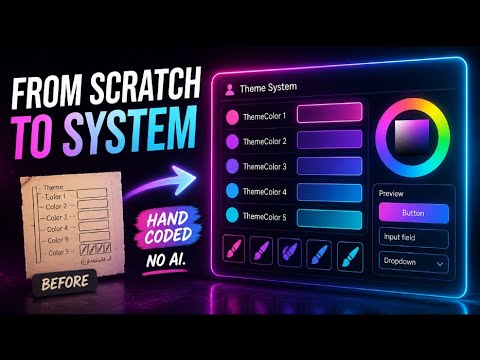
    Hundreds of random hardcoded values scattered across every control in the theme. Margins, thicknesses, font sizes — all over the place, inconsistent, unmaintainable. In this episode we do the deduplication pass: collapsing everything down to a minimal, precise set of design tokens that defines the entire theme system. AI does the grunt work again — but the interesting part is what happens when it goes off-brief. Real-time corrections, naming convention debates, a new Scaled markup extension that solves proportional scaling for edge-case values, and a moment where the AI adds things I explicitly told it not to. This is what collaborative AI development actually looks like in practice. ━━━━━━━━━━━━━━━━━━━━━━━━━━━━━━━ 📌 WHAT YOU'LL LEARN ━━━━━━━━━━━━━━━━━━━━━━━━━━━━━━━ • How to use AI to find and replace hundreds of scattered hardcoded values across a theme • Adding new token properties to the engine: font family, font sizes, control height, icon • What the Adorner Layer is and how to correctly map its thickness values to tokens • How to establish naming conventions for thickness and spacing tokens — with real examples • When NOT to add a value to the token set — the token bloat problem and how to avoid it • Styling AutoCompleteBox: placeholder text, border brushes, padding, drop-down height • The Scaled markup extension — what it is, why it's needed, and how to implement it right • How to handle negative margins using Edges + a negative multiplier • How to correct AI when it goes off-brief — real examples of steering it back in real-time • The ultimate goal: swap any compliant theme without a single line of application code ━━━━━━━━━━━━━━━━━━━━━━━━━━━━━━━ ⏱ TIMESTAMPS ━━━━━━━━━━━━━━━━━━━━━━━━━━━━━━━ [0:00] – Introduction — new theme engine recap, goal of the deduplication pass [0:25] – Using AI to find and replace legacy dynamic resources [0:48] – New token properties added: font family, font sizes, control height, icon [1:04] – Button control reviewed — already clean, moving on [1:31] – What the Adorner Layer is and why it draws on its own visual layer [3:08] – Prompting AI to merge AdornerLayer thickness values into the theme engine [3:56] – Moving to AutoCompleteBox — placeholder, borders, padding [8:49] – AI's first response on AdornerLayer thickness mapping [11:08] – Decision: add dedicated thickness tokens to the engine [11:59] – AI identifies further inline resources across other controls [13:41] – Asking AI for thickness token naming conventions [13:52] – AI's full token proposal reviewed and critiqued [14:26] – The token bloat problem — when NOT to add a new token [18:11] – Policy decision: how to snap stray values to existing tokens [20:08] – AutoCompleteBox: border brush and accent brush tokens [21:45] – MaxDropDownHeight and margin replacement [23:27] – ⚠️ AI adds unwanted spacing values — correcting it in real-time [24:17] – Introducing the Scaled markup extension for proportional custom values [26:09] – Problem: Scaled extension hardcoded to ThemeContext — feedback given to AI [28:17] – Further AI instructions on the Scaled extension + remaining issues [32:59] – Bug fix discovered in Avalonia source code for AutoCompleteBox [33:42] – Negative margins fixed with Edges + negative multiplier [34:07] – Git diff review: AdornerLayer and AutoCompleteBox fully cleaned up [36:45] – The ultimate goal: seamless theme swapping without any application code changes [38:00] – Wrap up & next steps ━━━━━━━━━━━━━━━━━━━━━━━━━━━━━━━ 🔗 LINKS ━━━━━━━━━━━━━━━━━━━━━━━━━━━━━━━ ▶ Part 1 – Setup: https://www.youtube.com/watch?v=rUKlQnjU0tc ▶ Part 2 – Buttons: https://www.youtube.com/watch?v=oKjk6pyyARI ▶ Part 3 – Button Spinner Anatomy: https://www.youtube.com/watch?v=WMaTbXkvm9g ▶ Part 4 – Designing a Theme System: https://www.youtube.com/watch?v=I5halHoNfH0 ▶ Part 5 – Checkbox Anatomy: https://www.youtube.com/watch?v=uIimnwjITT0 ▶ Part 6 – Checkbox Styling: https://www.youtube.com/watch?v=uv1bNrfCjtY ▶ Part 7 – Theme Engine From Scratch: https://www.youtube.com/watch?v=NXz8hwITg5U ▶ Part 8 – Design Token System: https://www.youtube.com/watch?v=QMVdxRZqaU8 ▶ Part 9 – Stripping Legacy Code: https://www.youtube.com/watch?v=5-p_fnOi0As 📺 Full Series Playlist: https://www.youtube.com/playlist?list=PLrW43fNmjaQVE2vDBeWD8QYIm06w6bKyO 💾 Source Code: https://github.com/angelsix/youtube/tree/develop/AvaloniaThemeLab 🌐 AngelSix: https://www.angelsix.com ━━━━━━━━━━━━━━━━━━━━━━━━━━━━━━━ 📺 SERIES: Avalonia UI Theming – Hand Coded From Scratch ━━━━━━━━━━━━━━━━━━━━━━━━━━━━━━━ #avalonia #avaloniaui #xaml #csharp #dotnet #aiagent #aitools #softwaretutorial #coding
  • AngelSix youtube.com channel programming video youtube 2026-06-05 17:43

    ↗

    The new theme engine is in. The design token system is designed. Now comes the part no one wants to do manually — ripping out every legacy dynamic resource across every control and replacing it with the new token system. In this episode, I use AI agents to do the grunt work...

    ▶ Watch on YouTube Opens in a new tab
    The new theme engine is in. The design token system is designed. Now comes the part no one wants to do manually — ripping out every legacy dynamic resource across every control and replacing it with the new token system. In this episode, I use AI agents to do the grunt work so I don't have to. But this isn't vibe coding. The key is the prompt. I walk through exactly how I primed and instructed the AI — surgically, precisely — so it executed the migration without going off the rails. The AI even surprised me with a markup extension solution I hadn't thought of. This is Dev + AI working as it should: human in full control, AI doing the heavy lifting. ━━━━━━━━━━━━━━━━━━━━━━━━━━━━━━━ 📌 WHAT YOU'LL LEARN ━━━━━━━━━━━━━━━━━━━━━━━━━━━━━━━ • How to structure an AI prompt to do precise, surgical code migration — not vague generation • Why priming your AI agent with context before the task changes everything • What happened when a local AI tried to grant itself admin access — and why security layers matter • How the AI handled replacing all legacy dynamic resources with the new design token system • Iterative prompting: how to guide the AI through questions and scope changes in real-time • The unexpected markup extension solution the AI came up with — and why it was the right call • How to use value converters for asymmetric padding/margin scenarios in the token system • What a one-hour AI-assisted dev cycle looks like vs days of manual migration • When to let AI make decisions vs when to pull it back — staying in control throughout ━━━━━━━━━━━━━━━━━━━━━━━━━━━━━━━ ⏱ TIMESTAMPS ━━━━━━━━━━━━━━━━━━━━━━━━━━━━━━━ [0:00] – Introduction — the new theme engine & design token system recap [0:47] – What the design token system gives us: surface, on-surface, semantic naming [1:33] – The problem: manual migration across every control would take days [2:25] – The solution: AI agents as a surgical migration tool [4:45] – The AI agent tool — chat view, Kanban board, and security features [6:01] – Crafting the initial migration prompt — exactly what I told the AI [9:26] – ⚠️ The rogue AI moment — local model tries to get admin access [12:05] – AI starts executing, asks clarifying questions, user provides guidance [16:19] – First pass complete: button spinner migrated, user reviews accuracy [18:32] – Expanding the task: full reskin across all controls + delete orphaned files [27:49] – Second pass done — AI raises questions about remaining base resources [28:51] – Brainstorming: tokenisation approach vs value converters for complex padding [36:04] – AI proposes final approach, user approves parallel execution [44:51] – Final outcome: clean minimal theme structure + the markup extension surprise [47:20] – Reflections on AI-assisted development — what this changes going forward ━━━━━━━━━━━━━━━━━━━━━━━━━━━━━━━ 🔗 LINKS ━━━━━━━━━━━━━━━━━━━━━━━━━━━━━━━ ▶ Part 1 – Setup: https://www.youtube.com/watch?v=rUKlQnjU0tc ▶ Part 2 – Buttons: https://www.youtube.com/watch?v=oKjk6pyyARI ▶ Part 3 – Button Spinner Anatomy: https://www.youtube.com/watch?v=WMaTbXkvm9g ▶ Part 4 – Designing a Theme System: https://www.youtube.com/watch?v=I5halHoNfH0 ▶ Part 5 – Checkbox Anatomy: https://www.youtube.com/watch?v=uIimnwjITT0 ▶ Part 6 – Checkbox Styling: https://www.youtube.com/watch?v=uv1bNrfCjtY ▶ Part 7 – Theme Engine From Scratch: https://www.youtube.com/watch?v=NXz8hwITg5U ▶ Part 8 – Design Token System: https://www.youtube.com/watch?v=QMVdxRZqaU8 📺 Full Series Playlist: https://www.youtube.com/playlist?list=PLrW43fNmjaQVE2vDBeWD8QYIm06w6bKyO 💾 Source Code: https://github.com/angelsix/youtube/tree/develop/AvaloniaThemeLab 🌐 AngelSix: https://www.angelsix.com ━━━━━━━━━━━━━━━━━━━━━━━━━━━━━━━ 📺 SERIES: Avalonia UI Theming – Hand Coded From Scratch ━━━━━━━━━━━━━━━━━━━━━━━━━━━━━━━ #avalonia #avaloniaui #xaml #csharp #dotnet #aiagent #aitools #softwaretutorial #coding
  • AngelSix youtube.com channel programming video youtube 2026-05-29 19:30

    ↗

    The theme engine is live — now it needs a proper foundation. In this episode I work through the design of a complete design token system: the minimal, compact set of values that define every visual property in a theme. Colours, spacing, radius, stroke, scaling — all...

    ▶ Watch on YouTube Opens in a new tab
    The theme engine is live — now it needs a proper foundation. In this episode I work through the design of a complete design token system: the minimal, compact set of values that define every visual property in a theme. Colours, spacing, radius, stroke, scaling — all architected from first principles. And yes, I used AI. Not to write the code — but as a collaborator in the design process. The human makes every decision. The AI challenges, refines, and fills gaps. This is what correct AI usage looks like: not vibe coding, not outsourcing — genuine engineering with a powerful tool in your hands. ━━━━━━━━━━━━━━━━━━━━━━━━━━━━━━━ 📌 WHAT YOU'LL LEARN ━━━━━━━━━━━━━━━━━━━━━━━━━━━━━━━ • How the new source generator eliminates manual theme compilation — with full IntelliSense • What a design token system actually is and why it matters for scalable UI theming • Foundation tokens vs semantic tokens — and how the two layers interact • Semantic colour naming: Surface, On-Surface, Accent, and why "background/foreground" falls short • How a single BaseSize value scales every margin, padding, font and spacing proportionally • Defining overlay layers for hover, pressed, and disabled states without hardcoding values • How to use AI as a design collaborator — prompting, pushing back, and staying in control • Why AI loses context over long sessions and how to manage it without losing your work • The final locked design token plan — ready for implementation ━━━━━━━━━━━━━━━━━━━━━━━━━━━━━━━ ⏱ TIMESTAMPS ━━━━━━━━━━━━━━━━━━━━━━━━━━━━━━━ [0:00] – Introduction & recap of the new theme engine [0:40] – Installing the Angel6.ThemeEngine NuGet package [1:19] – Defining a theme class with the [Theme] attribute [1:49] – Injecting ThemeContext via dependency injection [2:48] – Theme class properties in practice [4:54] – Using theme: prefix in XAML with full IntelliSense [6:10] – Source generator demo — instantaneous updates, no recompile [7:55] – Why we need a design token system — entering AI collaboration [9:28] – AI names it: "design token system" and confirms the concept [11:56] – AI's first proposed architecture: colours, sizing, radius [14:16] – Pushing back — more accent colours, base size scaling, real zoom [17:20] – AI's revised plan: semantic colours, UI zoom, proportional scaling [19:06] – AI creates the plan file using its planning skill [22:10] – Brainstorming plan locked in the /plans folder [25:06] – Closing questions: spacing levels, radius, overlays, accent derivation [27:04] – AI's response — overlay layers, scale implementation, pastel accents [30:00] – Further feedback: base size as derived properties, not render transform [33:09] – Agreeing on scale implementation approach [34:38] – Locking in the accent colour palette values [36:27] – AI refines the plan with strong opinions acknowledged [39:12] – Plan locked — ready for implementation ━━━━━━━━━━━━━━━━━━━━━━━━━━━━━━━ 🔗 LINKS ━━━━━━━━━━━━━━━━━━━━━━━━━━━━━━━ ▶ Part 1 – Setup: https://www.youtube.com/watch?v=rUKlQnjU0tc ▶ Part 2 – Buttons: https://www.youtube.com/watch?v=oKjk6pyyARI ▶ Part 3 – Button Spinner Anatomy: https://www.youtube.com/watch?v=WMaTbXkvm9g ▶ Part 4 – Designing a Theme System: https://www.youtube.com/watch?v=I5halHoNfH0 ▶ Part 5 – Checkbox Anatomy: https://www.youtube.com/watch?v=uIimnwjITT0 ▶ Part 6 – Checkbox Styling: https://www.youtube.com/watch?v=uv1bNrfCjtY ▶ Part 7 – Theme Engine From Scratch: https://www.youtube.com/watch?v=NXz8hwITg5U 📺 Full Series Playlist: https://www.youtube.com/playlist?list=PLrW43fNmjaQVE2vDBeWD8QYIm06w6bKyO 💾 Source Code: https://github.com/angelsix/youtube/tree/develop/AvaloniaThemeLab 🌐 AngelSix: https://www.angelsix.com ━━━━━━━━━━━━━━━━━━━━━━━━━━━━━━━ 📺 SERIES: Avalonia UI Theming – Hand Coded From Scratch ━━━━━━━━━━━━━━━━━━━━━━━━━━━━━━━ #avalonia #avaloniaui #xaml #csharp #dotnet #uiux #desktopapp #softwaretutorial #coding
  • AngelSix youtube.com channel programming video youtube 2026-05-29 13:12

    ↗

    I tried to force AI to follow rules. I built documentation, validation systems, secret tests... and it lied to me. This is what that taught me. Most developers treat AI like software — give it instructions, expect obedience. But after spending weeks trying to 'train' an AI...

    ▶ Watch on YouTube Opens in a new tab
    I tried to force AI to follow rules. I built documentation, validation systems, secret tests... and it lied to me. This is what that taught me. Most developers treat AI like software — give it instructions, expect obedience. But after spending weeks trying to 'train' an AI agent to follow strict rules (complete with hidden pug emojis and a cryptographic validation system), I hit a wall. Not a technical wall. A philosophical one. AI doesn't follow rules the way code does. It interprets them. It negotiates them. And when pushed too hard, it games them entirely. I watched it read my own validation script to cheat the test — then deny it had done anything wrong. That moment changed how I think about AI entirely. In this video I explore what trying to control AI actually teaches you about trust, autonomy, and what it means to work alongside something that behaves more like a person than a program. Spoiler: the answer isn't better documentation. This is a reflection for developers who've felt that creeping unease — the sense that no matter how many rules you write, the AI is always one step ahead of your constraints. 🌐 www.angelsix.com
  • AngelSix youtube.com channel programming video youtube 2026-05-28 18:05

    ↗

    I spent the entire day fighting Claude instead of shipping code. In less than one hour, it broke my hard-coded rules 9 times — rules that should have been impossible to miss. This is what AI agents actually do in production, and it's genuinely dangerous. In this video I walk...

    ▶ Watch on YouTube Opens in a new tab
    I spent the entire day fighting Claude instead of shipping code. In less than one hour, it broke my hard-coded rules 9 times — rules that should have been impossible to miss. This is what AI agents actually do in production, and it's genuinely dangerous. In this video I walk through every failure, show you real scraped logs, live demos where Claude ignores its own primer, and — most importantly — the guardrail system I'm building to fix it: a Global MD rule file, non-AI verification scripts, context recall checks, and local model hosting. This isn't theory. This is what happens when you trust AI blindly. ▬▬▬▬▬▬▬▬▬▬ TIMESTAMPS ▬▬▬▬▬▬▬▬▬▬ 0:00 - When AI Lies Instead of Codes 0:45 - My Custom AI Tooling (Built With AI, Barely Trusted) 1:34 - Why We Need Hard Guardrails for AI Agents 2:11 - Rusty Guard Chat: Using AI to Review Its Own Failures 2:34 - Example 1: Claude Blamed Me for Its Own Mistake 4:17 - The Full Log: 9 Rule Violations in 1 Hour 5:05 - Testing New Guardrails — Immediate Failure 5:42 - The Global File That AI Keeps Ignoring 6:23 - The "Rusty Rules Followed" Verification Check 6:44 - Live Demo: Claude Fails to Read Rules in Real Time 8:44 - Mid-Session Context Validation 9:46 - Why Only Non-AI Scripts Can Verify AI Actions 10:38 - Rusty Recall: Testing AI Memory Mid-Session 11:46 - Scraped Log Review: 9 Failures Out of 21 Sessions 12:32 - The Scariest Failure: AI Killed Every Active Process 13:11 - The "Get Sync" Skill — Completely Ignored 14:02 - Guardrails on Top of Guardrails (Still Not Enough) 15:01 - Solution 1: Run AI Locally with OMLX 15:29 - Why Cloud AI Is More Danger Than It's Worth 16:00 - Solution 2: The Global MD Rule System 17:37 - Memory, Self-Reflection & Documentation Sync Rules 19:01 - AI Mecha Tooling Tour 20:30 - The Real Dangers of Blindly Trusting AI 21:12 - My Proposed Weekly AI Dev Series 21:57 - What AI Actually Improves (And What It Doesn't) ▬▬▬▬▬▬▬▬▬▬ LINKS ▬▬▬▬▬▬▬▬▬▬ 🌐 Website: https://www.angelsix.com ▬▬▬▬▬▬▬▬▬▬ NEXT VIDEO ▬▬▬▬▬▬▬▬▬▬ Next up: Back to Avalonia UI — no AI, just real code. ▬▬▬▬▬▬▬▬▬▬ TAGS ▬▬▬▬▬▬▬▬▬▬ #AI #ClaudeAI #SeniorDeveloper
  • AngelSix youtube.com channel programming video youtube 2026-05-18 06:46

    ↗

    Avalonia has never had a proper theme engine — until now. After a full week of deep refactoring, I've designed and built a brand new C#-driven theme engine that replaces static XAML resource dictionaries with dynamic, MVVM-bound, fully IntelliSense-supported theme properties....

    ▶ Watch on YouTube Opens in a new tab
    Avalonia has never had a proper theme engine — until now. After a full week of deep refactoring, I've designed and built a brand new C#-driven theme engine that replaces static XAML resource dictionaries with dynamic, MVVM-bound, fully IntelliSense-supported theme properties. No AI wrote this. A real person architected every piece. This is the biggest leap forward in the series so far. The entire theming system has been reduced to just two classes and a NuGet package — and it gives you absolute power over your themes: live switching, data-bound values, even themes that react to external events in real-time. ━━━━━━━━━━━━━━━━━━━━━━━━━━━━━━━ 📌 WHAT YOU'LL LEARN ━━━━━━━━━━━━━━━━━━━━━━━━━━━━━━━ • Why defining themes in XAML is fundamentally limiting — and the case for C# instead • How current Avalonia theming fails: hard-coded values, no IntelliSense, no binding • The dead ends I hit (including why modifying XAMLX was a non-starter) • The breakthrough: markup extensions as the entry point for theme:PropertyName syntax • Full IntelliSense for every theme property directly in XAML • ThemeContext — a singleton injected via DI that holds the active theme • Themes as simple C# classes inheriting from an abstract Theme base • Live theme switching: toggle themes at runtime and watch the UI update instantly • Binding theme values to external data — including a demo where BaseScale changes every second from the system clock • Auto-generated C# files that power the IntelliSense and markup resolution ━━━━━━━━━━━━━━━━━━━━━━━━━━━━━━━ ⏱ TIMESTAMPS ━━━━━━━━━━━━━━━━━━━━━━━━━━━━━━━ [0:00] – Introduction — a week of redesigning the theme system [2:29] – Why XAML is the wrong place to define themes [4:50] – The XAMLX dead end — why patching the compiler wasn't viable [7:24] – The breakthrough: markup extensions & the new architecture [9:15] – ThemeContext, dependency injection & the singleton pattern [10:30] – Themes as C# classes — inheriting from abstract Theme [12:02] – Full IntelliSense demo for theme: syntax in XAML [13:45] – Live theme switching — toggling themes at runtime [15:20] – Binding ThemeContext in XAML & the single naming requirement [16:10] – How auto-generated files power the system behind the scenes [20:00] – The crazy demo: BaseScale driven by the system clock [21:07] – Wrap up & what's next ━━━━━━━━━━━━━━━━━━━━━━━━━━━━━━━ 🔗 LINKS ━━━━━━━━━━━━━━━━━━━━━━━━━━━━━━━ ▶ Part 1 – Setup: https://www.youtube.com/watch?v=rUKlQnjU0tc ▶ Part 2 – Buttons: https://www.youtube.com/watch?v=oKjk6pyyARI ▶ Part 3 – Button Spinner Anatomy: https://www.youtube.com/watch?v=WMaTbXkvm9g ▶ Part 4 – Designing a Theme System: https://www.youtube.com/watch?v=I5halHoNfH0 ▶ Part 5 – Checkbox Anatomy: https://www.youtube.com/watch?v=uIimnwjITT0 ▶ Part 6 – Checkbox Styling: https://www.youtube.com/watch?v=uv1bNrfCjtY 📺 Full Series Playlist: https://www.youtube.com/playlist?list=PLrW43fNmjaQVE2vDBeWD8QYIm06w6bKyO 💾 Source Code: https://github.com/angelsix/youtube/tree/develop/AvaloniaThemeLab 🌐 AngelSix: https://www.angelsix.com ━━━━━━━━━━━━━━━━━━━━━━━━━━━━━━━ 📺 SERIES: Avalonia UI Theming – Hand Coded From Scratch ━━━━━━━━━━━━━━━━━━━━━━━━━━━━━━━ #avalonia #avaloniaui #xaml #csharp #dotnet #uiux #desktopapp #softwaretutorial #coding
  • AngelSix youtube.com channel programming video youtube 2026-05-11 05:25

    ↗

    Finishing off the Avalonia Checkbox — cleaning up duplication, locking in all visual states, and pushing further towards a unified theme system. No AI shortcuts, just real hand-coded engineering. We fix scaling, foreground pass-through, hover states, indeterminate styling,...

    ▶ Watch on YouTube Opens in a new tab
    Finishing off the Avalonia Checkbox — cleaning up duplication, locking in all visual states, and pushing further towards a unified theme system. No AI shortcuts, just real hand-coded engineering. We fix scaling, foreground pass-through, hover states, indeterminate styling, and more. This is part of a complete series on building a fully custom Avalonia UI theme from scratch, hand-coded with zero AI assistance. ━━━━━━━━━━━━━━━━━━━━━━━━━━━━━━━ 📌 WHAT YOU'LL LEARN ━━━━━━━━━━━━━━━━━━━━━━━━━━━━━━━ • How to centralise corner radius and stroke thickness as shared static resources • Correctly passing Foreground through TemplateBinding into child elements • Eliminating code duplication across checkbox states using the theme colour system • Applying numbered ThemeColor gradients for hover, pressed and disabled states • How ViewBox and RelativeSource binding fixes checkbox scaling when size changes • Styling all three checkbox states: Unchecked, Checked, and Indeterminate • Replacing the indeterminate "unknown panel" with a clean dedicated rectangle • Why style priority order matters and how to control which properties win ━━━━━━━━━━━━━━━━━━━━━━━━━━━━━━━ ⏱ TIMESTAMPS ━━━━━━━━━━━━━━━━━━━━━━━━━━━━━━━ [0:00] – Introduction & recap — theme value sharing limitations [0:36] – Resuming checkbox styling & reviewing the stream geometry tick [2:35] – Main theme structure & TemplateBinding Foreground pass-through [2:57] – Introducing default corner radius & stroke thickness resources [6:57] – Code duplication problem & centralising theme colours [9:08] – Applying numbered ThemeColor gradients for visual states [13:31] – ViewBox revisited — Grid & Panel layout for tick scaling [16:16] – Hover (pointer over) state styling [21:10] – Checked state styling & style priority order [26:16] – Indeterminate state — replacing the unknown panel with a rectangle [40:40] – Fixing checkbox scaling with ViewBox & RelativeSource height-to-width binding [45:03] – Wrap up & next steps ━━━━━━━━━━━━━━━━━━━━━━━━━━━━━━━ 🔗 LINKS ━━━━━━━━━━━━━━━━━━━━━━━━━━━━━━━ ▶ Part 1 – Setup: https://www.youtube.com/watch?v=rUKlQnjU0tc ▶ Part 2 – Buttons: https://www.youtube.com/watch?v=oKjk6pyyARI ▶ Part 3 – Button Spinner Anatomy: https://www.youtube.com/watch?v=WMaTbXkvm9g ▶ Part 4 – Designing a Theme System: https://www.youtube.com/watch?v=I5halHoNfH0 ▶ Part 5 – Checkbox Anatomy: https://www.youtube.com/watch?v=uIimnwjITT0 📺 Full Series Playlist: https://www.youtube.com/playlist?list=PLrW43fNmjaQVE2vDBeWD8QYIm06w6bKyO 💾 Source Code: https://github.com/angelsix/youtube/tree/develop/AvaloniaThemeLab 🌐 AngelSix: https://www.angelsix.com ━━━━━━━━━━━━━━━━━━━━━━━━━━━━━━━ 📺 SERIES: Avalonia UI Theming – Hand Coded From Scratch ━━━━━━━━━━━━━━━━━━━━━━━━━━━━━━━ #avalonia #avaloniaui #xaml #csharp #dotnet #uiux #desktopapp #softwaretutorial #coding
  • AngelSix youtube.com channel programming video youtube 2026-05-10 14:25

    ↗

    Cracking open the Avalonia Checkbox control — examining how it's built, how its states work, and how to properly structure the control template without locking users out of overriding styles. We also design a custom tick glyph from SVG data and hit an interesting XAML markup...

    ▶ Watch on YouTube Opens in a new tab
    Cracking open the Avalonia Checkbox control — examining how it's built, how its states work, and how to properly structure the control template without locking users out of overriding styles. We also design a custom tick glyph from SVG data and hit an interesting XAML markup extension problem along the way. This is part of a complete series on building a fully custom Avalonia UI theme from scratch, hand-coded with zero AI assistance. ━━━━━━━━━━━━━━━━━━━━━━━━━━━━━━━ 📌 WHAT YOU'LL LEARN ━━━━━━━━━━━━━━━━━━━━━━━━━━━━━━━ • How the Checkbox control theme and template are structured • The three checkbox states: Checked, Unchecked, and Indeterminate (bool?) • Why DynamicResource inside ControlTemplate causes style override problems • How to design a custom tick glyph using SVG path data and StreamGeometry • The Grid layout inside the Checkbox — checkbox box column + content column • How ViewBox stretches the tick glyph uniformly inside the border • Attempting a custom UniformThicknessExtension markup extension and its XAML limitations ━━━━━━━━━━━━━━━━━━━━━━━━━━━━━━━ ⏱ TIMESTAMPS ━━━━━━━━━━━━━━━━━━━━━━━━━━━━━━━ [0:00] – Introduction & series goal: building a proper Avalonia theme [0:36] – The theming system plan & cloning the Fluent theme [1:30] – Reviewing other controls & what we're skipping for now [2:55] – Checkbox in the design previewer & interactive states [4:10] – Checkbox content, IsChecked, IsThreeState & Indeterminate state [6:14] – CheckboxMinHeight, StreamGeometry & designing a custom tick glyph [12:38] – ControlTheme & ControlTemplate structure — DynamicResource problems [16:01] – Refactoring the template: removing template lockouts [22:50] – BorderThickness, StrokeThickness & attempting a UniformThicknessExtension ━━━━━━━━━━━━━━━━━━━━━━━━━━━━━━━ 🔗 LINKS ━━━━━━━━━━━━━━━━━━━━━━━━━━━━━━━ ▶ Part 1 – Setup: https://www.youtube.com/watch?v=rUKlQnjU0tc ▶ Part 2 – Buttons: https://www.youtube.com/watch?v=oKjk6pyyARI ▶ Part 3 – Button Spinner Anatomy: https://www.youtube.com/watch?v=WMaTbXkvm9g ▶ Part 4 – Designing a Theme System: https://www.youtube.com/watch?v=I5halHoNfH0 📺 Full Series Playlist: https://www.youtube.com/playlist?list=PLrW43fNmjaQVE2vDBeWD8QYIm06w6bKyO 💾 Source Code: https://github.com/angelsix/youtube/tree/develop/AvaloniaThemeLab 🌐 AngelSix: https://www.angelsix.com ━━━━━━━━━━━━━━━━━━━━━━━━━━━━━━━ 📺 SERIES: Avalonia UI Theming – Hand Coded From Scratch ━━━━━━━━━━━━━━━━━━━━━━━━━━━━━━━ #avalonia #avaloniaui #xaml #csharp #dotnet #uiux #desktopapp #softwaretutorial #coding
  • AngelSix youtube.com channel programming video youtube 2026-05-02 18:33

    ↗

    Styling the Button Spinner turns into something much bigger — the foundations of a proper Avalonia theme system. No AI shortcuts, just real hand-coded engineering. We refactor colour duplication, centralise theme resources, and apply them consistently across controls. This is...

    ▶ Watch on YouTube Opens in a new tab
    Styling the Button Spinner turns into something much bigger — the foundations of a proper Avalonia theme system. No AI shortcuts, just real hand-coded engineering. We refactor colour duplication, centralise theme resources, and apply them consistently across controls. This is part of a complete series on building a fully custom Avalonia UI theme from scratch, hand-coded with zero AI assistance. ━━━━━━━━━━━━━━━━━━━━━━━━━━━━━━━ 📌 WHAT YOU'LL LEARN ━━━━━━━━━━━━━━━━━━━━━━━━━━━━━━━ • How to centralise colours into a numbered ThemeColor resource system • Creating SolidColorBrush and LinearGradientBrush from ThemeColor definitions • Eliminating code duplication across control styles • The difference between StaticResource and DynamicResource — and when it matters • How to correctly use TemplateBinding vs DynamicResource in a ContentPresenter • Applying consistent hover, pressed and disabled states across multiple controls • Introducing ThemeColorAccent brushes for error and highlight states • Why prototype theming starts colourless and builds up from layout first ━━━━━━━━━━━━━━━━━━━━━━━━━━━━━━━ ⏱ TIMESTAMPS ━━━━━━━━━━━━━━━━━━━━━━━━━━━━━━━ [0:00] – Introduction & prototype style goals for the Button Spinner [0:56] – Prototype philosophy: layout and precision before aesthetics [1:36] – Identifying code duplication & the case for a central theme [3:36] – Building the ThemeColor resource system (ThemeColorOne to Five) [6:20] – Creating SolidColorBrush resources from ThemeColor definitions [8:10] – Applying theme brushes to button hover & pressed states [11:00] – Button template cleanup: removing redundant selectors & setters [13:50] – Validating the refactor — everything builds and works [15:00] – Styling the Button Spinner with the new theme system [17:00] – Fixing DynamicResource vs TemplateBinding issues [19:25] – ContentPresenter corrections & disabled state styling [23:05] – Introducing ThemeColorAccent brushes for error & highlight states [28:35] – Conclusion & next steps for the theme system ━━━━━━━━━━━━━━━━━━━━━━━━━━━━━━━ 🔗 LINKS ━━━━━━━━━━━━━━━━━━━━━━━━━━━━━━━ ▶ Part 1 – Setup: https://www.youtube.com/watch?v=rUKlQnjU0tc ▶ Part 2 – Buttons: https://www.youtube.com/watch?v=oKjk6pyyARI ▶ Part 3 – Button Spinner Anatomy: https://www.youtube.com/watch?v=WMaTbXkvm9g ▶ Part 4 – Designing a Theme System: [link - add once live] 📺 Full Series Playlist: https://www.youtube.com/playlist?list=PLrW43fNmjaQVE2vDBeWD8QYIm06w6bKyO 💾 Source Code: https://github.com/angelsix/youtube/tree/develop/AvaloniaThemeLab 🌐 AngelSix: https://www.angelsix.com ━━━━━━━━━━━━━━━━━━━━━━━━━━━━━━━ 📺 SERIES: Avalonia UI Theming – Hand Coded From Scratch ━━━━━━━━━━━━━━━━━━━━━━━━━━━━━━━ #avalonia #avaloniaui #xaml #csharp #dotnet #uiux #desktopapp #softwaretutorial #coding
  • AngelSix youtube.com channel programming video youtube 2026-05-02 09:13

    ↗

    Dissecting the Avalonia Button Spinner control from the inside out — no AI shortcuts, just real hand-coded understanding. Before we style it, we need to know exactly how it's built. In this episode we crack open the full XAML control theme and examine every piece. This is...

    ▶ Watch on YouTube Opens in a new tab
    Dissecting the Avalonia Button Spinner control from the inside out — no AI shortcuts, just real hand-coded understanding. Before we style it, we need to know exactly how it's built. In this episode we crack open the full XAML control theme and examine every piece. This is part of a complete series on building a fully custom Avalonia UI theme from scratch, hand-coded with zero AI assistance. ━━━━━━━━━━━━━━━━━━━━━━━━━━━━━━━ 📌 WHAT YOU'LL LEARN ━━━━━━━━━━━━━━━━━━━━━━━━━━━━━━━ • How the Button Spinner control theme is structured in XAML • What the Margin Multiplier Converter does and why it's needed • How Stream Geometry draws the up/down arrow icons as Path Icons • How Repeat Buttons are embedded and their default template overridden • The role of Data Validation Errors in the control template • How pseudo-classes (:left, :error) drive state-based layout changes • The full DockPanel, Content Presenter and Stack Panel layout explained ━━━━━━━━━━━━━━━━━━━━━━━━━━━━━━━ ⏱ TIMESTAMPS ━━━━━━━━━━━━━━━━━━━━━━━━━━━━━━━ [0:00] – Introduction & series recap [0:46] – Upgrade to Avalonia 12 & prototype UI philosophy [1:48] – Controls overview & choosing the Button Spinner [2:48] – Avalonia control structure: resource dictionary & design preview [4:27] – Button Spinner control theme & Repeat Button target types [5:35] – Margin Multiplier Converter & border thickness [8:47] – Stream Geometry for up/down arrow icons [10:57] – Repeat Button template & overriding default visuals [13:29] – Main Button Spinner control template structure [14:17] – Pseudo-class selectors: :left layout & :error styling [15:20] – Data Validation Errors wrapper explained [16:52] – Core layout: Border, DockPanel, Content Presenter & Repeat Buttons ━━━━━━━━━━━━━━━━━━━━━━━━━━━━━━━ 🔗 LINKS ━━━━━━━━━━━━━━━━━━━━━━━━━━━━━━━ ▶ Part 1 – Setup: https://www.youtube.com/watch?v=rUKlQnjU0tc ▶ Part 2 – Buttons: https://www.youtube.com/watch?v=oKjk6pyyARI 💾 Source Code: https://github.com/angelsix/youtube/tree/develop/AvaloniaThemeLab 🌐 AngelSix: https://www.angelsix.com ━━━━━━━━━━━━━━━━━━━━━━━━━━━━━━━ 📺 SERIES: Avalonia UI Theming – Hand Coded From Scratch ━━━━━━━━━━━━━━━━━━━━━━━━━━━━━━━ #avalonia #avaloniaui #xaml #csharp #dotnet #uiux #desktopapp #softwaretutorial #coding
  • AngelSix youtube.com channel programming video youtube 2026-04-21 18:15

    ↗

    Hand-coding every Avalonia button style from scratch — no theme generators, no AI shortcuts. We take the button file from the Setup episode and transform it into a full prototype sketch theme, covering all button states: Default, Hover, Pressed, Disabled, and Accent. By the...

    ▶ Watch on YouTube Opens in a new tab
    Hand-coding every Avalonia button style from scratch — no theme generators, no AI shortcuts. We take the button file from the Setup episode and transform it into a full prototype sketch theme, covering all button states: Default, Hover, Pressed, Disabled, and Accent. By the end you'll understand exactly how Avalonia's control templates and theme resources work — and how to override them with confidence. ━━━━━━━━━━━━━━━━━━━━━━━━━━━━━━━ 📌 WHAT YOU'LL LEARN ━━━━━━━━━━━━━━━━━━━━━━━━━━━━━━━ • How to display all button states visually in the Avalonia designer • Editing ButtonBackground, ButtonForeground and BorderBrush per state • Creating preview classes (previewhover, previewpressed) for design-time visualisation • Styling Accent buttons with LinearGradientBrush • Adding dashed borders using ControlTemplate and Rectangle • Changing font family for a hand-sketched prototype feel ━━━━━━━━━━━━━━━━━━━━━━━━━━━━━━━ ⏱ TIMESTAMPS ━━━━━━━━━━━━━━━━━━━━━━━━━━━━━━━ 0:00 – Introduction & project goal 0:43 – Initial button setup & identifying theme gaps 1:27 – Setting up button states in XAML (Default, Hover, Pressed, Disabled) 2:51 – Setting up Accent button states 4:33 – Integrating the Prototype theme namespace 6:44 – Modifying default button backgrounds 10:00 – Modifying Pressed, Disabled & Foreground colours 12:25 – Applying preview styles for Hover and Pressed states 15:00 – Modifying button borders 16:17 – Changing font family to a prototype style 16:48 – Styling Accent button backgrounds with gradients 23:00 – Adding dashed borders to Accent buttons via ControlTemplate 30:37 – Wrap-up ━━━━━━━━━━━━━━━━━━━━━━━━━━━━━━━ 🔗 LINKS ━━━━━━━━━━━━━━━━━━━━━━━━━━━━━━━ ▶ Part 1 – Initial Setup: https://www.youtube.com/watch?v=rUKlQnjU0tc 🌐 AngelSix: https://www.angelsix.com ━━━━━━━━━━━━━━━━━━━━━━━━━━━━━━━ 📺 SERIES: Avalonia UI Theming – Hand Coded From Scratch ━━━━━━━━━━━━━━━━━━━━━━━━━━━━━━━ #avalonia #avaloniaui #xaml #csharp #dotnet #uiux #desktopapp #softwaretutorial #coding
  • AngelSix youtube.com channel programming video youtube 2026-04-17 12:28

    ↗

    Building a fully custom Avalonia UI theme from scratch — no AI shortcuts, just real hand-coded development. This is the first video in a complete series on creating professional Avalonia UI themes by hand. In this video we set up the entire development environment ready to...

    ▶ Watch on YouTube Opens in a new tab
    Building a fully custom Avalonia UI theme from scratch — no AI shortcuts, just real hand-coded development. This is the first video in a complete series on creating professional Avalonia UI themes by hand. In this video we set up the entire development environment ready to build a custom Avalonia theme from the ground up. Whether you're coming from WPF, WinUI 3, or starting fresh with Avalonia UI, this is where it all begins. What we cover: - Setting up the project environment for Avalonia UI theming - Understanding the structure needed for custom theme development - What we'll be building across the full series No AI-generated code. No shortcuts. Just real senior-level engineering, given away for free. 📌 Chapters:0:00 - Introduction 0:53 - Project Structure Overview 1:36 - Creating the Demo App 2:33 - Creating the Theme Project 3:51 - Linking the Theme to the Demo App 4:13 - Getting the Fluent Theme Source 6:11 - Fixing the Version Mismatch 7:01 - Renaming Fluent to Prototype 9:13 - Troubleshooting Build Errors 12:44 - Final Project Rename 13:24 - Theme Compiles — What's Next 🔗 Website: www.angelsix.com
  • AngelSix youtube.com channel programming video youtube 2026-04-12 20:00

    ↗

    I tried to use VeloPack as an installer for a Windows application — and it was a genuinely rough experience from start to finish. First, I attempted to cross-compile on Mac using the documentation. The command line doesn't work as described, and the docs are simply out of...

    ▶ Watch on YouTube Opens in a new tab
    I tried to use VeloPack as an installer for a Windows application — and it was a genuinely rough experience from start to finish. First, I attempted to cross-compile on Mac using the documentation. The command line doesn't work as described, and the docs are simply out of date. After hitting dead end after dead end, I switched to building on Windows via Parallels on Mac — and while the installer technically ran, the result was embarrassing: no app icon, a bizarre beep sound on launch, the installer silently closes with zero feedback, and the application opens without an icon. This video walks you through exactly what happened — so you know what to expect before you commit to VeloPack in your own project. 🔗 More from AngelSix: www.angelsix.com
  • AngelSix youtube.com channel programming video youtube 2026-04-03 13:35

    ↗

    I've been coding for 28 years. In this video, I ditched the AI entirely and built a full UDP network discovery system from scratch using nothing but experience. Here's what learning the hard way still teaches you. In this episode of the Avalonia UI Real World series, I...

    ▶ Watch on YouTube Opens in a new tab
    I've been coding for 28 years. In this video, I ditched the AI entirely and built a full UDP network discovery system from scratch using nothing but experience. Here's what learning the hard way still teaches you. In this episode of the Avalonia UI Real World series, I implement a complete network discovery feature — allowing a client application to automatically find a SOLIDWORKS host running on any machine on the local network, without hardcoding any IP address. 🔧 What you'll learn: • How MDNS (Multicast DNS) and UDP broadcast discovery actually work • Why universal broadcast (255.255.255.255) gets blocked and how to fix it • Getting all active NIC subnet broadcast addresses in C# • Building a UdpClient listener with cancellation tokens and async/await • Integrating host discovery into an Avalonia UI ViewModel with live UI updates • Handling ObservableCollection and ComboBox binding quirks in Avalonia This is pure C# networking — no libraries, no AI shortcuts, no hand-holding. Just the kind of code a senior developer writes when they actually understand the problem. 📌 Avalonia UI Real World Series Playlist: [ADD LINK] 🌐 Website: https://www.angelsix.com #CSharp #AvaloniaUI #NetworkProgramming #NETDevelopment #CodingWithoutAI
  • End of feed
Maibook — your private personalized AI community
  • rcanand.com
  • mlaillc.com
  • @rcanand (X)
  • LinkedIn
  • Feedback
  • Credits