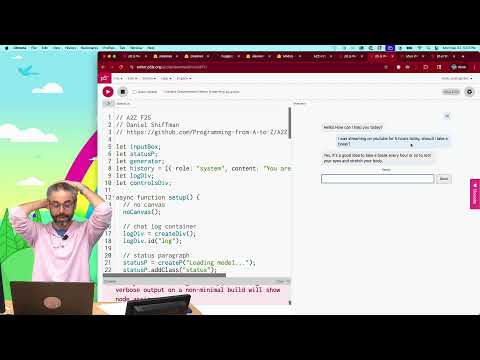
In this coding challenge, I build a conversational voice chatbot entirely in the browser with p5.js. I combine three pieces: speech-to-text with OpenAI's Whisper model, text-to-speech with Kokoro TTS, and a "brain" for the bot. I also explore the transformers.js pipeline API...
In this coding challenge, I build a conversational voice chatbot entirely in the browser with p5.js. I combine three pieces: speech-to-text with OpenAI's Whisper model, text-to-speech with Kokoro TTS, and a "brain" for the bot. I also explore the transformers.js pipeline API and the Web Audio API. For the bot's brain, I start with a simple ELIZA-style therapist, then incorporate a RiveScript number-guessing game, and finally a local LLM. Code: https://thecodingtrain.com/challenges/188-voice-chatbot
🚀 Watch this video ad-free on Nebula https://nebula.tv/videos/codingtrain-coding-challenge-188-voice-chatbot
p5.js Web Editor Sketches:
🕹️ LLM Chatbot: https://editor.p5js.org/codingtrain/sketches/RHhT9I4Nm
🕹️ Number Guessing Bot: https://editor.p5js.org/codingtrain/sketches/AJw7zMN9q
🕹️ Therapy Bot: https://editor.p5js.org/codingtrain/sketches/37LFEPUVV
🕹️ Model Loading Bars: https://editor.p5js.org/codingtrain/sketches/E9Ob3x8eJ
🕹️ Waveform of Recording: https://editor.p5js.org/codingtrain/sketches/cck49wDub
🕹️ Real Time Waveform: https://editor.p5js.org/codingtrain/sketches/aaRIT-x6a
🎥 Previous: https://youtu.be/g3-PXyF8U70?list=PLRqwX-V7Uu6ZiZxtDDRCi6uhfTH4FilpH
🎥 All: https://www.youtube.com/playlist?list=PLRqwX-V7Uu6ZiZxtDDRCi6uhfTH4FilpH
References:
📓 p5.2 Reference: https://beta.p5js.org
📓 Introducing Whisper: https://cdn.openai.com/papers/whisper.pdf
📓 Model Cards for Model Reporting: https://arxiv.org/abs/1810.03993
📓 Open Neural Network Exchange: https://onnx.ai
📓 Onnx-community Whisper-tiny.en model: https://huggingface.co/onnx-community/whisper-tiny.en
📓 Xenova: https://github.com/xenova
📓 Transformers.js: https://huggingface.co/docs/transformers.js/installation
📓 Announcing the new p5.sound.js library!: https://medium.com/processing-foundation/announcing-the-new-p5-sound-js-library-42efc154bed0
📓 getUserMedia() documentation: https://developer.mozilla.org/en-US/docs/Web/API/MediaDevices/getUserMedia
📓 MediaRecorder() documentation: https://developer.mozilla.org/en-US/docs/Web/API/MediaRecorder
📓 Kokoro Repo: https://github.com/hexgrad/kokoro
📓 KokoroTTS Model: https://huggingface.co/hexgrad/Kokoro-82M
📓 ELIZA: https://en.wikipedia.org/wiki/ELIZA
📓 Rivescript: https://www.rivescript.com
📓 SmolLM3: https://huggingface.co/HuggingFaceTB/SmolLM3-3B
📓 Running models on WebGPU: https://huggingface.co/docs/transformers.js/guides/webgpu
📓 Using quantized models (dtypes): https://huggingface.co/docs/transformers.js/v3.8.1/guides/dtypes
Videos:
🚂 https://youtu.be/0Ad5Frf8NBM
🚂 https://youtu.be/KR61bXsPlLU
Live Stream Archives:
🔴 https://www.youtube.com/watch?v=KRDJAHArqaw
Related Coding Challenges:
🚂 https://youtu.be/eGFJ8vugIWA
🚂 https://youtu.be/8Z9FRiW2Jlc
🚂 https://youtu.be/iFTgphKCP9U
Timestamps:
0:00:00 Hello!
0:00:35 Mapping out the pieces: speech-to-text, text-to-speech, and the brain
0:01:07 Thoughts on AI and creative exploration
0:02:44 Choosing the tools: Whisper and Kokoro TTS
0:04:06 Building a push-to-talk UI in p5.js
0:04:51 Finding models on Hugging Face with Transformers.js
0:05:36 About the Whisper model and model cards
0:06:55 Loading the Whisper pipeline in p5.js
0:09:04 Accessing the microphone with getUserMedia
0:10:44 Capturing audio with MediaRecorder
0:12:05 Processing audio chunks into a waveform
0:15:55 Speech-to-text working!
0:16:36 Building the chatbot brain (ELIZA-style therapist)
0:18:50 Setting up Kokoro TTS for text-to-speech
0:21:07 Playing synthesized audio with AudioBufferSource
0:23:41 Text-to-speech working!
0:25:32 Handling playback events
0:26:56 Swapping in a RiveScript number-guessing brain
0:31:22 Adding a language model (SmolLM2) as the brain
0:38:33 Final demo: the random number chatbot
0:39:03 Goodbye!
Editing by Mathieu Blanchette
Animations by Jason Heglund
Music from Epidemic Sound
🚂 Website: https://thecodingtrain.com/
👾 Share Your Creation! https://thecodingtrain.com/guides/passenger-showcase-guide
🚩 Suggest Topics: https://github.com/CodingTrain/Suggestion-Box
💡 GitHub: https://github.com/CodingTrain
💬 Discord: https://thecodingtrain.com/discord
💖 Membership: http://youtube.com/thecodingtrain/join
🛒 Store: https://standard.tv/codingtrain
🖋️ Twitter: https://twitter.com/thecodingtrain
📸 Instagram: https://www.instagram.com/the.coding.train/
🎥 https://www.youtube.com/playlist?list=PLRqwX-V7Uu6ZiZxtDDRCi6uhfTH4FilpH
🎥 https://www.youtube.com/playlist?list=PLRqwX-V7Uu6Zy51Q-x9tMWIv9cueOFTFA
🔗 p5.js: https://p5js.org
🔗 p5.js Web Editor: https://editor.p5js.org/
🔗 Processing: https://processing.org
📄 Code of Conduct: https://github.com/CodingTrain/Code-of-Conduct
This description was auto-generated. If you see a problem, please open an issue: https://github.com/CodingTrain/thecodingtrain.com/issues/new
#texttospeech #speechtotext #chatbot #rivescript #llms #agents #ai #transformersjs #webaudioapi #javascript #p5js
Let's explore new typography features in p5.js 2.0! In this video, I cover how to work with variable fonts, convert text to 3D models with textModel(), extract contours with textContours(), and control the detail of your typography with sampleFactor and simplifyThreshold....
Let's explore new typography features in p5.js 2.0! In this video, I cover how to work with variable fonts, convert text to 3D models with textModel(), extract contours with textContours(), and control the detail of your typography with sampleFactor and simplifyThreshold. Code: https://thecodingtrain.com/tracks/p5js-2.0/p5js-2.0/typography
🚀 Watch this video ad-free on Nebula https://nebula.tv/videos/codingtrain-what-the-font
p5.js Web Editor Sketches:
🕹️ Variable Font Weights: https://editor.p5js.org/codingtrain/sketches/9SZYb2vX3
🕹️ textContours(): https://editor.p5js.org/codingtrain/sketches/ffDf3LmKi
🕹️ textModel() - 3D Text: https://editor.p5js.org/codingtrain/sketches/Z4DkmlvyM
🕹️ Coding Challenge 59 - p5.js 2.0: https://editor.p5js.org/codingtrain/sketches/cetWD9rvY
🕹️ One Letter, Two Contours: https://editor.p5js.org/codingtrain/sketches/2xr1TAmXK
🕹️ sampleFactor Diagram: https://editor.p5js.org/codingtrain/sketches/c23YgfIhC
🕹️ simplifyThreshold Demo: https://editor.p5js.org/codingtrain/sketches/9_CnA7lrl
🎥 Previous: https://youtu.be/25omXt_OjD4
🎥 Next: https://youtu.be/1KqQeqZ3R9Y
References:
📖 p5.js 2.0: You Are Here & How to Contribute!: https://discourse.processing.org/t/dev-updates-p5-js-2-0-you-are-here-how-to-contribute/46130
🔤 Google Fonts: https://fonts.google.com
🐞 Typography questions and possible bugs (Issue #8177): https://github.com/processing/p5.js/issues/8177
🐞 Reference errors: textToContours() and textToModel() (Issue #8623): https://github.com/processing/p5.js/issues/8623
📖 loadFont() Reference: https://beta.p5js.org/reference/p5/loadFont/
📖 textWeight() Reference: https://beta.p5js.org/reference/p5/textWeight
📖 textContours() Reference: https://beta.p5js.org/reference/p5/textContours
📖 textModel() Reference: https://beta.p5js.org/reference/p5/textModel
Videos:
🎥 https://youtu.be/1KqQeqZ3R9Y
🚂 https://youtu.be/0Ad5Frf8NBM
🚂 https://youtu.be/25omXt_OjD4
🚂 https://youtu.be/o9sgjuh-CBM
🎯 https://youtu.be/4hA7G3gup-4
Related Coding Challenges:
🚂 https://youtu.be/4hA7G3gup-4
Timestamps:
0:00 Welcome!
0:49 Finding Fonts (Google Fonts)
1:01 Loading Fonts with Async/Await
2:30 Variable Fonts
3:17 textWeight()
4:03 Animated Text Weight
4:31 Coding Challenge 59 - Steering Behaviors
5:15 textContours() Introduction
6:00 sampleFactor and simplifyThreshold
9:00 sampleFactor Explained
12:00 simplifyThreshold Explained
14:00 Updating Challenge 59 to p5.js 2.0
15:00 Angle Property of Contours
17:00 textModel() for 3D Text
19:00 Extrude Option
20:11 Goodbye!
Editing by Mathieu Blanchette
Animations by Jason Heglund
Music from Epidemic Sound
🚂 Website: https://thecodingtrain.com/
👾 Share Your Creation! https://thecodingtrain.com/guides/passenger-showcase-guide
🚩 Suggest Topics: https://github.com/CodingTrain/Suggestion-Box
💡 GitHub: https://github.com/CodingTrain
💬 Discord: https://thecodingtrain.com/discord
💖 Membership: http://youtube.com/thecodingtrain/join
🛒 Store: https://standard.tv/codingtrain
🖋️ Twitter: https://twitter.com/thecodingtrain
📸 Instagram: https://www.instagram.com/the.coding.train/
🎥 https://www.youtube.com/playlist?list=PLRqwX-V7Uu6ZiZxtDDRCi6uhfTH4FilpH
🎥 https://www.youtube.com/playlist?list=PLRqwX-V7Uu6Zy51Q-x9tMWIv9cueOFTFA
🔗 p5.js: https://p5js.org
🔗 p5.js Web Editor: https://editor.p5js.org/
🔗 Processing: https://processing.org
📄 Code of Conduct: https://github.com/CodingTrain/Code-of-Conduct
This description was auto-generated. If you see a problem, please open an issue: https://github.com/CodingTrain/thecodingtrain.com/issues/new
#typography #fonts #text #p5js2 #variablefonts #3dtext #textcontours #p5js #javascript
Welcome to a new series all about working with machine learning models in JavaScript in the browser using the Transformers.js library! In this introduction, I cover what Transformers.js is, how to load it into a p5.js sketch, explain the pipeline API, and demonstrate...
Welcome to a new series all about working with machine learning models in JavaScript in the browser using the Transformers.js library! In this introduction, I cover what Transformers.js is, how to load it into a p5.js sketch, explain the pipeline API, and demonstrate sentiment analysis and language detection examples. Code: https://thecodingtrain.com/tracks/transformers-js/transformers-js/introduction
🚀 Watch this video ad-free on Nebula https://nebula.tv/videos/codingtrain-machine-learning-in-the-browser
p5.js Web Editor Sketches:
🕹️ Sentiment Analysis: https://editor.p5js.org/codingtrain/sketches/JaXqVSHxM
🕹️ Language Detection: https://editor.p5js.org/codingtrain/sketches/VmS9V6-0o
References:
💻 Transformers.js Documentation: https://huggingface.co/docs/transformers.js
🤗 Hugging Face: https://huggingface.co/
🤗 Hugging Face Models: https://huggingface.co/models?library=transformers.js
🤗 Xenova on Hugging Face: https://huggingface.co/Xenova
🤗 Whisper Web: https://huggingface.co/spaces/Xenova/whisper-web
💻 p5.js 2.0 reference: https://beta.p5js.org/
📓 ES6 Modules: https://developer.mozilla.org/en-US/docs/Web/JavaScript/Guide/Modules
📓 Quantization: https://huggingface.co/docs/optimum/concept_guides/quantization
Videos:
🚂 https://www.youtube.com/playlist?list=PLRqwX-V7Uu6YPSwT06y_AEYTqIwbeam3y
🚂 https://youtu.be/0Ad5Frf8NBM
Timestamps:
0:00 Welcome!
1:53 Why JavaScript and not Python?
3:01 What is Hugging Face?
4:03 Transformers.js Documentation
4:18 Pipeline API
5:41 import syntax and ES6 modules
8:34 Object Destructuring
11:33 Creating a Pipeline
13:18 Sentiment Analysis Example
19:04 Tasks and Models on Hugging Face
20:20 Language Detection Example
22:27 Device: WebGPU, CPU and more
24:25 Data Types and Quantization
27:54 See you next time!
Editing by Mathieu Blanchette
Animations by Jason Heglund
Music from Epidemic Sound
🚂 Website: https://thecodingtrain.com/
👾 Share Your Creation! https://thecodingtrain.com/guides/passenger-showcase-guide
🚩 Suggest Topics: https://github.com/CodingTrain/Suggestion-Box
💡 GitHub: https://github.com/CodingTrain
💬 Discord: https://thecodingtrain.com/discord
💖 Membership: http://youtube.com/thecodingtrain/join
🛒 Store: https://standard.tv/codingtrain
🖋️ Twitter: https://twitter.com/thecodingtrain
📸 Instagram: https://www.instagram.com/the.coding.train/
🎥 https://www.youtube.com/playlist?list=PLRqwX-V7Uu6ZiZxtDDRCi6uhfTH4FilpH
🎥 https://www.youtube.com/playlist?list=PLRqwX-V7Uu6Zy51Q-x9tMWIv9cueOFTFA
🔗 p5.js: https://p5js.org
🔗 p5.js Web Editor: https://editor.p5js.org/
🔗 Processing: https://processing.org
📄 Code of Conduct: https://github.com/CodingTrain/Code-of-Conduct
This description was auto-generated. If you see a problem, please open an issue: https://github.com/CodingTrain/thecodingtrain.com/issues/new
#machinelearning #transformersjs #huggingface #sentimentanalysis #languagedetection #naturallanguageprocessing #pipelineapi #asyncawait #es6modules #javascript #p5js #transformersjs
In this coding challenge, I struggle my way through implementing a Naive Bayes text classifier in JavaScript using p5.js. I explain Bayes' theorem, demonstrate word frequency analysis, implement Laplacian smoothing, and build a working sentiment classifier that runs entirely...
In this coding challenge, I struggle my way through implementing a Naive Bayes text classifier in JavaScript using p5.js. I explain Bayes' theorem, demonstrate word frequency analysis, implement Laplacian smoothing, and build a working sentiment classifier that runs entirely in the browser. Code: https://thecodingtrain.com/challenges/187-bayesian-text-classification
🚀 Watch this video ad-free on Nebula https://nebula.tv/videos/codingtrain-coding-challenge-187-bayes-classifier
p5.js Web Editor Sketches:
🕹️ Text Classifier - Initial Version: https://editor.p5js.org/codingtrain/sketches/RZ8a1z4DN
🕹️ Text Classifier - Refactored Version: https://editor.p5js.org/codingtrain/sketches/P3ngrAANX
🕹️ Text Classifier - File Loading Version: https://editor.p5js.org/codingtrain/sketches/WowR2Q9xg
🎥 Previous: https://youtu.be/5iSAvzU2WYY?list=PLRqwX-V7Uu6ZiZxtDDRCi6uhfTH4FilpH
🎥 All: https://www.youtube.com/playlist?list=PLRqwX-V7Uu6ZiZxtDDRCi6uhfTH4FilpH
References:
📓 Naive Bayes Classifier: https://en.wikipedia.org/wiki/Naive_Bayes_classifier
📓 Laplacian Smoothing: https://en.wikipedia.org/wiki/Additive_smoothing
Videos:
🚂 https://youtu.be/unm0BLor8aE
🚂 https://youtu.be/7DG3kCDx53c?list=PLRqwX-V7Uu6YEypLuls7iidwHMdCM6o2w
📺 https://youtu.be/HZGCoVF3YvM
🚂 https://youtu.be/0Ad5Frf8NBM
Live Stream Archives:
🔴 https://youtube.com/live/TsBDm0P0qaA
Related Coding Challenges:
🚂 https://youtu.be/unm0BLor8aE
🚂 https://youtu.be/eGFJ8vugIWA
Timestamps:
0:00:00 Hello!
0:03:34 Explaining Bayes' Theorem
0:12:07 What is Naive Bayes?
0:13:49 Setting up the Classifier in p5.js
0:15:41 Coding the train() function
0:22:14 Coding the classify() Function
0:24:45 Revising the train() function
0:29:06 Implementing Probability Calculations
0:33:24 Laplacian (Additive) Smoothing
0:42:21 Ignoring the enominator (Normalization)
0:45:36 Quick User Interface
0:49:42 Final thoughts and next steps.
Editing by Mathieu Blanchette
Animations by Jason Heglund
Music from Epidemic Sound
🚂 Website: https://thecodingtrain.com/
👾 Share Your Creation! https://thecodingtrain.com/guides/passenger-showcase-guide
🚩 Suggest Topics: https://github.com/CodingTrain/Suggestion-Box
💡 GitHub: https://github.com/CodingTrain
💬 Discord: https://thecodingtrain.com/discord
💖 Membership: http://youtube.com/thecodingtrain/join
🛒 Store: https://standard.tv/codingtrain
🖋️ Twitter: https://twitter.com/thecodingtrain
📸 Instagram: https://www.instagram.com/the.coding.train/
🎥 https://www.youtube.com/playlist?list=PLRqwX-V7Uu6ZiZxtDDRCi6uhfTH4FilpH
🎥 https://www.youtube.com/playlist?list=PLRqwX-V7Uu6Zy51Q-x9tMWIv9cueOFTFA
🔗 p5.js: https://p5js.org
🔗 p5.js Web Editor: https://editor.p5js.org/
🔗 Processing: https://processing.org
📄 Code of Conduct: https://github.com/CodingTrain/Code-of-Conduct
This description was auto-generated. If you see a problem, please open an issue: https://github.com/CodingTrain/thecodingtrain.com/issues/new
#bayestheorem #textclassification #naivebayes #sentimentanalysis #naturallanguageprocessing #machinelearning #wordfrequency #laplaciansmoothing #javascript #p5js
In this video, I'm sharing my plans for the fall semester, which is broken down into three main categories: updating the p5.js beginner series for version 2.0, exploring new p5.js 2.0 features like variable fonts and splines, and diving deeper into machine learning with...
In this video, I'm sharing my plans for the fall semester, which is broken down into three main categories: updating the p5.js beginner series for version 2.0, exploring new p5.js 2.0 features like variable fonts and splines, and diving deeper into machine learning with transformers.js. I'd love to hear your feedback and ideas in the comments below!
0:00 - Hi!
1:20 - Next videos
3:07 - Roadmap
3:35 - Plans for p5.js 2.0 Features
4:04 - Refreshing the p5.js Beginner Series
6:38 - Plans for Machine Learning
7:59 - Let me know what you think!
Editing by Mathieu Blanchette
🚂 Website: https://thecodingtrain.com/
👾 Share Your Creation! https://thecodingtrain.com/guides/passenger-showcase-guide
🚩 Suggest Topics: https://github.com/CodingTrain/Suggestion-Box
💡 GitHub: https://github.com/CodingTrain
💬 Discord: https://thecodingtrain.com/discord
💖 Membership: http://youtube.com/thecodingtrain/join
🛒 Store: https://standard.tv/codingtrain
🖋️ Twitter: https://twitter.com/thecodingtrain
📸 Instagram: https://www.instagram.com/the.coding.train/
🎥 https://www.youtube.com/playlist?list=PLRqwX-V7Uu6ZiZxtDDRCi6uhfTH4FilpH
🎥 https://www.youtube.com/playlist?list=PLRqwX-V7Uu6Zy51Q-x9tMWIv9cueOFTFA
🔗 p5.js: https://p5js.org
🔗 p5.js Web Editor: https://editor.p5js.org/
🔗 Processing: https://processing.org
This video covers how to load external assets like images, JSON files, and data from APIs into your p5.js 2.0 sketches. Learn the fundamentals of asynchronous operations in p5.js using Promises with async/await. Code:...
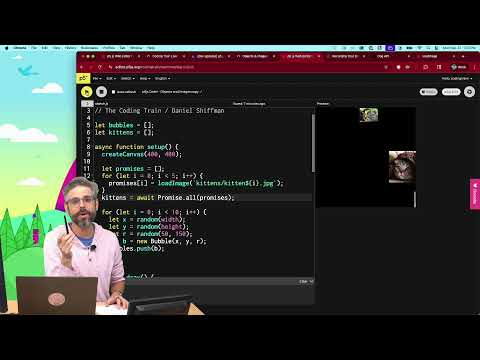
This video covers how to load external assets like images, JSON files, and data from APIs into your p5.js 2.0 sketches. Learn the fundamentals of asynchronous operations in p5.js using Promises with async/await. Code: https://thecodingtrain.com/tracks/p5js-2.0/p5js-2.0/loading-data
🚀 Watch this video ad-free on Nebula https://nebula.tv/videos/codingtrain-how-to-load-data-with-p5js-20
p5.js Web Editor Sketches:
🕹️ Loading a Single Image: https://editor.p5js.org/codingtrain/sketches/NPKPIYhBR
🕹️ Sequential Loading: https://editor.p5js.org/codingtrain/sketches/lQxT7PTKC
🕹️ API and Loading Animation: https://editor.p5js.org/codingtrain/sketches/M_NGGyqr4
🕹️ Parallel Loading with Promise.all: https://editor.p5js.org/codingtrain/sketches/MgrJuSvJt
🕹️ Loading images with placeholders exercise: https://editor.p5js.org/codingtrain/sketches/Ur6plDyKK
🎥 Previous: https://youtu.be/0Ad5Frf8NBM
🎥 Next: https://youtu.be/1KqQeqZ3R9Y
References:
📖 p5.js 2.0 Beta: https://beta.p5js.org/
📖 Promise.all: https://developer.mozilla.org/en-US/docs/Web/JavaScript/Reference/Global_Objects/Promise/all
🎨 Dog API: https://dog.ceo/dog-api/
Videos:
🚂 https://youtu.be/0Ad5Frf8NBM
🚂 https://youtu.be/QO4NXhWo_NM
🚂 https://youtu.be/AwyoVjVXnLk
Timestamps:
0:00:00 Hello!
0:00:54 How to Load an Image in p5.js
0:02:16 Asynchronous Code: promises, async, and await
0:04:10 Common Mistakes to Avoid
0:05:51 Loading Data from a Live API
0:08:21 Loading Multiple Items in a Sequence
0:09:12 Creating a Custom Loading Animation
0:13:39 Faster Parallel Loading with Promise.all()
0:16:48 Challenge for you!
Editing by Mathieu Blanchette
Animations by Jason Heglund
Music from Epidemic Sound
🚂 Website: https://thecodingtrain.com/
👾 Share Your Creation! https://thecodingtrain.com/guides/passenger-showcase-guide
🚩 Suggest Topics: https://github.com/CodingTrain/Suggestion-Box
💡 GitHub: https://github.com/CodingTrain
💬 Discord: https://thecodingtrain.com/discord
💖 Membership: http://youtube.com/thecodingtrain/join
🛒 Store: https://standard.tv/codingtrain
🖋️ Twitter: https://twitter.com/thecodingtrain
📸 Instagram: https://www.instagram.com/the.coding.train/
🎥 https://www.youtube.com/playlist?list=PLRqwX-V7Uu6ZiZxtDDRCi6uhfTH4FilpH
🎥 https://www.youtube.com/playlist?list=PLRqwX-V7Uu6Zy51Q-x9tMWIv9cueOFTFA
🔗 p5.js: https://p5js.org
🔗 p5.js Web Editor: https://editor.p5js.org/
🔗 Processing: https://processing.org
📄 Code of Conduct: https://github.com/CodingTrain/Code-of-Conduct
This description was auto-generated. If you see a problem, please open an issue: https://github.com/CodingTrain/thecodingtrain.com/issues/new
#asyncawait #promises #p5js2 #loadingimages #api #json #promiseall #p5js #javascript
=====================================================
This video tackles one of the bigger changes in p5.js 2: loading data with async and await! Fear not, I'll cover how to transition from preload and callbacks in p5.js 1.0 to using promises with async/await in 2.0. Code:...
This video tackles one of the bigger changes in p5.js 2: loading data with async and await! Fear not, I'll cover how to transition from preload and callbacks in p5.js 1.0 to using promises with async/await in 2.0. Code: https://thecodingtrain.com/tracks/p5js-2.0/p5js-2.0/async-await
🚀 Watch this video ad-free on Nebula https://nebula.tv/videos/codingtrain-p5js-20-async-and-await
p5.js Web Editor Sketches:
🕹️ p5.js 2 - async and await: https://editor.p5js.org/codingtrain/sketches/Q6S38g0rS
🕹️ p5.js 2 - loading animation: https://editor.p5js.org/codingtrain/sketches/JLIxyHrkn
🕹️ p5.js 2 - loading in a sequence: https://editor.p5js.org/codingtrain/sketches/lQxT7PTKC
🎥 Next: https://youtu.be/1KqQeqZ3R9Y
References:
📖 p5.js 2.0 Beta: https://beta.p5js.org/
📖 p5.js 2.0: https://github.com/processing/p5.js/issues/7488
📖 p5.js 2.0: You Are Here & How to Contribute!: https://discourse.processing.org/t/dev-updates-p5-js-2-0-you-are-here-how-to-contribute/46130
🎨 Dog API: https://dog.ceo/dog-api/
Videos:
🚂 https://youtu.be/QO4NXhWo_NM
🚂 https://youtu.be/AwyoVjVXnLk
Timestamps:
0:00:00 p5.js 2.0!
0:03:00 Switching versions in the web editor
0:05:02 Loading with p5.js 1
0:06:11 Synchronous vs Asynchronous Code
0:08:37 Promises!
0:11:29 switching from preload to async setup()
0:13:57 Loading with callbacks in p5.js 1.0
0:17:15 Sequencing loading data in p5.js 1.0
0:19:26 Sequencing with async and await in p5.js 2.0
0:20:09 Creating a custom Async Function
0:22:13 Thank you for watching!
Music from Epidemic Sound
🚂 Website: https://thecodingtrain.com/
👾 Share Your Creation! https://thecodingtrain.com/guides/passenger-showcase-guide
🚩 Suggest Topics: https://github.com/CodingTrain/Suggestion-Box
💡 GitHub: https://github.com/CodingTrain
💬 Discord: https://thecodingtrain.com/discord
💖 Membership: http://youtube.com/thecodingtrain/join
🛒 Store: https://standard.tv/codingtrain
🖋️ Twitter: https://twitter.com/thecodingtrain
📸 Instagram: https://www.instagram.com/the.coding.train/
🎥 https://www.youtube.com/playlist?list=PLRqwX-V7Uu6ZiZxtDDRCi6uhfTH4FilpH
🎥 https://www.youtube.com/playlist?list=PLRqwX-V7Uu6Zy51Q-x9tMWIv9cueOFTFA
🔗 p5.js: https://p5js.org
🔗 p5.js Web Editor: https://editor.p5js.org/
🔗 Processing: https://processing.org
📄 Code of Conduct: https://github.com/CodingTrain/Code-of-Conduct
This description was auto-generated. If you see a problem, please open an issue: https://github.com/CodingTrain/thecodingtrain.com/issues/new
#asyncawait #promises #p5js2 #preload #callbacks #p5js #javascript
Warning, this live stream was a mess and is probably unwatchable! But if you choose to continue you'll see me attempt to build a Naive Bayes text classifier from scratch in the p5.js web editor! I start by explaining the core concepts behind Bayes' Theorem (multiple times)...
Warning, this live stream was a mess and is probably unwatchable! But if you choose to continue you'll see me attempt to build a Naive Bayes text classifier from scratch in the p5.js web editor! I start by explaining the core concepts behind Bayes' Theorem (multiple times) before diving into the code. You'll see my raw, unedited process of structuring the data, implementing the algorithm, debugging issues, and finally building a simple interactive sentiment analysis demo.
Code from live: https://editor.p5js.org/codingtrain/sketches/vZQKzBXJT
Polished code: https://github.com/Programming-from-A-to-Z/bayes-classifier-js
https://youtu.be/unm0BLor8aE
https://youtu.be/RPMYV-eb6lI
https://youtu.be/fxQ0B6BkfKo
https://youtu.be/HZGCoVF3YvM
00:00:00 Choo choo!
00:05:35 Welcome & Announcements
00:10:49 Fall Plans
00:14:19 Technical Difficulties: Whiteboard Setup
00:23:20 Main Topic: Bayesian Text Classification
00:33:03 Whiteboard: Explaining Bayes' Theorem (Attempt 1)
00:44:02 Technical Difficulties: Muted Microphone
00:45:52 Whiteboard: Explaining Bayes' Theorem (Attempt 2)
01:24:54 Live Coding Begins
01:32:42 Re-recording the Introduction for Edited Video
01:40:13 Technical Difficulties: Camera Overheating
02:04:10 Coding Resumes: Building the Classifier
02:51:10 Explaining Laplacian (Additive) Smoothing
03:12:20 Normalizing the Final Probabilities
03:24:12 Coding Challenge Complete!
03:24:43 Reviewing a More Polished Version of the Code
03:30:35 Good bye!
🚂 Website: https://thecodingtrain.com/
👾 Share Your Creation! https://thecodingtrain.com/guides/passenger-showcase-guide
🚩 Suggest Topics: https://github.com/CodingTrain/Suggestion-Box
💡 GitHub: https://github.com/CodingTrain
💬 Discord: https://thecodingtrain.com/discord
💖 Membership: http://youtube.com/thecodingtrain/join
🛒 Store: https://standard.tv/codingtrain
🖋️ Twitter: https://twitter.com/thecodingtrain
📸 Instagram: https://www.instagram.com/the.coding.train/
🎥 https://www.youtube.com/playlist?list=PLRqwX-V7Uu6ZiZxtDDRCi6uhfTH4FilpH
🎥 https://www.youtube.com/playlist?list=PLRqwX-V7Uu6Zy51Q-x9tMWIv9cueOFTFA
🔗 p5.js: https://p5js.org
🔗 p5.js Web Editor: https://editor.p5js.org/
🔗 Processing: https://processing.org
📄 Code of Conduct: https://github.com/CodingTrain/Code-of-Conduct
Here's a clip from the most recent live stream about simulating Robot Controllers with p5.js with Dr. Christian Hubicki! @chubicki 🚂 Website: http://thecodingtrain.com/ 👾 Share Your Creation! https://thecodingtrain.com/Guides/community-contribution-guide.html 🚩 Suggest...
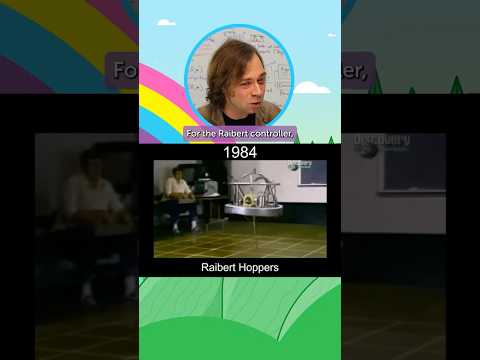
Only three years later, I'm rejoined by Dr. Christian Hubicki to continue our series on robot controllers. Dr. Hubicki gives a presentation on the history of legged robots (like ASIMO and Boston Dynamics) and the principles behind the Raibert Hopper. Then, we attempt to...
Only three years later, I'm rejoined by Dr. Christian Hubicki to continue our series on robot controllers. Dr. Hubicki gives a presentation on the history of legged robots (like ASIMO and Boston Dynamics) and the principles behind the Raibert Hopper. Then, we attempt to implement a 1D hopping robot simulation in p5.js using a PID controller. Code: https://thecodingtrain.com/tracks/robot-controllers/robot-controllers/robot-controller-2
p5.js Web Editor Sketches:
🕹️ 1D Raibert Hopper: https://editor.p5js.org/codingtrain/sketches/CjfAtvdGx
🕹️ 1D Raibert Hopper: https://editor.p5js.org/codingtrain/sketches/EYOfSWBaF
🕹️ 1D Spring Simulation: https://editor.p5js.org/codingtrain/sketches/EhhzPIB-h
🕹️ 2D Hopper: https://editor.p5js.org/codingtrain/sketches/W_hxT-8ST
💻 Code Example: https://gist.github.com/shiffman/9eea780b9cada3725887d26ed174d49e
🎥 Previous: https://youtu.be/fWQWX9-8_sA
References:
🔗 Dr. Christian Hubicki: https://www.christianhubicki.com/
🤖 Optimal Robotics Lab: https://www.optimalroboticslab.com/
📖 The Nature of Code: https://natureofcode.com/
Videos:
🚂 https://youtu.be/fWQWX9-8_sA
🚂 https://youtu.be/P_xJMH8VvAE
🚂 https://youtu.be/DHPfoqiE4yQ
Related Coding Challenges:
🚂 https://youtu.be/Rr-5HiXquhw
Timestamps:
0:00:00 Waiting to Start
0:05:17 Welcome to The Coding Train
0:08:35 Revisiting Part 1 from 2022
0:10:13 Introducing Dr. Christian Hubicki
0:20:10 Dr. Hubicki's Presentation: How to Make a Robot Hop
0:24:00 History of Legged Locomotion: Safety vs. Agility
0:27:09 The 'Safety First' Approach (ZMP, ASIMO)
0:30:34 The 'Agility First' Approach (Mark Raibert, Boston Dynamics)
0:38:17 Whiteboard Explanation: PID Controllers
0:51:30 Whiteboard Explanation: The Raibert Hopper Controller
0:58:07 Transition to Coding in p5.js
1:03:04 Connecting to Nature of Code and Steering Behaviors
1:10:40 Starting with the p5.js Spring Simulation Code
1:24:27 Implementing Hopping Phases (Stance vs. Flight)
1:48:01 Implementing the PID Controller for Hopping Height
2:09:59 Reviewing a Pre-made, Working 1D Hopper Example
2:16:40 Previewing a 2D Hopper Starter Code
2:23:04 Where to Find Dr. Christian Hubicki
2:24:53 What's Next for The Coding Train
2:29:43 Outro and Goodbyes
Christian Hubicki is an Associate Professor of Mechanical Engineering at the FAMU-FSU College of Engineering. His group’s research at the Optimal Robotics Laboratory specializes in legged robotics, applied optimal control, biomechanical modeling, and fast algorithms for adaptive robot behaviors. He earned both his bachelor's and master’s degrees in mechanical engineering from Bucknell University, earned his dual-degree PhD in Robotics and Mechanical Engineering at Oregon State University, and completed his postdoctoral work in the Mechanical Engineering and Physics departments at the Georgia Institute of Technology. His research awards include a Best Technical Paper Finalist at ICRA 2016, Best Paper Winner in 2019 from IEEE Robotics and Automation Magazine, Outstanding Locomotion Paper Winner at ICRA 2022, and a Young Faculty Researcher Grant from the Toyota Research Institute in 2021. His work has been featured at the National Academy of Engineering’s Gilbreth Lecture Series, the TEDx lecture series, and in media outlets from the Science Channel to CBS’s “The Late Show with Stephen Colbert.
Music from Epidemic Sound
🚂 Website: https://thecodingtrain.com/
👾 Share Your Creation! https://thecodingtrain.com/guides/passenger-showcase-guide
🚩 Suggest Topics: https://github.com/CodingTrain/Suggestion-Box
💡 GitHub: https://github.com/CodingTrain
💬 Discord: https://thecodingtrain.com/discord
💖 Membership: http://youtube.com/thecodingtrain/join
🛒 Store: https://standard.tv/codingtrain
🖋️ Twitter: https://twitter.com/thecodingtrain
📸 Instagram: https://www.instagram.com/the.coding.train/
🎥 https://www.youtube.com/playlist?list=PLRqwX-V7Uu6ZiZxtDDRCi6uhfTH4FilpH
🎥 https://www.youtube.com/playlist?list=PLRqwX-V7Uu6Zy51Q-x9tMWIv9cueOFTFA
🔗 p5.js: https://p5js.org
🔗 p5.js Web Editor: https://editor.p5js.org/
🔗 Processing: https://processing.org
📄 Code of Conduct: https://github.com/CodingTrain/Code-of-Conduct
This description was auto-generated. If you see a problem, please open an issue: https://github.com/CodingTrain/thecodingtrain.com/issues/new
#robotics #p5js #pidcontroller #raiberthopper #simulation #physics #leggedlocomotion #robotcontrol #p5js #matlab