In this video, I'm taking a look at a truly revolutionary piece of tech for educational robotics: the ELECFREAKS Smart AI Lens Kit for the TPBOT. I've seen a lot of great tools in the DIY space over the years, but this AI camera has genuinely blown my mind. If you're looking...
In this video, I'm taking a look at a truly revolutionary piece of tech for educational robotics: the ELECFREAKS Smart AI Lens Kit for the TPBOT. I've seen a lot of great tools in the DIY space over the years, but this AI camera has genuinely blown my mind.
If you're looking for a way to get kids excited about coding, robotics, and artificial intelligence, this is it. This little sensor can do everything from recognizing playing cards and tracking balls to being trained to recognize your own custom objects.
We put it to the test with a team of young coders, and they built some incredible projects, including a robot that can play blackjack! The combination of this powerful AI camera with the easy-to-use block-based programming of the micro:bit makes for an unparalleled learning experience.
Watch the video to see what this AI camera can do, how easy it is to program, and why I believe it's a true game-changer in educational robotics.
Links to Products & Resources:
ELECFREAKS TPBOT: https://educ8s.tv/part/TPBOT
ELECFREAKS Smart AI Lens Kit: https://educ8s.tv/part/AILENS
0:00 - Introduction to the TPBOT & ELECFREAKS AI Camera
1:54 - Demonstration of AI Camera's Pre-loaded Functions (Card & Ball Tracking)
3:04 - Programming the AI Camera with Micro:bit (Drag-and-Drop AI)
4:07 - How to Teach the Camera to Recognize New Objects (Charlie Munger Bust)
5:10 - Putting It to the Test: Kids' Projects (Find the Ball & Blackjack Robot)
6:49 - Final Thoughts & Conclusion
#EducationalRobots #AI #Robotics #TPBOT #ELECFREAKS #AIVision #CodingForKids #DIY #STEM #Review
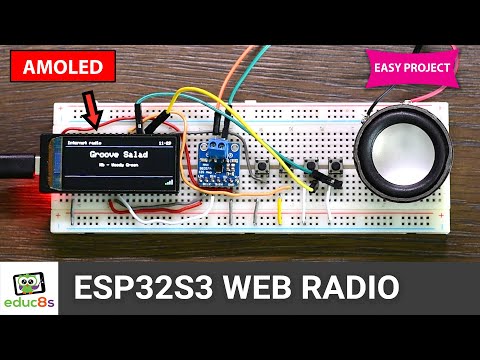
Build Your Own ESP32 S3 Internet Radio with AMOLED Display! Ever wanted to build your own internet radio? In this video, we'll show you how to create a compact, high-quality WiFi radio using an affordable ESP32 S3 board with an impressive AMOLED display. This project is fast...
Build Your Own ESP32 S3 Internet Radio with AMOLED Display!
Ever wanted to build your own internet radio? In this video, we'll show you how to create a compact, high-quality WiFi radio using an affordable ESP32 S3 board with an impressive AMOLED display. This project is fast to build and costs around $30.
Say goodbye to noisy analog audio! We'll use the I2S protocol and a MAX98357A amplifier module to get crystal-clear, noise-free sound. We'll also dive into the software side, covering all the essential settings you need in the Arduino IDE, including PSRAM and Flash Size configuration.
Parts Used in This Project:
ESP32S3 Board: https://educ8s.tv/part/ESP32S3AMOLED
MAX98357A I2S: https://educ8s.tv/part/MAX98357A
3W Speaker: https://educ8s.tv/part/3WSpeaker
Push Buttons: https://educ8s.tv/part/Buttons
Breadboard: https://educ8s.tv/part/LargeBreadboard
Download the Code & Schematics:
https://educ8s.tv/esp32s3webradio/
Don't forget to like this video and subscribe for more cool projects! Thanks for watching!
#ESP32 #InternetRadio #DIYelectronics #ESP32S3 #AMOLED #Arduino #TechProjects #I2S #MAX98357A #IoT
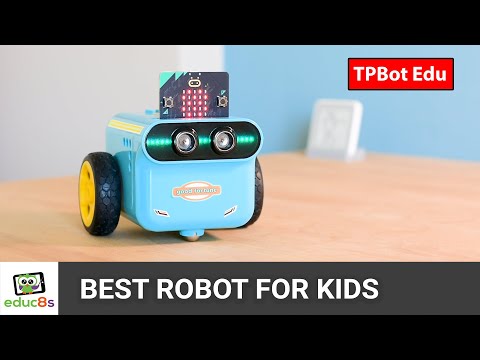
The best robot for kids! In this video, I'm joined by my 6-year-old daughter to try out the TPBot robot kit from ELECFREAKS. As a maker and a dad, my goal is to spark a lifelong love of learning through fun, hands-on play. We'll unbox the TPBot, explore its features—including...
The best robot for kids! In this video, I'm joined by my 6-year-old daughter to try out the TPBot robot kit from ELECFREAKS. As a maker and a dad, my goal is to spark a lifelong love of learning through fun, hands-on play.
We'll unbox the TPBot, explore its features—including its precise movement, built-in sensors, and LEGO compatibility—and see how a kid-friendly coding platform like MakeCode makes it easy to get started. You'll see us build a line-following robot and even program it to navigate our home.
I'll also share our experience with the optional Interactive Accessories Pack, highlighting the cool sensors and addressing the challenges we faced with the LEGO bricks.
This isn't a sponsored video—it's an honest review of a kit that I believe is one of the best for introducing kids to the basics of programming and robotics. By the end, you can decide if it's the right choice for your family.
You can find the TPBot robot kit here: https://educ8s.tv/part/TPBOT
You can find the Interactive Accessories Pack here: https://educ8s.tv/part/TPBOTInteractive
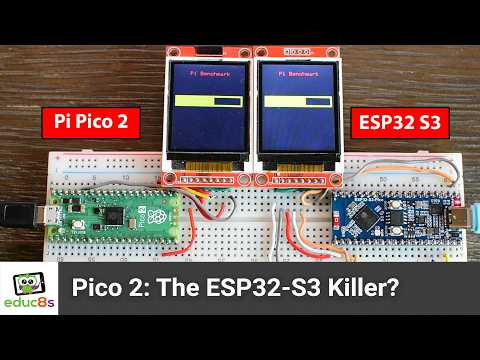
ESP32-S3 vs. Raspberry Pi Pico 2: The ULTIMATE Speed & Efficiency Showdown! Discover which microcontroller reigns supreme in our in-depth ESP32-S3 vs. Raspberry Pi Pico 2 benchmark! We put these powerful boards head-to-head using identical Arduino/C++ code, calculating π with...
ESP32-S3 vs. Raspberry Pi Pico 2: The ULTIMATE Speed & Efficiency Showdown!
Discover which microcontroller reigns supreme in our in-depth ESP32-S3 vs. Raspberry Pi Pico 2 benchmark! We put these powerful boards head-to-head using identical Arduino/C++ code, calculating π with 100,000 iterations to reveal their true performance. Our surprising results dive deep into how the Pico 2's ARM Cortex-M33 and RISC-V cores stack up against the ESP32-S3's Xtensa LX7, comparing not just raw speed but also crucial power consumption and efficiency. Learn why clock speed is misleading and how architecture, hardware FPU, and compiler optimizations truly impact your embedded projects.
🛒 Boards Used & Recommended in This Video:
🔗 Raspberry Pi Pico 2: https://educ8s.tv/part/PiPico2
🔗 ESP32 Dev Board: https://educ8s.tv/part/Esp32
🔗 ESP32S3: https://educ8s.tv/part/ESP32S3DEV
🔗 Power Meter: https://educ8s.tv/part/UsbDoctorOLED
⏱️ Timestamps:
0:00:00 - Intro: Pico 2 vs ESP32-S3 Overview
0:00:35 - Basic Specs: Raspberry Pi Pico 2 vs ESP32-S3
0:02:06 - Benchmark Setup & Method
0:03:09 - Pico 2 ARM vs ESP32-S3 Performance (First Test)
0:04:24 - Pico 2 RISC-V Core Performance (First Test)
0:05:17 - Overclocking Pico 2 & Re-test (ARM & RISC-V at 240 MHz)
0:07:17 - ESP32-S3 vs Original ESP32 Performance
0:08:32 - Power Consumption Comparison
0:10:01 - Final Takeaways & Pico 2 W, DSP, PIO
0:11:21 - Conclusion & Call to Action
#ESP32S3 #RaspberryPiPico2 #Benchmark #Microcontroller #Arduino #RISC_V #EmbeddedSystems #Electronics #LowPower #IoT #PerformanceTest
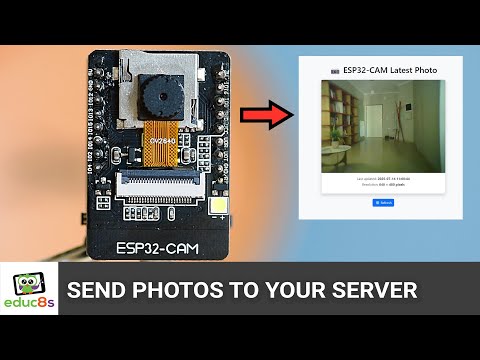
ESP32-CAM self-hosted photo monitoring system is what we're building today! This DIY home security camera solution costs under $10 and lets you automatically capture and upload photos to your own private web server. No cloud subscriptions, no third-party platforms – just a...
ESP32-CAM self-hosted photo monitoring system is what we're building today! This DIY home security camera solution costs under $10 and lets you automatically capture and upload photos to your own private web server. No cloud subscriptions, no third-party platforms – just a simple, secure ESP32-CAM dashboard you control.
Perfect for basic home security, monitoring pets 🐾, checking on plants 🌱, or general remote observation. You'll learn how to program your ESP32-CAM with Arduino, set up essential PHP scripts for image storage, and access your custom dashboard from anywhere.
What you'll master in this ESP32-CAM tutorial:
ESP32-CAM automated photo capture and upload.
PHP web server setup for secure image storage.
Creating a self-hosted photo dashboard.
Ensuring your ESP32-CAM monitoring system is private and secure.
Essential components for this ESP32-CAM project:
ESP32-CAM board
ESP32-CAM motherboard (for initial programming)
A web server supporting PHP
🔗 Download all project files (ESP32-CAM code, PHP scripts, detailed PDF guide) here: 👇
https://educ8s.tv/esp32cam-tutorial-upload-photos-to-your-server/
👉 Beginner with ESP32-CAM? Start here first: https://youtu.be/vgR0OKOm2EE
Got questions about this ESP32-CAM build or ideas for future DIY IoT projects? Share them in the comments!
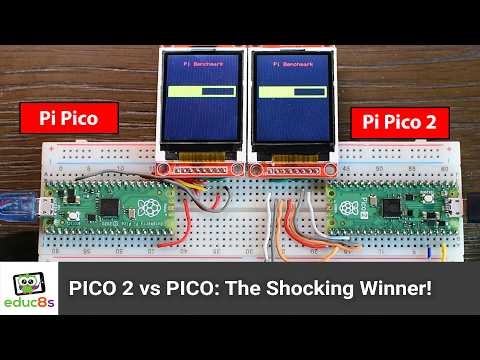
Raspberry Pi Pico 2 vs Raspberry Pi Pico — Is the Upgrade Worth It? We put the new Pico 2 to the test against the beloved original in a real-world benchmark using identical Arduino/C++ code to calculate π with 100,000 iterations. How much faster is the new chip? And how do...
Raspberry Pi Pico 2 vs Raspberry Pi Pico — Is the Upgrade Worth It? We put the new Pico 2 to the test against the beloved original in a real-world benchmark using identical Arduino/C++ code to calculate π with 100,000 iterations. How much faster is the new chip? And how do its RISC-V cores compare to both the Cortex-M0+ and the newer M33 cores?
The results may surprise you. We explore not just raw speed, but also power consumption and efficiency across all configurations—including overclocking and core switching. With dual architectures (ARM and RISC-V) packed into the Pico 2, we find out which one really shines in floating-point workloads, and where the RISC-V side falls short.
You’ll also learn how the presence of a hardware FPU, ISA design, and compiler maturity affect performance—because in the world of microcontrollers, clock speed alone doesn’t tell the whole story.
🛒 Boards Used & Recommended in This Video:
🔗 Raspberry Pi Pico: https://educ8s.tv/part/RaspberryPiPico
🔗 Raspberry Pi Pico 2: https://educ8s.tv/part/PiPico2
🔗 ESP32 P4: https://educ8s.tv/part/ESP32P4
🔗 ESP32S3: https://educ8s.tv/part/ESP32S3DEV
🔗 Power Meter: https://educ8s.tv/part/UsbDoctorOLED
⏱️ Timestamps:
0:00:00 - Intro: Pico vs Pico 2
0:00:27 - What’s Different in the Pico 2
0:01:45 - Benchmark Setup & Method
0:02:16 - Pico 2 ARM vs Original Pico
0:03:50 - Overclocking Results
0:04:14 - Pico 2 RISC-V Core Performance
0:05:24 - Power Consumption Comparison
0:06:20 - Final Result & Takeaways
0:07:14 - What’s Next: ESP32-S3 vs Pico 2
#RaspberryPiPico #Pico2 #Benchmark #Microcontroller #Arduino #RISC-V #EmbeddedSystems #Electronics #PiPico #LowPower #IoT
ESP32 Camera Tutorial: Learn how to build a simple, powerful camera with the ESP32-CAM module! This beginner-friendly guide shows you how to save photos to an SD card with the press of a button. Discover the ESP32-CAM's amazing capabilities for less than $10, including Wi-Fi,...
ESP32 Camera Tutorial: Learn how to build a simple, powerful camera with the ESP32-CAM module! This beginner-friendly guide shows you how to save photos to an SD card with the press of a button. Discover the ESP32-CAM's amazing capabilities for less than $10, including Wi-Fi, Bluetooth, and even basic computer vision. Perfect for DIY projects, home security, or portable cameras. Get started with your ESP32-CAM today!
📖 Get the Code & Detailed Explanation: https://educ8s.tv/esp32cam-tutorial-build-a-simple-c/
🛒 Parts Used:
ESP32-CAM module: https://educ8s.tv/part/ESP32CAM
Small Breadboard: https://educ8s.tv/part/SmallBreadboard
Buttons: https://educ8s.tv/part/Buttons
Jumper Wires: https://educ8s.tv/part/JumperWires
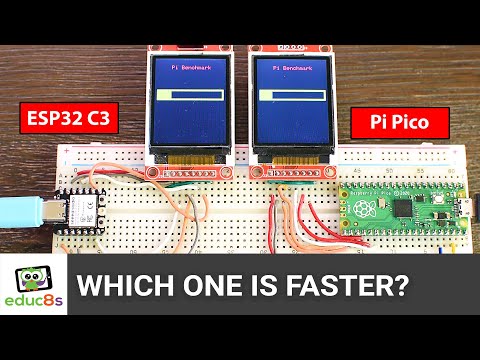
Raspberry Pi Pico, ESP32-C3, and ESP32 go head-to-head in our most anticipated microcontroller benchmark yet! Which board is truly faster – the Raspberry Pi Pico or the ESP32-C3? And how does the newer ESP32-C3 stack up against the classic dual-core ESP32 we've used for...
Raspberry Pi Pico, ESP32-C3, and ESP32 go head-to-head in our most anticipated microcontroller benchmark yet! Which board is truly faster – the Raspberry Pi Pico or the ESP32-C3? And how does the newer ESP32-C3 stack up against the classic dual-core ESP32 we've used for years? We run identical Arduino/C++ code to calculate π with 100,000 iterations on all three boards, and the results might completely change how you choose your next project's brain!
You'd expect the higher clock speed ESP32-C3 (160 MHz) to easily outperform the Raspberry Pi Pico (133 MHz), but prepare for a surprise. We'll reveal the shocking speed winner and then dive deep into why architectural differences, like the presence (or absence) of a hardware FPU (Floating Point Unit) and core design, matter significantly more than clock speed alone.
🛒 Boards Used & Recommended in This Video:
🔗 ESP32C3: https://educ8s.tv/part/ESP32C3
🔗 Raspberry Pi Pico: https://educ8s.tv/part/RaspberryPiPico
🔗 ESP32 Dev Board: https://educ8s.tv/part/Esp32
🔗 Power Meter: https://educ8s.tv/part/UsbDoctorOLED
⏱️ Timestamps:
0:00:00 - Intro: Pi Pico, ESP32-C3, ESP32
0:00:20 - Raspberry Pi Pico vs. ESP32-C3
0:02:17 - ESP32-C3 vs. Classic ESP32: Performance Comparison
0:03:40 - Power Consumption Benchmarks: Measuring Efficiency!
0:04:19 - Results
0:04:51 - Size Comparison
#ESP32C3 #ESP32 #Arduino #Microcontroller #Benchmark #EmbeddedSystems #LowPower #IoT #ElectronicsProjects #RaspberryPi #RaspberryPiPico
ESP32, and the Raspberry Pi Pico go head-to-head in this real-world benchmark using Arduino to see which microcontroller performs better in both speed and energy efficiency. Using the same Arduino/C++ code to calculate π with 100,000 iterations, we test the Pico at 133 MHz...
ESP32, and the Raspberry Pi Pico go head-to-head in this real-world benchmark using Arduino to see which microcontroller performs better in both speed and energy efficiency. Using the same Arduino/C++ code to calculate π with 100,000 iterations, we test the Pico at 133 MHz and 240 MHz (overclocked) against the ESP32 at 240 MHz — and the results might surprise you.
The Raspberry Pi Pico doesn’t just keep up — it beats the ESP32 in performance and uses 51% less energy to complete the same task. If you're building an embedded project where Arduino compatibility, raw performance, or low power matter — and you don't need Wi-Fi/Bluetooth — the Pico is a seriously underrated option.
🛒 Boards Used in This Video:
🔗 Raspberry Pi Pico: https://educ8s.tv/part/RaspberryPiPico
🔗 ESP32 Dev Board: https://educ8s.tv/part/Esp32
🔗 Power Meter: https://educ8s.tv/part/UsbDoctorOLED
Timestamps ⏱️
00:00:00 - Intro
00:00:35 - Specs
00:01:55 - First Test @133MHZ
00:03:04 - Second Test @240MHz
00:04:00 - Power Consumption
00:04:29 - Results Table
#ESP32 #Arduino #ESP32Projects #raspberrypi #raspberrypipico
Looking for a STEM kit that actually works for kids? As a maker and a dad, I'm sharing my honest review of the Elecrow Crowbits Inventor Kit! See how this award-winning kit's magnetic modules and visual coding connect to the powerful Micro:bit board. My 6-year-old and I built...
Looking for a STEM kit that actually works for kids? As a maker and a dad, I'm sharing my honest review of the Elecrow Crowbits Inventor Kit!
See how this award-winning kit's magnetic modules and visual coding connect to the powerful Micro:bit board. My 6-year-old and I built awesome projects like an obstacle-avoiding robot, proving how fun coding and electronics can be.
Discover why Crowbits is a game-changer for sparking curiosity and learning, even if your child is new to robotics and engineering. Is it worth it? Watch to find out!
🛒 Get the Crowbits Inventor Kit here: https://educ8s.tv/part/InventorKit
#Elecrow #Crowbits #STEMKit #Microbit #KidsCoding #RoboticsForKids #STEMEducation #ParentReview #EducationalToys
Is it really possible to run Windows XP on a tiny ESP32 microcontroller? Today, we're pushing the absolute limits of what these $10 chips can do! Forget your standard ESP32 – this requires the power of the ESP32-S3 with its dual cores, ample PSRAM, and crucial AI hardware...
Is it really possible to run Windows XP on a tiny ESP32 microcontroller? Today, we're pushing the absolute limits of what these $10 chips can do!
Forget your standard ESP32 – this requires the power of the ESP32-S3 with its dual cores, ample PSRAM, and crucial AI hardware acceleration. We've paired it with a simple ILI9341 SPI display, a single button for interaction (for now!), and a speaker for those classic Windows sounds.
But... is this real? Can an ESP32 truly run Windows XP, or have we crafted the ultimate tech illusion?
Parts:
🛒 ESP32S3: https://educ8s.tv/part/ESP32S3
🛒 2.8" Display: https://educ8s.tv/part/28ILI9341
🛒 MP3 Module: https://educ8s.tv/part/DFPlayer
🛒 Speaker: https://educ8s.tv/part/SmallSpeaker
🛒 2x Breadboards: https://educ8s.tv/part/SmallBreadboard
🛒 Wires: https://educ8s.tv/part/Wires
🛒 Buttons: https://educ8s.tv/part/Buttons
Tired of boring monochrome displays? Prepare to be amazed! In this video, I'm diving deep into the ESP32-S3 AMOLED – a powerhouse microcontroller with a stunning, vibrant display that will transform your projects. Forget everything you thought you knew about microcontroller...
Tired of boring monochrome displays? Prepare to be amazed! In this video, I'm diving deep into the ESP32-S3 AMOLED – a powerhouse microcontroller with a stunning, vibrant display that will transform your projects.
Forget everything you thought you knew about microcontroller displays! Watch as I demonstrate why the ESP32-S3 AMOLED is a game-changer, offering:
Rich, full-color visuals that pop
Intuitive and easy-to-use graphics
Powerful ESP32-S3 processing for complex interfaces
Seamless integration with your favorite libraries
A user experience like never before
I'll show you how incredibly simple it is to get started, and we'll build a visually stunning dashboard in minutes, displaying real-time data and captivating graphics.
Whether you're a beginner or an experienced maker, this incredible ESP32-S3 feature will revolutionize your display projects. Say goodbye to dull screens and hello to vibrant, engaging interfaces!
Ready to bring your projects to life with a stunning AMOLED display?
🛒 Waveshare ESP32S3 AMOLED: https://educ8s.tv/part/ESP32S3AMOLED
💻 CODE Examples: https://educ8s.tv/esp32s3-1-91-amoled/
Timestamps ⏱️
00:00:00 - Intro
00:01:31 - ESP32-S3 Specs
00:02:59 - Display Details
00:04:29 - LVGL Interface
00:05:17 - Power Consumption
00:05:56 - Resolution Comparison
00:07:36 - Arduino Setup
00:09:39 - Demo Upload
00:12:55 - Pong Game
00:13:30 - Code & Future
#ESP32S3 #AMOLED #Display #Microcontroller #IoT #DIY #Arduino #ESP32Projects #Graphics
Forget everything you know about wireless communication for your microcontroller projects! In this video, I reveal ESP-NOW - the game-changing protocol built directly into your ESP32 that most makers aren't using (but should be). Watch as I demonstrate why ESP-NOW beats...
Forget everything you know about wireless communication for your microcontroller projects! In this video, I reveal ESP-NOW - the game-changing protocol built directly into your ESP32 that most makers aren't using (but should be).
Watch as I demonstrate why ESP-NOW beats Wi-Fi, Bluetooth, NRF, and 433MHz modules with:
Zero configuration headaches
No router or internet required
Instant, reliable communication
Incredible battery efficiency
Impressive range throughout your home
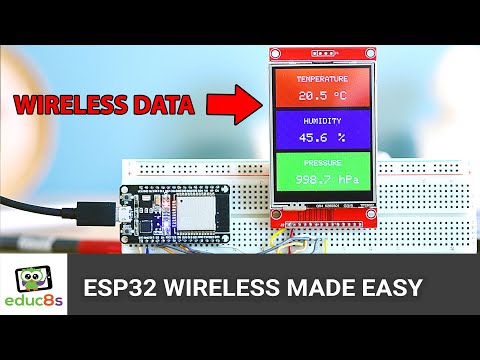
I'll show you how incredibly simple it is to set up with my ESPNowEasy library, and we'll build a wireless weather station in under 10 minutes, streaming real-time temperature, humidity, and pressure data between ESP32s.
Whether you're a beginner or experienced maker, this hidden ESP32 feature will revolutionize your wireless projects. Try it once, and you'll never go back to traditional wireless methods again!
🔄 SPECIAL THANKS to PCBWay for sponsoring this video! Ready to take your projects beyond the breadboard? Get professional-quality PCBs starting at just $5 for 10 boards with lightning-fast 24-hour manufacturing. PCBWay handles everything from simple boards to complex assembly. Get $5 OFF your first order using my link below! 👇
📦 Code & Parts: https://educ8s.tv/esp32-esp-now-tutorial/
🔥 PCBWay $5 OFF: https://educ8s.tv/part/PCBWAY
Timestamps ⏱️
00:00:00 - Intro: ESP-NOW Explained
00:02:15 - ESP-NOW: Protocol Basics
00:04:45 - ESP-NOW: Broadcasting Data
00:06:15 - Demo: Minimal ESP-NOW Setup
00:08:45 - Code: ESPNowEasy Library
00:11:15 - Code: Sending Data
00:13:00 - Code: Receiving Data
00:15:30 - Demo: Wireless Weather Station
00:17:00 - Range: ESP-NOW Reliability
00:18:00 - Outro: Project Links & Next Steps
#ESP32 #ESPNOW #Wireless #IoT #DIY #WeatherStation #Arduino #ESP32Projects
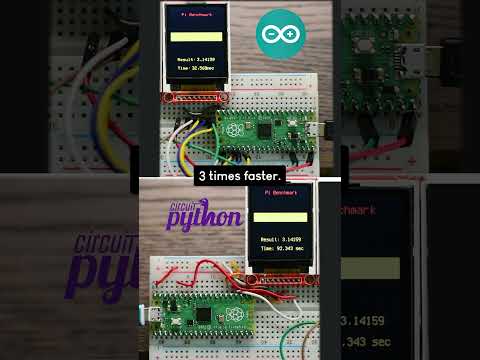
🤯 SHOCKING Speed Test! ⚡️ Arduino C++ DESTROYS CircuitPython on Raspberry Pi Pico! See the full experiment & explanation here: https://youtu.be/qym-P4GTdIU #RaspberryPiPico #Arduino #CircuitPython #SpeedTest
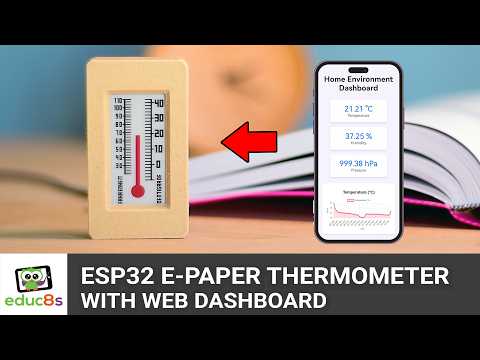
ESP32 Project: Build a Stylish E-Paper Thermometer with Web Dashboard | DIY Smart Home Create this elegant ESP32 project that combines vintage aesthetics with modern technology! This desk thermometer features a tri-color E-paper display powered by an ESP32, housed in a...
ESP32 Project: Build a Stylish E-Paper Thermometer with Web Dashboard | DIY Smart Home
Create this elegant ESP32 project that combines vintage aesthetics with modern technology! This desk thermometer features a tri-color E-paper display powered by an ESP32, housed in a beautiful wood-filament 3D printed case. Perfect for makers looking for their next ESP32 project!
⚡ Features:
- Classic analog thermometer appearance with digital precision
- Real-time temperature, humidity, and pressure monitoring
- Web dashboard with 48-hour history
- Tri-color E-paper display with excellent contrast Inkplate2
- Local data storage for privacy
- Under $40 in components
🛠️ Components Needed:
- Inkplate2 board: https://educ8s.tv/part/Inkplate2
- BME280 sensor: https://educ8s.tv/part/BME280
- MicroUSB breakout: https://educ8s.tv/part/MiniUSBBreakout
📁 Project Files:
Code: https://educ8s.tv/esp32-epaper-thermometer/
3D Print Files: https://www.printables.com/model/1180113-esp32-project-e-paper-thermometer-with-web-dashboa
Detailed Build Guide PDF: https://educ8s.tv/esp32-epaper-thermometer/
#ESP32 #IoT #Arduino #DIY #SmartHome #Maker #Electronics #3DPrinting #EPaper #TechDIY
💡 Want to see more projects like this? Subscribe and hit the notification bell!
❓ Questions about the build? Drop them in the comments below!
Timestamps ⏱️
00:00:00 - Intro: Project Overview
00:02:40 - Design: Simplicity Focus
00:05:30 - Parts: Component List
00:08:30 - Code: Structure Explained
00:14:45 - Demo: Web Dashboard
00:17:45 - Power: Consumption Analysis
00:19:00 - Case: 3D Printing
00:21:45 - Outro: Final Thoughts
Related Videos:
Full-Color E-Paper Weather Station: https://youtu.be/AzechYMLUGY