• maiweb v0.1.0
  • ★
  • Feedback

RealTutsGML

active · last success 2026-06-20 07:31

Visit site ↗ · Feed ↗

  • RealTutsGML youtube.com channel game-development video youtube 2019-08-30 18:47
    ↗

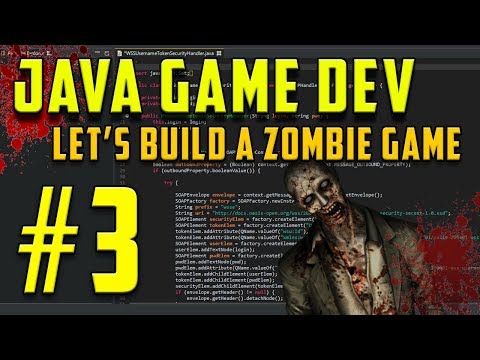
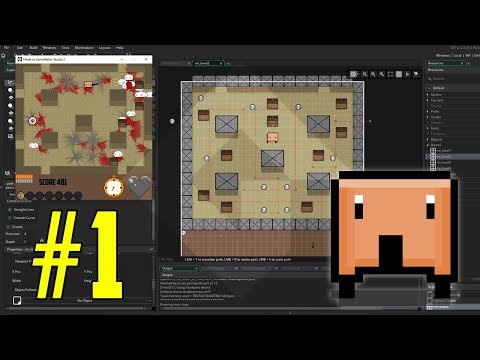
    Find Assets and Courses https://www.codingmadesimple.com/professional-game-design-course/ Built with Game Maker Studio 2. I've been having a lot of fun creating this project so far. Comment down below any ideas you have for the game and maybe get mentioned in part 2! Twitter...

    ▶ Watch on YouTube Opens in a new tab
    Find Assets and Courses https://www.codingmadesimple.com/professional-game-design-course/ Built with Game Maker Studio 2. I've been having a lot of fun creating this project so far. Comment down below any ideas you have for the game and maybe get mentioned in part 2! Twitter ► http://www.twitter.com/realtutsgml Have fun learning! https://youtu.be/yW3kibWDt0U
  • RealTutsGML youtube.com channel game-development video youtube 2019-08-27 17:34
    ↗

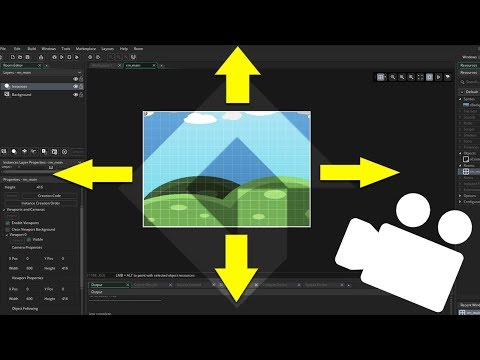
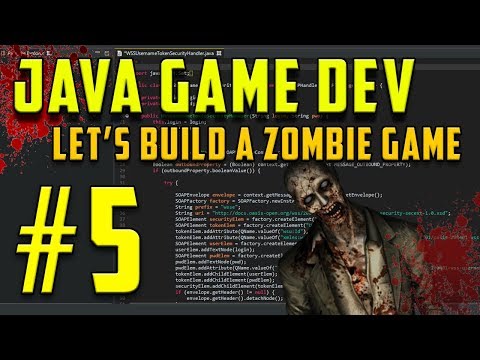
    Download the source code in this video here: https://www.codingmadesimple.com/about/ in this tutorial we'll be adjusting the shooting system and expanding the game world to cover all of the space you'd like in your game. How should we create the scenery for our game moving...

    ▶ Watch on YouTube Opens in a new tab
    Download the source code in this video here: https://www.codingmadesimple.com/about/ in this tutorial we'll be adjusting the shooting system and expanding the game world to cover all of the space you'd like in your game. How should we create the scenery for our game moving forward? Leave a comment below! Follow me on twitter: http://www.twitter.com/realtutsgml Have fun learning! https://youtu.be/2RxVldlnDA8
  • RealTutsGML youtube.com channel game-development video youtube 2019-08-08 01:16
    ↗

    Find Source Code and Courses https://www.codingmadesimple.com in this tutorial we develop a shooting system into the game! Here is the code for the angles... float angle = (float) Math.atan2(my - tempPlayer.y, mx - tempPlayer.x); int bulletVelocity = 10; tempBullet.velX =...

    ▶ Watch on YouTube Opens in a new tab
    Find Source Code and Courses https://www.codingmadesimple.com in this tutorial we develop a shooting system into the game! Here is the code for the angles... float angle = (float) Math.atan2(my - tempPlayer.y, mx - tempPlayer.x); int bulletVelocity = 10; tempBullet.velX = (float) ((bulletVelocity) * Math.cos(angle)); tempBullet.velY = (float) ((bulletVelocity) * Math.sin(angle)); Twitter ► http://www.twitter.com/realtutsgml Have fun learning! https://youtu.be/AUgjkxSDSC0
  • RealTutsGML youtube.com channel game-development video youtube 2019-07-24 00:48
    ↗

    Find Source Code and Courses https://www.codingmadesimple.com In this tutorial we're integrating key input into the game using acceleration and deceleration values. Make sure the keyPressed methods have a lowercase k and an upper case P Twitter ►...

    ▶ Watch on YouTube Opens in a new tab
    Find Source Code and Courses https://www.codingmadesimple.com In this tutorial we're integrating key input into the game using acceleration and deceleration values. Make sure the keyPressed methods have a lowercase k and an upper case P Twitter ► http://www.twitter.com/realtutsgml Have fun learning! https://youtu.be/In5v4fOBc6o
  • RealTutsGML youtube.com channel game-development video youtube 2019-07-20 21:07
    ↗

    Find Source Code and Courses https://www.codingmadesimple.com in this tutorial we create a screen shake effect in Game Maker Studio 2 using viewports. Twitter ► http://www.twitter.com/realtutsgml Have fun learning! https://youtu.be/BdTNFvu3DcI

    ▶ Watch on YouTube Opens in a new tab
    Find Source Code and Courses https://www.codingmadesimple.com in this tutorial we create a screen shake effect in Game Maker Studio 2 using viewports. Twitter ► http://www.twitter.com/realtutsgml Have fun learning! https://youtu.be/BdTNFvu3DcI
  • RealTutsGML youtube.com channel game-development video youtube 2019-07-16 01:13
    ↗

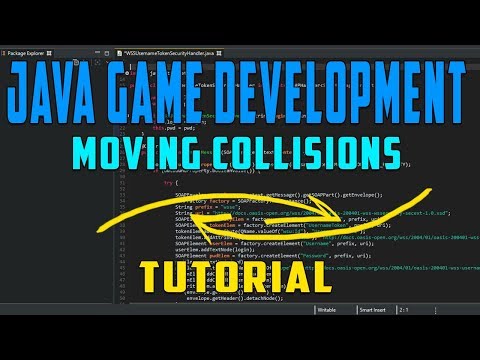
    Find Source Code and Courses https://www.codingmadesimple.com in this tutorial we'll expand on the previous collision system and make it operational for moving objects in the game world. Previous collision tutorial - https://www.youtube.com/watch?v=x5PbjhF0ytQ Twitter ►...

    ▶ Watch on YouTube Opens in a new tab
    Find Source Code and Courses https://www.codingmadesimple.com in this tutorial we'll expand on the previous collision system and make it operational for moving objects in the game world. Previous collision tutorial - https://www.youtube.com/watch?v=x5PbjhF0ytQ Twitter ► http://www.twitter.com/realtutsgml Have fun learning! https://youtu.be/HTD-NXd9V34
  • RealTutsGML youtube.com channel game-development video youtube 2019-07-12 00:03
    ↗

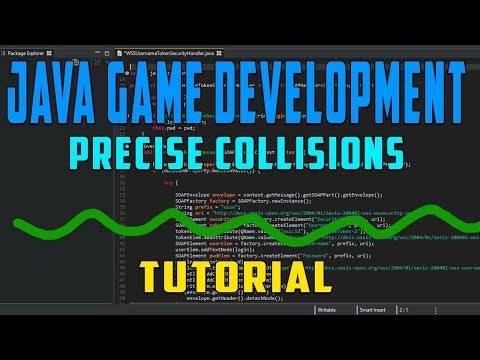
    Find Source Code and Courses https://www.codingmadesimple.com in this tutorial we'll be creating a precise four way collision system in Java. If you have any questions please feel free to comment down below! Java Let's Build a Game Series:...

    ▶ Watch on YouTube Opens in a new tab
    Find Source Code and Courses https://www.codingmadesimple.com in this tutorial we'll be creating a precise four way collision system in Java. If you have any questions please feel free to comment down below! Java Let's Build a Game Series: https://www.youtube.com/playlist?list=PLWms45O3n--6TvZmtFHaCWRZwEqnz2MHa Twitter ► http://www.twitter.com/realtutsgml Have fun learning! https://youtu.be/x5PbjhF0ytQ
  • RealTutsGML youtube.com channel game-development video youtube 2018-05-18 22:34
    ↗

    Find Source Code and Courses https://www.codingmadesimple.com in this tutorial we're creating the OOP (Object Oriented Programming) system for our zombie game! We start by creating our ID enumeration, GameObject parent class and the Handler class to update and render all of...

    ▶ Watch on YouTube Opens in a new tab
    Find Source Code and Courses https://www.codingmadesimple.com in this tutorial we're creating the OOP (Object Oriented Programming) system for our zombie game! We start by creating our ID enumeration, GameObject parent class and the Handler class to update and render all of the GameObjects in our game. If you have any questions please feel free to comment below. Twitter ► http://www.twitter.com/realtutsgml Google+ ► http://www.google.com/+RealTutsGML Have fun learning! https://youtu.be/j2OsZ0mzhk0
  • RealTutsGML youtube.com channel game-development video youtube 2018-05-17 00:34
    ↗

    Find Source Code and Courses https://www.codingmadesimple.com in this tutorial we're creating the back end of our zombie game. This episode includes creating our game window and starting our render and tick methods. Java Beginner eBook ►...

    ▶ Watch on YouTube Opens in a new tab
    Find Source Code and Courses https://www.codingmadesimple.com in this tutorial we're creating the back end of our zombie game. This episode includes creating our game window and starting our render and tick methods. Java Beginner eBook ► https://www.codingmadesimple.com/java-game-development-ebook/ Twitter ► http://www.twitter.com/realtutsgml Google+ ► http://www.google.com/+RealTutsGML Get the game loop here ► http://www.mediafire.com/file/in0truhx4fzoerf/game_loop.txt Have fun learning! https://youtu.be/SKFNouTFgto
  • RealTutsGML youtube.com channel game-development video youtube 2018-05-08 21:48
    ↗

    Find Source Code and Courses https://www.codingmadesimple.com In this tutorial we talk about Macros and Variable Definitions. If you have a tutorial suggestion please comment below. Stay tuned for another IRL video explaining my 3 month coding binge. Thanks for watching!...

    ▶ Watch on YouTube Opens in a new tab
    Find Source Code and Courses https://www.codingmadesimple.com In this tutorial we talk about Macros and Variable Definitions. If you have a tutorial suggestion please comment below. Stay tuned for another IRL video explaining my 3 month coding binge. Thanks for watching! Twitter ► http://www.twitter.com/realtutsgml Google+ ► http://www.google.com/+RealTutsGML Have fun learning! https://youtu.be/HHW5XyyF2J4
  • RealTutsGML youtube.com channel game-development video youtube 2018-01-24 21:04
    ↗

    Thank you for watching & have fun learning! Full source code and courses https://www.codingmadesimple.com/ Follow me on twitter for updates https://twitter.com/RealTutsGML Music by - Jim Yosef https://youtu.be/nFG6NNstQ3Y

    ▶ Watch on YouTube Opens in a new tab
    Thank you for watching & have fun learning! Full source code and courses https://www.codingmadesimple.com/ Follow me on twitter for updates https://twitter.com/RealTutsGML Music by - Jim Yosef https://youtu.be/nFG6NNstQ3Y
  • RealTutsGML youtube.com channel game-development video youtube 2018-01-03 22:08
    ↗

    Thank you for watching & have fun learning! Full source code and courses https://www.codingmadesimple.com/ Follow me on twitter for updates https://twitter.com/RealTutsGML Music by Jim Yosef ►https://www.youtube.com/watch?v=x_OwcYTNbHs • Course Selection • ►...

    ▶ Watch on YouTube Opens in a new tab
    Thank you for watching & have fun learning! Full source code and courses https://www.codingmadesimple.com/ Follow me on twitter for updates https://twitter.com/RealTutsGML Music by Jim Yosef ►https://www.youtube.com/watch?v=x_OwcYTNbHs • Course Selection • ► https://courses.codingmadesimple.com/courses/ ◄ • Individual Game Design Courses • ► https://www.codingmadesimple.com/wizards-intermediate-java-course/ ◄ ► https://courses.codingmadesimple.com/create-a-game-course/ ◄ ► https://courses.codingmadesimple.com/java-beginner-game-design-ebook/ ◄ ► https://courses.codingmadesimple.com/beginner-video-game-pixel-art-course/ ◄ https://youtu.be/drsjNoFBYfc
  • RealTutsGML youtube.com channel game-development video youtube 2017-12-29 21:52
    ↗

    Thank you for watching & have fun learning! Full source code and courses https://www.codingmadesimple.com/ Follow me on twitter for updates https://twitter.com/RealTutsGML Particle Code: Sname = part_system_create(); particle1 = part_type_create();...

    ▶ Watch on YouTube Opens in a new tab
    Thank you for watching & have fun learning! Full source code and courses https://www.codingmadesimple.com/ Follow me on twitter for updates https://twitter.com/RealTutsGML Particle Code: Sname = part_system_create(); particle1 = part_type_create(); part_type_sprite(particle1,sPlayerIdle,0,0,0); part_type_size(particle1,1,1,0,0); part_type_scale(particle1,1,1); part_type_alpha3(particle1,1,0.50,0.10); part_type_speed(particle1,0,0,0,0); part_type_direction(particle1,0,0,0,0); part_type_gravity(particle1,0,270); part_type_orientation(particle1,0,0,0,0,1); part_type_blend(particle1,0); part_type_life(particle1,60,60); https://youtu.be/co3Tbb_xc8A
  • RealTutsGML youtube.com channel game-development video youtube 2017-12-23 20:30
    ↗

    Thank you for watching & have fun learning! Full source code and courses https://www.codingmadesimple.com/ Follow me on twitter for updates https://twitter.com/RealTutsGML Ravager: http://store.steampowered.com/app/689100/Ravager/ Is that a Bird Holding a Cat:...

    ▶ Watch on YouTube Opens in a new tab
    Thank you for watching & have fun learning! Full source code and courses https://www.codingmadesimple.com/ Follow me on twitter for updates https://twitter.com/RealTutsGML Ravager: http://store.steampowered.com/app/689100/Ravager/ Is that a Bird Holding a Cat: https://www.youtube.com/watch?v=3qBxUEKKoLI You are Two: https://www.newgrounds.com/portal/view/701061 https://youtu.be/wTcvoR-8L0w
  • RealTutsGML youtube.com channel game-development video youtube 2017-12-16 06:29
    ↗

    Thank you for watching & have fun learning! Full source code and courses https://www.codingmadesimple.com/ Follow me on twitter for updates https://twitter.com/RealTutsGML https://youtu.be/oWP7wmRWGIQ

    ▶ Watch on YouTube Opens in a new tab
    Thank you for watching & have fun learning! Full source code and courses https://www.codingmadesimple.com/ Follow me on twitter for updates https://twitter.com/RealTutsGML https://youtu.be/oWP7wmRWGIQ
  • End of feed
Maibook — your private personalized AI community
  • rcanand.com
  • mlaillc.com
  • @rcanand (X)
  • LinkedIn
  • Feedback
  • Credits