#blender3d #gamedev #3danimation Want to speed up your Blender renders instantly? In this quick Blender tutorial, we look at a hidden performance setting that massively reduces render times—especially for large environment scenes and animations. Get my Blender 5 - Detailed...
#blender3d #gamedev #3danimation
Want to speed up your Blender renders instantly? In this quick Blender tutorial, we look at a hidden performance setting that massively reduces render times—especially for large environment scenes and animations.
Get my Blender 5 - Detailed Environment Course
👉 [https://gamedev.tv/courses/blender-environment-artist-5?ref=ywqzmjc ]
By ticking this one simple checkbox, Blender keeps your mesh and texture detail in memory, letting you skip the tedious "updating meshes" phase on subsequent frames.
MY SOCIALS:
Substack for Articles & Written Tutorials: https://grantabbitt.substack.com/
Gumroad For Free Beginners Booklet: https://grantabbitt.gumroad.com/
My Website: http://www.gabbitt.co.uk
Discord: https://discord.gg/uwF2fcm
Buy Me a Coffee: https://ko-fi.com/M4M21GGIWE
OTHER USEFUL YOUTUBE TUTORIALS:
Learn the basics of Blender 5: https://www.youtube.com/playlist?list=PLn3ukorJv4vv9_e-htADGsPX9TMaQpHV8
Get good at blender series: https://www.youtube.com/playlist?list=PLn3ukorJv4vvv3ZpWJYvV5Tmvo7ISO-NN
Learn Sculpting playlist: https://www.youtube.com/playlist?list=PLn3ukorJv4vvJM7tvjet4PP-LVjJx13oB
#Blender3D #BlenderTutorial #3DModeling #RenderTimes #Blender5
#blender3d #gamedev #3danimation Want to speed up your Blender renders instantly? In this quick Blender tutorial, we look at a hidden performance setting that massively reduces render times—especially for large environment scenes and animations. Get my Blender 5 - Detailed...
#blender3d #gamedev #3danimation
Want to speed up your Blender renders instantly? In this quick Blender tutorial, we look at a hidden performance setting that massively reduces render times—especially for large environment scenes and animations.
Get my Blender 5 - Detailed Environment Course
👉 [https://gamedev.tv/courses/blender-environment-artist-5?ref=ywqzmjc ]
By ticking this one simple checkbox, Blender keeps your mesh and texture detail in memory, letting you skip the tedious "updating meshes" phase on subsequent frames.
MY SOCIALS:
Substack for Articles & Written Tutorials: https://grantabbitt.substack.com/
Gumroad For Free Beginners Booklet: https://grantabbitt.gumroad.com/
My Website: http://www.gabbitt.co.uk
Discord: https://discord.gg/uwF2fcm
Buy Me a Coffee: https://ko-fi.com/M4M21GGIWE
OTHER USEFUL YOUTUBE TUTORIALS:
Learn the basics of Blender 5: https://www.youtube.com/playlist?list=PLn3ukorJv4vv9_e-htADGsPX9TMaQpHV8
Get good at blender series: https://www.youtube.com/playlist?list=PLn3ukorJv4vvv3ZpWJYvV5Tmvo7ISO-NN
Learn Sculpting playlist: https://www.youtube.com/playlist?list=PLn3ukorJv4vvJM7tvjet4PP-LVjJx13oB
#Blender3D #BlenderTutorial #3DModeling #RenderTimes #Blender5
#artwork #tablet #3dart Testing the giant 14.25-inch Ugee UT3 (Trio Pad) drawing tablet from the perspective of both a 2D sketch artist and a 3D sculptor! At just £380, could this massive standalone tablet actually be a budget iPad Pro alternative, or is it just a cheap toy?...
#artwork #tablet #3dart
Testing the giant 14.25-inch Ugee UT3 (Trio Pad) drawing tablet from the perspective of both a 2D sketch artist and a 3D sculptor! At just £380, could this massive standalone tablet actually be a budget iPad Pro alternative, or is it just a cheap toy?
In this honest, unsponsored Ugee UT3 review, we put its 10,000mAh battery, 250GB storage, and matte anti-glare screen to the test. We'll look at the drawing experience, pressure sensitivity, tilt control, and how it handles mobile 3D sculpting apps like Nomad Sculpt.
⚠️ ARTIST WARNING: While it's an incredible budget option for beginners and a powerhouse for 3D sculpting, there is one major flaw you need to know about before buying—pen wobble (jitter). If you have a fast, sketchy 2D art style, this might be a dealbreaker.
Watch the full video to see side-by-side comparisons with the iPad Pro and find out if the Ugee UT3 is right for your workflow!
🎨 Links & Discounts:
Grab the Ugee UT3 here: https://shopugeecom.sjv.io/c/7393473/3258275/41544
Use discount code [grabbitt10] for 10% off!
#UgeeUT3 #DrawingTablet #BudgetArtTablet #3DArtist #iPadProAlternative #NomadSculpt #DigitalArt #ArtTabletReview
#blender3d #gamedev #3dart Stop wasting time trying to manually straighten and fix warped textures in Photoshop! In this tutorial, we’re looking at an incredible, 100% free browser tool called Raycastly. If you’ve ever found the perfect reference photo online but couldn't use...
#blender3d #gamedev #3dart
Stop wasting time trying to manually straighten and fix warped textures in Photoshop! In this tutorial, we’re looking at an incredible, 100% free browser tool called Raycastly.
If you’ve ever found the perfect reference photo online but couldn't use it because of a bad angle or distorted perspective, this workflow is a game-changer. We will walk through how to easily rip, unwarp, and flatten images directly in your browser to create perfectly packed texture atlases for your 3D models and game development projects.
Whether you are building low-poly environments in Blender, optimizing mobile game assets, or just want a faster workflow than Shoebox or Photoshop, this free tool is a must-have for your toolkit.
🔗 Link to Raycastly (GitHub): https://github.com/raycastly/texture-ripper
MY COURSES:
My Complete Blender Creator single course only $28
https://www.gamedev.tv/courses/complete-blender-creator?ref=ywqzmjc
My Mega Pathway Course - build your own asset packs $60: https://www.gamedev.tv/bundles/blender-pathway?ref=ywqzmjc
SOCIALS:
Substack for Articles & Written Tutorials: https://grantabbitt.substack.com/
Gumroad For Free Beginners Booklet: https://grantabbitt.gumroad.com/
My Website: http://www.gabbitt.co.uk
Discord: https://discord.gg/uwF2fcm
Buy Me a Coffee: https://ko-fi.com/M4M21GGIWE
OTHER USEFUL YOUTUBE TUTORIALS:
Learn the basics of Blender 5: https://www.youtube.com/playlist?list=PLn3ukorJv4vv9_e-htADGsPX9TMaQpHV8
Get good at Blender series: https://www.youtube.com/playlist?list=PLn3ukorJv4vvv3ZpWJYvV5Tmvo7ISO-NN
Learn Sculpting playlist: https://www.youtube.com/playlist?list=PLn3ukorJv4vvJM7tvjet4PP-LVjJx13oB
#blender3d #gamedev #3danimation In this Blender tutorial, we look at a fast and incredibly efficient workflow to turn a single real-world photo into a low-poly, game-ready 3D asset. Texturing doesn't need to take hours or require complex node setups. By preparing a single...
#blender3d #gamedev #3danimation
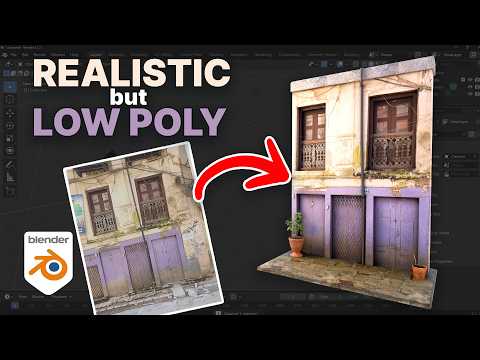
In this Blender tutorial, we look at a fast and incredibly efficient workflow to turn a single real-world photo into a low-poly, game-ready 3D asset.
Texturing doesn't need to take hours or require complex node setups. By preparing a single image (fixing perspective and flattening it out in Photoshop, GIMP, or Krita), we can bring it straight into Blender to trace, model, and project the texture directly onto our geometry. This technique is fantastic for indie game developers who need highly performant, low-poly assets that still retain a beautiful, realistic look.
Whether you're building backgrounds, environment props, or building assets for a game engine, this single-image texturing method will save you a massive amount of time.
If you enjoyed the video, please leave a like and subscribe for more 3D modeling and texturing workflows!
MY PIC Of HOUSE
https://grantabbitt.gumroad.com/l/qvizhi
Tutorial on quick pbr texturing https://youtu.be/AMnMbxEwa7Q
📌 Timestamps
00:00 - Introduction: The Power of Single-Image Texturing
00:20 - Fixing Photo Perspective & Lens Distortion
01:15 - Setting Up the Reference Image in Blender
01:58 - Tracing and Modeling the Geometry
06:15 - UV Unwrapping & Projecting the Texture
09:17 - Adding Depth, Dimension, and Asymmetry
21:00 - Fine-Tuning the Low Poly Asset & Wrap Up
💬 Join the Community
MY COURSES
My Complete Blender Creator single course only $28
https://www.gamedev.tv/courses/complete-blender-creator?ref=ywqzmjc
My Mega Pathway Course - build your own asset packs $60: https://www.gamedev.tv/bundles/blender-pathway?ref=ywqzmjc
SOCIALS:
Substack for Articles & Written Tutorials: https://grantabbitt.substack.com/
Gumroad For Free Beginners Booklet: https://grantabbitt.gumroad.com/
My Website: http://www.gabbitt.co.uk
Discord: https://discord.gg/uwF2fcm
Buy Me a Coffee: https://ko-fi.com/M4M21GGIWE
OTHER USEFUL YOUTUBE TUTORIALS:
Learn the basics of Blender 5: https://www.youtube.com/playlist?list=PLn3ukorJv4vv9_e-htADGsPX9TMaQpHV8
Get good at Blender series: https://www.youtube.com/playlist?list=PLn3ukorJv4vvv3ZpWJYvV5Tmvo7ISO-NN
Learn Sculpting playlist: https://www.youtube.com/playlist?list=PLn3ukorJv4vvJM7tvjet4PP-LVjJx13oB
Recommended graphics tablet:
I use a graphics tablet to paint with, and my recommendations are written below:
Ultimate Buyers guide - https://youtu.be/IfC6mTMiaDA
Display Tablet
my choices:_
Display Tablet
XP Pen 16 - 22 or Huion
UK - https://amzn.to/4bIrFhw
US - https://amzn.to/3V7D7vZ
Graphics Tablet
Wacom one
UK - https://amzn.to/39drH1C
US - https://amzn.to/3jrGGd2
#Blender3D #GameDev #LowPoly #3DModeling #BlenderTutorial
#blender3d #gamedev #3danimation In this detailed step-by-step tutorial, I teach you texture painting in Blender 5.1 by creating and painting this stylized low-poly gravestone. Whether you want to learn how to set up your UV maps, manage your brush strengths, or master blend...
#blender3d #gamedev #3danimation
In this detailed step-by-step tutorial, I teach you texture painting in Blender 5.1 by creating and painting this stylized low-poly gravestone.
Whether you want to learn how to set up your UV maps, manage your brush strengths, or master blend modes like Multiply and Screen to build up deep, rich layers, this guide has you covered
⚠️ Note: This tutorial is for those who already know the very basics of navigating Blender. If you are an absolute beginner, start with my complete beginner's playlist here first: [https://www.youtube.com/playlist?list=PLn3ukorJv4vv9_e-htADGsPX9TMaQpHV8]
What you'll learn in this guide:
How to correctly set up your model for texture painting in Blender 5.1
Essential brush settings, strengths, and workflows
Using blend modes (Mix, Screen, Multiply) to build up highlights and shadows
Simple, effective techniques to make your hand-painted textures pop
Grab your drawing tablet or mouse, and let's get painting! If you enjoy the tutorial, don't forget to like, subscribe, and leave a comment with what you want to learn next.
MY COURSES:
My Complete Blender Creator single course only $28
https://www.gamedev.tv/courses/complete-blender-creator?ref=ywqzmjc
My Mega Pathway Course - build your own asset packs $60: https://www.gamedev.tv/bundles/blender-pathway?ref=ywqzmjc
SOCIALS:
Substack for Articles & Written Tutorials: https://grantabbitt.substack.com/
Gumroad For Free Beginners Booklet: https://grantabbitt.gumroad.com/
My Website: http://www.gabbitt.co.uk
Discord: https://discord.gg/uwF2fcm
Buy Me a Coffee: https://ko-fi.com/M4M21GGIWE
YOUTUBE PLAYLIST TUTORIALS:
Learn the basics of Blender 5: https://www.youtube.com/playlist?list=PLn3ukorJv4vv9_e-htADGsPX9TMaQpHV8
Get good at blender series: https://www.youtube.com/playlist?list=PLn3ukorJv4vvv3ZpWJYvV5Tmvo7ISO-NN
Learn Sculpting playlist: https://www.youtube.com/playlist?list=PLn3ukorJv4vvJM7tvjet4PP-LVjJx13oB
Recommended graphics tablet:
I use a graphics tablet to paint with, and my recommendations are written below:
Ultimate Buyers guide - https://youtu.be/IfC6mTMiaDA
Display Tablet
my choices:_
Display Tablet
XP Pen 16 - 22 or Huion
UK - https://amzn.to/4bIrFhw
US - https://amzn.to/3V7D7vZ
Graphics Tablet
Wacom one
UK - https://amzn.to/39drH1C
US - https://amzn.to/3jrGGd2
#Blender3D #TexturePainting #BlenderTutorial #3DModeling #HandPainted
#blender3d #gamedev #gamejam Stop waiting! The GameDev.tv Game Jam 2026 is here, and it's the perfect opportunity to finally start (and finish) your game. *** GAME JAM LINKS *** GAMEDEV.TV'S GAME JAM 2026: https://itch.io/jam/gamedevtv-jam-2026 GET THE GAME JAM BUNDLE &...
#blender3d #gamedev #gamejam
Stop waiting! The GameDev.tv Game Jam 2026 is here, and it's the perfect opportunity to finally start (and finish) your game.
*** GAME JAM LINKS ***
GAMEDEV.TV'S GAME JAM 2026: https://itch.io/jam/gamedevtv-jam-2026
GET THE GAME JAM BUNDLE & SUPPORT INDIE DEVS
Over $1100 worth of products for $30: https://gamedev.tv/bundles/game-jam-bundle?ref=ywqzmjc
Join the GameDev.tv Official Community Discord Server: http://gdev.tv/discord
Whether you use Unity, Unreal, Godot, or Blender, game jams are the best way to learn.
Why you should join:
-Free Course: Everyone who submits a valid game gets a free GameDev.tv course!
-Support a Cause: Part of the proceeds from the massive $30 Asset & Course Bundle goes to the Indie Dev Fund, helping small developers get their projects funded.
-Master Your Workflow: I share my "layering" technique to help you avoid over-scoping and actually complete your project in 10 days.
The jam runs from May 15th to May 25th. You can enter solo or in a team of up to 6. Let’s build something amazing together!
MY COURSES:
My Complete Blender Creator single course only $28
https://www.gamedev.tv/courses/complete-blender-creator?ref=ywqzmjc
My Mega Pathway Course - build your own asset packs $60: https://www.gamedev.tv/bundles/blender-pathway?ref=ywqzmjc
SOCIALS:
Substack for Articles & Written Tutorials: https://grantabbitt.substack.com/
Gumroad For Free Beginners Booklet: https://grantabbitt.gumroad.com/
My Website: http://www.gabbitt.co.uk
Discord: https://discord.gg/uwF2fcm
Buy Me a Coffee: https://ko-fi.com/M4M21GGIWE
OTHER USEFUL YOUTUBE TUTORIALS:
Learn the basics of Blender 5: https://www.youtube.com/playlist?list=PLn3ukorJv4vv9_e-htADGsPX9TMaQpHV8
Get good at Blender series: https://www.youtube.com/playlist?list=PLn3ukorJv4vvv3ZpWJYvV5Tmvo7ISO-NN
Learn Sculpting playlist: https://www.youtube.com/playlist?list=PLn3ukorJv4vvJM7tvjet4PP-LVjJx13oB
#blender3d #animation #3danimation Is Cascadeur truly the future of character animation, or is it just another "game-changing" buzzword? In this video, I work with Max from the Cascadeur team for a live animation challenge to see if the software actually lives up to its...
#blender3d #animation #3danimation
Is Cascadeur truly the future of character animation, or is it just another "game-changing" buzzword? In this video, I work with Max from the Cascadeur team for a live animation challenge to see if the software actually lives up to its massive reputation. I wanted to see if we could animate fast and effectively in a real-world scenario. The results were surprising: we managed a walk cycle in seconds with just a click of a button and some quick tidy-up, and tackled several character animations in under an hour.
We looked at:
-Auto-Physics & AI Tools: Can you really animate at the click of a button?
-Workflow Efficiency: How to iterate and perfect complex poses in just 1 or 2 minutes.
-Hype vs. Reality: My honest thoughts on whether this replaces traditional keyframing.
-Live Challenge: A raw look at the software under pressure—no polished edits, just real results.
FIND OUT MORE ABOUT CASCADEUR
https://cascadeur.com/?ref=grant
Use the code: Abbitt15
for 15% discount
My Courses:
My Complete Blender Creator single course only $28
https://www.gamedev.tv/courses/complete-blender-creator?ref=ywqzmjc
My Mega Pathway Course - build your own asset packs $60: https://www.gamedev.tv/bundles/blender-pathway?ref=ywqzmjc
SOCIALS:
Substack for Articles & Written Tutorials: https://grantabbitt.substack.com/
Gumroad For Free Beginners Booklet: https://grantabbitt.gumroad.com/
My Website: http://www.gabbitt.co.uk
Discord: https://discord.gg/uwF2fcm
Buy Me a Coffee: https://ko-fi.com/M4M21GGIWE
OTHER USEFUL YOUTUBE TUTORIALS:
Learn the basics of Blender 5: https://www.youtube.com/playlist?list=PLn3ukorJv4vv9_e-htADGsPX9TMaQpHV8
Get good at Blender series: https://www.youtube.com/playlist?list=PLn3ukorJv4vvv3ZpWJYvV5Tmvo7ISO-NN
Learn Sculpting playlist: https://www.youtube.com/playlist?list=PLn3ukorJv4vvJM7tvjet4PP-LVjJx13oB
#cascadeur #3DAnimation #CharacterAnimation #GameDev #GrantAbbitt #AnimationWorkflow
#blender3d #gamedev #3danimation Blender recently addressed the controversy surrounding a major donation from AI company Anthropic. I talk through why the community reacted with concern over data scraping and artist rights, and how Francesco Siddi responded by officially...
#blender3d #gamedev #3danimation
Blender recently addressed the controversy surrounding a major donation from AI company Anthropic. I talk through why the community reacted with concern over data scraping and artist rights, and how Francesco Siddi responded by officially recategorizing the funds.
I'll talk about the details of the statement, exploring the shift from a "Development Fund" partnership to a "one-time donation" to ensure Blender's roadmap remains free from corporate AI influence.
Topics covered:
The community backlash to the Anthropic donation.
Concerns regarding AI models scraping artist work.
The difference between a "Development Fund" member and a one-time donor.
Blender’s commitment to independence and transparency.
Statement Link:
https://www.blender.org/news/upcoming-blender-development-fund-and-ai-policies/
SOCIALS:
Substack for Articles & Written Tutorials: https://grantabbitt.substack.com/
Gumroad For Free Beginners Booklet: https://grantabbitt.gumroad.com/
My Website: http://www.gabbitt.co.uk
Discord: https://discord.gg/uwF2fcm
Buy Me a Coffee: https://ko-fi.com/M4M21GGIWE
OTHER USEFUL YOUTUBE TUTORIALS:
Learn the basics of Blender 5: https://www.youtube.com/playlist?list=PLn3ukorJv4vv9_e-htADGsPX9TMaQpHV8
Get good at blender series: https://www.youtube.com/playlist?list=PLn3ukorJv4vvv3ZpWJYvV5Tmvo7ISO-NN
Learn Sculpting playlist: https://www.youtube.com/playlist?list=PLn3ukorJv4vvJM7tvjet4PP-LVjJx13oB
MY Courses
My Complete Blender Creator single course only $28
https://www.gamedev.tv/courses/complete-blender-creator?ref=ywqzmjc
My Mega Pathway Course - build your own asset packs $60: https://www.gamedev.tv/bundles/blender-pathway?ref=ywqzmjc
#Blender #Anthropic #AI #OpenSource #3DArt #TechNews
#blender3d #gamedev #ai Anthropic has officially joined the Blender Development Fund as a Corporate Patron. What does this partnership mean for the future of 3D creation? With Anthropic (the creators of Claude AI) now backing the Blender Foundation at the highest level, the...
#blender3d #gamedev #ai
Anthropic has officially joined the Blender Development Fund as a Corporate Patron. What does this partnership mean for the future of 3D creation? With Anthropic (the creators of Claude AI) now backing the Blender Foundation at the highest level, the focus is shifting toward core development and the Blender Python API.
What does this mean for you?
AI Integration: How Claude might soon help you script, model, and animate.
Core Development: Why Anthropic is specifically interested in the Python API.
Software Freedom: How Blender remains independent while accepting big tech funding.
The Industry Shift: Joining the ranks of NVIDIA, Epic Games, and Adobe.
Is this the beginning of a new AI-powered era for Blender?
Read the full press release here: https://www.blender.org/press/anthropic-joins-the-blender-development-fund-as-corporate-patron/
#Blender3D #Anthropic #ClaudeAI #OpenSource #3DAnimation #AIArt #B3D #TechNews #BlenderFoundation
MY COURSES:
My Complete Blender Creator single course only $28
https://www.gamedev.tv/courses/complete-blender-creator?ref=ywqzmjc
My Mega Pathway Course - build your own asset packs $60: https://www.gamedev.tv/bundles/blender-pathway?ref=ywqzmjc
SOCIALS:
Substack for Articles & Written Tutorials: https://grantabbitt.substack.com/
Gumroad For Free Beginners Booklet: https://grantabbitt.gumroad.com/
My Website: http://www.gabbitt.co.uk
Discord: https://discord.gg/uwF2fcm
Buy Me a Coffee: https://ko-fi.com/M4M21GGIWE
OTHER USEFUL YOUTUBE TUTORIALS:
Learn the basics of Blender 5: https://www.youtube.com/playlist?list=PLn3ukorJv4vv9_e-htADGsPX9TMaQpHV8
Get good at blender series: https://www.youtube.com/playlist?list=PLn3ukorJv4vvv3ZpWJYvV5Tmvo7ISO-NN
Learn Sculpting playlist: https://www.youtube.com/playlist?list=PLn3ukorJv4vvJM7tvjet4PP-LVjJx13oB
recommended graphics tablet:
I use a graphics tablet to paint with and my recommendations are written below:
Ultimate Buyers guide - https://youtu.be/IfC6mTMiaDA
Display Tablet
my choices:_
Display Tablet
XP Pen 16 - 22 or Huion
UK - https://amzn.to/4bIrFhw
US - https://amzn.to/3V7D7vZ
Graphics Tablet
Wacom one
UK - https://amzn.to/39drH1C
US - https://amzn.to/3jrGGd2
#blender3d #gamedev #3danimation Looking for a high-resolution drawing experience without the "pro" price tag? In this video, I review the Gaomon PD1900, a 19-inch 4K UHD display tablet that retails for just $650. Gaomon is known for being a budget-friendly brand, but can...
#blender3d #gamedev #3danimation
Looking for a high-resolution drawing experience without the "pro" price tag? In this video, I review the Gaomon PD1900, a 19-inch 4K UHD display tablet that retails for just $650.
Gaomon is known for being a budget-friendly brand, but can this 4K screen actually compete with mid-range favorites like XP-Pen and Huion?
In this review, we cover:
4K Resolution & Screen Quality: Is the UHD sharpness noticeable?
Build & Portability: How the adjustable stand feels and why the cable setup might limit where you work.
Drawing Experience: Testing the pen pressure and responsiveness in Photoshop and Blender.
The "Krita" Issue: A warning for Krita users—I ran into some compatibility hurdles you need to know about.
The Verdict: Is it better to save $100+ with Gaomon or stick to the bigger brands?
Key Specs at a Glance:
19-inch 4K UHD Display
Matte screen for low glare
Minimal parallax
8192 levels of pressure sensitivity
Adjustable stand included
WHERE TO BUY:
Amazon: https://amzn.to/3QwpPe6
Official Website: https://gaomon.dub.link/YQMo14G
Discount Code(5% OFF): USPD1900
MY COURSES
My Complete Blender Creator single course only $28
https://www.gamedev.tv/courses/complete-blender-creator?ref=ywqzmjc
My Mega Pathway Course - build your own asset packs $60: https://www.gamedev.tv/bundles/blender-pathway?ref=ywqzmjc
SOCIALS:
Substack for Articles & Written Tutorials: https://grantabbitt.substack.com/
Gumroad For Free Beginners Booklet: https://grantabbitt.gumroad.com/
My Website: http://www.gabbitt.co.uk
Discord: https://discord.gg/uwF2fcm
Buy Me a Coffee: https://ko-fi.com/M4M21GGIWE
OTHER USEFUL YOUTUBE TUTORIALS:
Learn the basics of Blender 5: https://www.youtube.com/playlist?list=PLn3ukorJv4vv9_e-htADGsPX9TMaQpHV8
Get good at blender series: https://www.youtube.com/playlist?list=PLn3ukorJv4vvv3ZpWJYvV5Tmvo7ISO-NN
Learn Sculpting playlist: https://www.youtube.com/playlist?list=PLn3ukorJv4vvJM7tvjet4PP-LVjJx13oB
#GaomonPD1900 #4KDrawingTablet #DigitalArt #ArtReview #BudgetTech #Gaomon #GraphicTablet #Blender #Photoshop #TechReview
#blender3d #gamedev #3danimation Mastering Transform Pivot Points is excellent for speeding up your workflow in Blender 5. In this beginner-friendly tutorial, we look at every pivot point option so you can start modeling with precision. I portant for rotating multiple objects...
#blender3d #gamedev #3danimation
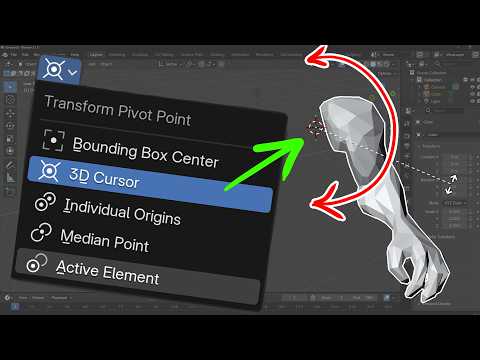
Mastering Transform Pivot Points is excellent for speeding up your workflow in Blender 5. In this beginner-friendly tutorial, we look at every pivot point option so you can start modeling with precision.
I portant for rotating multiple objects at once or positioning complex character joints. We look at everything from the default Median Point to the powerful, often-neglected 3D Cursor hack that makes positioning lights and limbs a breeze.
In this video, you will learn:
How to quickly access the Pivot Point menu (and the Period key shortcut).
The difference between Median Point and Bounding Box Center.
How to use Individual Origins to rotate multiple objects independently.
The "Active Element" trick for precise control.
Pro Workflow Hack: Using the 3D Cursor for advanced rotation, light placement, and character joints (shoulders/elbows).
If you’re a Blender beginner looking to move from "fumbling with tools" to "pro-level workflow," this guide is for you!
Software Version: Blender 5 (also applicable to Blender 4.x)
MY COURSES:
My Complete Blender Creator single course only $28
https://www.gamedev.tv/courses/complete-blender-creator?ref=ywqzmjc
My Mega Pathway Course - build your own asset packs $60: https://www.gamedev.tv/bundles/blender-pathway?ref=ywqzmjc
SOCIALS:
Substack for Articles & Written Tutorials: https://grantabbitt.substack.com/
Gumroad For Free Beginners Booklet: https://grantabbitt.gumroad.com/
My Website: http://www.gabbitt.co.uk
Discord: https://discord.gg/uwF2fcm
Buy Me a Coffee: https://ko-fi.com/M4M21GGIWE
OTHER USEFUL YOUTUBE TUTORIALS:
Learn the basics of Blender 5: https://www.youtube.com/playlist?list=PLn3ukorJv4vv9_e-htADGsPX9TMaQpHV8
Get good at blender series: https://www.youtube.com/playlist?list=PLn3ukorJv4vvv3ZpWJYvV5Tmvo7ISO-NN
Learn Sculpting playlist: https://www.youtube.com/playlist?list=PLn3ukorJv4vvJM7tvjet4PP-LVjJx13oB
#Blender3D #BlenderBeginner #3DModeling #BlenderTutorial #PivotPoints #WorkflowHacks #3DCursor #BlenderTips
recommended graphics tablet:
I use a graphics tablet to paint with and my recommendations are written below:
Ultimate Buyers guide - https://youtu.be/IfC6mTMiaDA
Display Tablet
my choices:_
Display Tablet
XP Pen 16 - 22 or Huion
UK - https://amzn.to/4bIrFhw
US - https://amzn.to/3V7D7vZ
Graphics Tablet
Wacom one
UK - https://amzn.to/39drH1C
US - https://amzn.to/3jrGGd2
#blender3d #gamedev #3danimation I reviewed the "Become a 3D Artist" Mega Bundle from BundleFoundry to see if this 29-course library is actually worth it. In this video, we take an honest look at a massive collection of 3D art courses covering everything from Blender and...
#blender3d #gamedev #3danimation
I reviewed the "Become a 3D Artist" Mega Bundle from BundleFoundry to see if this 29-course library is actually worth it. In this video, we take an honest look at a massive collection of 3D art courses covering everything from Blender and Unreal Engine 5 to ZBrush and Substance Painter.
While some of the software versions used are older, the industry-standard techniques for environment design, prop art, and trim sheets remain highly relevant. I’ll break down the different tiers, discuss the "unedited" teaching style of these industry pros, and show you why this is currently one of the best value bundles for anyone looking to level up their 3D portfolio.
Check out the bundle here:
https://bundlefoundry.com/bundle/become-a-3d-artist-mega-bundle?aff=grant
MY COURSES:
My Complete Blender Creator single course only $29
https://www.gamedev.tv/courses/complete-blender-creator?ref=ywqzmjc
My Mega Pathway Course - build your own asset packs $60: https://www.gamedev.tv/bundles/blender-pathway?ref=ywqzmjc
SOCIALS:
Substack for Articles & Written Tutorials: https://grantabbitt.substack.com/
Gumroad For Free Beginners Booklet: https://grantabbitt.gumroad.com/
My Website: http://www.gabbitt.co.uk
Discord: https://discord.gg/uwF2fcm
Buy Me a Coffee: https://ko-fi.com/M4M21GGIWE
OTHER USEFUL YOUTUBE TUTORIALS:
Learn the basics of Blender 5: https://www.youtube.com/playlist?list=PLn3ukorJv4vv9_e-htADGsPX9TMaQpHV8
Get good at blender series: https://www.youtube.com/playlist?list=PLn3ukorJv4vvv3ZpWJYvV5Tmvo7ISO-NN
Learn Sculpting playlist: https://www.youtube.com/playlist?list=PLn3ukorJv4vvJM7tvjet4PP-LVjJx13oB
#Blender3D #3DArtist #GameDev #GrantAbbitt #BundleFoundry #3DModeling #UnrealEngine5 #maya
#blender3d #gamedev #3danimation Master the Blender Asset Browser and stop the confusion! In this tutorial, we look at Blender 5.1’s updated asset tools, including how to properly set up your User Library so your assets actually show up. We cover the critical differences...
#blender3d #gamedev #3danimation
Master the Blender Asset Browser and stop the confusion! In this tutorial, we look at Blender 5.1’s updated asset tools, including how to properly set up your User Library so your assets actually show up.
We cover the critical differences between Linking, Appending, and the new Packing method to help you decide which is best for your workflow. Whether you're marking objects, materials, or collections as assets, this guide ensures you never lose your work again.
In this video:
How to set up your Asset Library file path correctly.
The "Pack" vs "Append" vs "Link" import methods explained.
Marking collections as assets in Blender 5.1.
Why your assets aren't appearing in the User Library.
Boost your Blender workflow and organize your 3D assets the right way!
MY COURSES:
My Complete Blender Creator single course only $26
https://www.gamedev.tv/courses/complete-blender-creator?ref=ywqzmjc
My Mega Pathway Course - build your own asset packs $60: https://www.gamedev.tv/bundles/blender-pathway?ref=ywqzmjc
SOCIALS:
Substack for Articles & Written Tutorials: https://grantabbitt.substack.com/
Gumroad For Free Beginners Booklet: https://grantabbitt.gumroad.com/
My Website: http://www.gabbitt.co.uk
Discord: https://discord.gg/uwF2fcm
Buy Me a Coffee: https://ko-fi.com/M4M21GGIWE
OTHER USEFUL YOUTUBE TUTORIALS:
Learn the basics of Blender 5: https://www.youtube.com/playlist?list=PLn3ukorJv4vv9_e-htADGsPX9TMaQpHV8
Get good at blender series: https://www.youtube.com/playlist?list=PLn3ukorJv4vvv3ZpWJYvV5Tmvo7ISO-NN
Learn Sculpting playlist: https://www.youtube.com/playlist?list=PLn3ukorJv4vvJM7tvjet4PP-LVjJx13oB #Blender3D #Blender5 #AssetBrowser #3DModeling #BlenderTutorial #WorkflowTips
The secret to better professional relationships and career success is active listening. In this video, I look at why truly hearing and responding to others is the most essential skill for landing jobs, getting clients, and building genuine rapport. Learn why recruiters...
The secret to better professional relationships and career success is active listening. In this video, I look at why truly hearing and responding to others is the most essential skill for landing jobs, getting clients, and building genuine rapport. Learn why recruiters specifically look for active listeners during interviews and how you can use this simple habit to become a better teammate and salesperson. Stop just waiting for your turn to speak and start creating real connections.
Professional Edge: Why active listening helps you understand people's needs and wants to close more deals.
Team Synergy: How being a better listener makes you easier to work with and more desirable to hiring managers.
Connection Hacks: The secret to creating rapport by asking follow-up questions and relating your own experiences.
Actionable Tips: How to change your mindset before your next conversation to be more present and engaged.
Master your communication skills and watch your opportunities grow! #ActiveListening #CommunicationSkills #CareerGrowth #SoftSkills #SelfImprovement #ProfessionalDevelopment
My Complete Blender Creator single course:
https://www.gamedev.tv/courses/complete-blender-creator?ref=ywqzmjc
My Mega Pathway Course - build your own asset packs $60: https://www.gamedev.tv/bundles/blender-pathway?ref=ywqzmjc
SOCIALS:
Substack for Articles & Written Tutorials: https://grantabbitt.substack.com/
Gumroad For Free Beginners Booklet: https://grantabbitt.gumroad.com/
My Website: http://www.gabbitt.co.uk
Discord: https://discord.gg/uwF2fcm
Buy Me a Coffee: https://ko-fi.com/M4M21GGIWE
OTHER USEFUL YOUTUBE TUTORIALS:
Learn the basics of Blender 5: https://www.youtube.com/playlist?list=PLn3ukorJv4vv9_e-htADGsPX9TMaQpHV8
Get good at blender series: https://www.youtube.com/playlist?list=PLn3ukorJv4vvv3ZpWJYvV5Tmvo7ISO-NN
Learn Sculpting playlist: https://www.youtube.com/playlist?list=PLn3ukorJv4vvJM7tvjet4PP-LVjJx13oB