In this video, we’re going to discuss Enum-based Navigation and routing in SwiftUI. SwiftUI has become much more mature, and many major native Swift apps now embrace its declarative syntax. From iOS 16 onward, SwiftUI introduced NavigationStack and NavigationSplitView, which...
In this video, we’re going to discuss Enum-based Navigation and routing in SwiftUI. SwiftUI has become much more mature, and many major native Swift apps now embrace its declarative syntax.
From iOS 16 onward, SwiftUI introduced NavigationStack and NavigationSplitView, which provide native ways to create apps for iOS and macOS. In this video, we will look at how we can use Enum-based Navigation to route to different views in a centralized way.
Before we get to the demo, we recommend watching our detailed video on NavigationSplitView and NavigationStack so you can gain much more confidence as we build.
The we are building is based upon observation library which requires iOS 17 onwards to keep in mind before implementing this into an app.
Support us on
☕ @Buy me a coffee - https://www.buymeacoffee.com/recoding
🎗@Patreon - https://www.patreon.com/recoding_io
Follow us on
📝 @Medium - https://medium.com/recoding
🐦 @Twitter - https://twitter.com/recoding_io
🦄 @Dev.to - https://dev.to/recoding
📌 @Pinterest.com - https://www.pinterest.com/recoding_io
🔗 @LinkedIn.com - https://www.linkedin.com/company/recoding-io/
#️⃣ @Hashnode - https://recoding.hashnode.dev/
In this tutorial, we build a fully functional Native Video Recorder from scratch. No heavy third-party libraries just pure React, Hooks, and Web APIs. It will guide you to understand MediaRecorder API how can you access the reference of it and how can you use it inside react...
In this tutorial, we build a fully functional Native Video Recorder from scratch. No heavy third-party libraries just pure React, Hooks, and Web APIs. It will guide you to understand MediaRecorder API how can you access the reference of it and how can you use it inside react components.
💬 Timestamps:
0:00 - Introduction
0:27 - Demo
1: 29 - Basic file creation
2:20 - Building Video Recorder capabilities
8:06 - Adding Recording logics
12:07 - Creating Video preview section
Source Code : https://github.com/recoding-io/react-videos/tree/main/react-video-recorder
Support us on
☕ @Buy me a coffee - https://www.buymeacoffee.com/recoding
🎗@Patreon - https://www.patreon.com/recoding_io
Follow us on
📝 @Medium - https://medium.com/recoding
🐦 @Twitter - https://twitter.com/recoding_io
🦄 @Dev.to - https://dev.to/recoding
📌 @Pinterest.com - https://www.pinterest.com/recoding_io
🔗 @LinkedIn.com - https://www.linkedin.com/company/recoding-io/
#️⃣ @Hashnode - https://recoding.hashnode.dev/
In this video of Recoding, we walk you through building a simple chat interface using React and Google's Gemini 1.5 Flash AI Model. Learn how to create a user-friendly chat application with the power of Google's Generative AI and React framework. 🚀 What you'll learn: How to...
In this video of Recoding, we walk you through building a simple chat interface using React and Google's Gemini 1.5 Flash AI Model. Learn how to create a user-friendly chat application with the power of Google's Generative AI and React framework.
🚀 What you'll learn:
How to set up a basic chat interface using React and Tailwind CSS.
How to integrate Google's Gemini Generative AI API into your React app.
Step-by-step guide on getting your Google AI Studio API key and connecting it with your application.
Techniques for handling user input, displaying messages, and receiving responses from the Gemini 1.5 Flash Model.
How to handle asynchronous functions and manage chat interactions efficiently.
🔧 Key Features Covered:
Building the chat interface with styled components and message handling.
Creating a state to manage messages and differentiating between user and bot messages.
Implementing submit and clear chat buttons with functionality.
Integrating Google's Generative AI API to power the chat interactions.
By the end of this tutorial, you'll have a fully functional chat application, powered by Google Gemini, ready to handle real-time conversations.
Support us on
☕ @Buy me a coffee - https://www.buymeacoffee.com/recoding
🎗@Patreon - https://www.patreon.com/recoding_io
Follow us on
📝 @Medium - https://medium.com/recoding
🐦 @Twitter - https://twitter.com/recoding_io
🦄 @Dev.to - https://dev.to/recoding
📌 @Pinterest.com - https://www.pinterest.com/recoding_io
🔗 @LinkedIn.com - https://www.linkedin.com/company/recoding-io/
#️⃣ @Hashnode - https://recoding.hashnode.dev/
In this video, we gonna build an Invoice application using React, React-PDF framework and Tailwind Making an Invoice or generating a PDF on-fly is very interesting for a developer in this video we gonna deep dive and trying to build a Billing application where users can...
In this video, we gonna build an Invoice application using React, React-PDF framework and Tailwind
Making an Invoice or generating a PDF on-fly is very interesting for a developer in this video we gonna deep dive and trying to build a Billing application where users can create invoices on-fly
💬 Timestamps:
0:00 - Introduction
0:30 - Demo
1:30 - Project Introduction
2:26 - Building Input Form
7:00 - Working on React-PDF
15:02 - Final Working Project
Source Code : https://github.com/recoding-io/react-videos/tree/main/react-billing-generator
________________________________________________________________________________________________________________________________________________________________________________________________
Don’t forget to like 👍, comment 💬, and subscribe 🔔 for more tutorials!
Support us on
☕ @Buy me a coffee - https://www.buymeacoffee.com/recoding
🎗@Patreon - https://www.patreon.com/recoding_io
Follow us on
📝 @Medium - https://medium.com/recoding
🐦 @Twitter - https://twitter.com/recoding_io
🦄 @Dev.to - https://dev.to/recoding
📌 @Pinterest.com - https://www.pinterest.com/recoding_io
🔗 @LinkedIn.com - https://www.linkedin.com/company/recoding-io/
#️⃣ @Hashnode - https://recoding.hashnode.dev/
In this tutorial, we'll look into the capabilities of Google's Gemini 2.0 model, specifically its structured response approach. To explore these features, we'll focus on building a Smarter To-Do application that leverages structured output from Gemini. Our primary objective...
In this tutorial, we'll look into the capabilities of Google's Gemini 2.0 model, specifically its structured response approach. To explore these features, we'll focus on building a Smarter To-Do application that leverages structured output from Gemini.
Our primary objective will be to develop an intelligent To-Do list that can understand natural human input, utilizing the refined user input provided by Gemini's Structured output feature. We'll design our application using TailwindCSS with a modularized approach, ensuring a seamless and efficient development process.
💬 Timestamps:
0:00 - Introduction
1:00 - Setting up the React App and Components
Source Code : https://github.com/recoding-io/react-videos/tree/main/gemini-todo-app
________________________________________________________________________________________________________________________________________________________________________________________________
Don’t forget to like 👍, comment 💬, and subscribe 🔔 for more tutorials!
Support us on
☕ @Buy me a coffee - https://www.buymeacoffee.com/recoding
🎗@Patreon - https://www.patreon.com/recoding_io
Follow us on
📝 @Medium - https://medium.com/recoding
🐦 @Twitter - https://twitter.com/recoding_io
🦄 @Dev.to - https://dev.to/recoding
📌 @Pinterest.com - https://www.pinterest.com/recoding_io
🔗 @LinkedIn.com - https://www.linkedin.com/company/recoding-io/
#️⃣ @Hashnode - https://recoding.hashnode.dev/
In this video of Recoding, we walk you through building a simple chat interface using React and Google's Gemini 1.5 Flash AI Model. Learn how to create a user-friendly chat application with the power of Google's Generative AI and React framework. 🚀 What you'll learn: How to...
In this video of Recoding, we walk you through building a simple chat interface using React and Google's Gemini 1.5 Flash AI Model. Learn how to create a user-friendly chat application with the power of Google's Generative AI and React framework.
🚀 What you'll learn:
How to set up a basic chat interface using React and Tailwind CSS.
How to integrate Google's Gemini Generative AI API into your React app.
Step-by-step guide on getting your Google AI Studio API key and connecting it with your application.
Techniques for handling user input, displaying messages, and receiving responses from the Gemini 1.5 Flash Model.
How to handle asynchronous functions and manage chat interactions efficiently.
🔧 Key Features Covered:
Building the chat interface with styled components and message handling.
Creating a state to manage messages and differentiating between user and bot messages.
Implementing submit and clear chat buttons with functionality.
Integrating Google's Generative AI API to power the chat interactions.
By the end of this tutorial, you'll have a fully functional chat application, powered by Google Gemini, ready to handle real-time conversations.
💬 Timestamps:
0:00 - Introduction
1:00 - Setting up the React App and Components
4:00 - Building the Chat UI
6:21 - Adding User Input and Buttons
10:00 - Integrating the Gemini AI API
Source Code : https://github.com/recoding-io/react-videos/tree/main/gemini-chat-bot-react
________________________________________________________________________________________________________________________________________________________________________________________________
Don’t forget to like 👍, comment 💬, and subscribe 🔔 for more tutorials!
Support us on
☕ @Buy me a coffee - https://www.buymeacoffee.com/recoding
🎗@Patreon - https://www.patreon.com/recoding_io
Follow us on
📝 @Medium - https://medium.com/recoding
🐦 @Twitter - https://twitter.com/recoding_io
🦄 @Dev.to - https://dev.to/recoding
📌 @Pinterest.com - https://www.pinterest.com/recoding_io
🔗 @LinkedIn.com - https://www.linkedin.com/company/recoding-io/
#️⃣ @Hashnode - https://recoding.hashnode.dev/
Welcome to our latest tutorial! 🎥 In this video, we'll walk you through how to build an audio recorder web app using React JS and the Web Browser Native API. This app will allow users to record audio from their microphone, play it back, and manage the entire recording...
Welcome to our latest tutorial! 🎥 In this video, we'll walk you through how to build an audio recorder web app using React JS and the Web Browser Native API. This app will allow users to record audio from their microphone, play it back, and manage the entire recording process, all within the browser.
👉 What You'll Learn in This Video:
* Step-by-step instructions on creating a microphone audio recorder with real-time controls (start, stop, and playback).
* How to implement the Web API to access microphone input and manage audio recording.
* Managing states for timer and recorded audio URL, and formatting the timer to display hours, minutes, and seconds.
📋 App Features:
* Record audio directly from your microphone.
* Play the recorded audio with built-in playback controls.
🛠️ Steps Covered:
1. Creating the UI for the app with a recording timer and start/stop buttons.
3. Implementing the recording functionality using the MediaRecorder API.
4. Managing the audio data in chunks, creating a Blob, and generating a playback URL.
5. Storing and managing the recorded audio URL and allowing users to play the recording.
🚀 By the end of this video, you’ll have a fully functional audio recorder app built with React JS and native browser APIs. This is a great project to enhance your React skills, especially if you’re interested in working with media and APIs.
Source Code : https://github.com/recoding-io/react-videos/tree/main/react-audio-recorder
__________________________________________________________________________________________________________________________________________________
Checkout Complete Playlist:
1. React Project : https://www.youtube.com/playlist?list=PLkpYvePHPSwuCwSsyNiBYf7-BaiDcxfSQ
__________________________________________________________________________________________________________________________________________________
Don’t forget to like 👍, comment 💬, and subscribe 🔔 for more tutorials!
Support us on
☕ @Buy me a coffee - https://www.buymeacoffee.com/recoding
🎗@Patreon - https://www.patreon.com/recoding_io
Follow us on
📝 @Medium - https://medium.com/recoding
🐦 @Twitter - https://twitter.com/recoding_io
🦄 @Dev.to - https://dev.to/recoding
📌 @Pinterest.com - https://www.pinterest.com/recoding_io
🔗 @LinkedIn.com - https://www.linkedin.com/company/recoding-io/
#️⃣ @Hashnode - https://recoding.hashnode.dev/
Hello everyone in this video today we gonna learn about Core ML and Vision Kit, we are making an Object Recognition app using Mobile Net Version 2 1.What we will learn in this video 2.How to implement a Vision library inside the SwiftUI Application 3.How to use ML Model file...
Hello everyone in this video today we gonna learn about Core ML and Vision Kit, we are making an Object Recognition app using Mobile Net Version 2
1.What we will learn in this video
2.How to implement a Vision library inside the SwiftUI Application
3.How to use ML Model file inside Xcode
4.How to hook ML Model to vision kit make requests and get a response.
MobileNet V2 is a significant advancement in the field of mobile and embedded vision applications.
Its innovative use of inverted residuals, linear bottlenecks, and depthwise separable convolutions makes it an efficient and powerful architecture for a wide range of tasks. As mobile and embedded devices continue to evolve, MobileNet V2 will undoubtedly play a crucial role in enabling real-time, on-device AI applications.
Source Code : https://github.com/recoding-io/swiftui-videos/tree/main/SwiftUI_4/Object_Recognition_with_Core_ML
Support us on
☕ @Buy me a coffee - https://www.buymeacoffee.com/recoding
🎗@Patreon - https://www.patreon.com/recoding_io
Follow us on
📝 @Medium - https://medium.com/recoding
🐦 @Twitter - https://twitter.com/recoding_io
🦄 @Dev.to - https://dev.to/recoding
📌 @Pinterest.com - https://www.pinterest.com/recoding_io
🔗 @LinkedIn.com - https://www.linkedin.com/company/recoding-io/
#️⃣ @Hashnode - https://recoding.hashnode.dev/
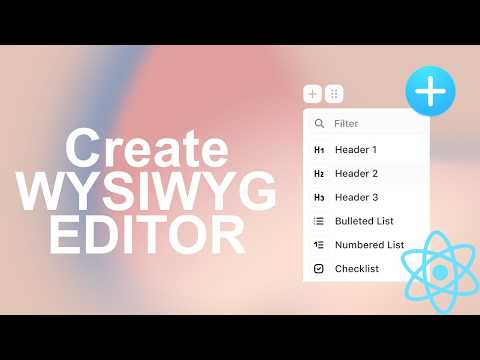
In this video, we’re going to learn how to build Rich Text Editor, I’ll be showing you how to create a powerful ‘What You See Is What You Get editor using Editor.js. Editor js using block style editor which can output result in JSON format which is for user to save the data....
In this video, we’re going to learn how to build Rich Text Editor, I’ll be showing you how to create a powerful ‘What You See Is What You Get editor using Editor.js.
Editor js using block style editor which can output result in JSON format which is for user to save the data.
Documentation : https://editorjs.io
Plugins : https://github.com/editor-js/awesome-editorjs
Source Code : https://github.com/recoding-io/react-videos/tree/main/editor-js-react-wysiwyg
Timeline
Intro (0:00)
Initialize Editor JS (1:47)
Apply Editor JS Component in App (4:31)
Adding Plugin (5:39)
Styling App(9:01)
Support us on
☕ @Buy me a coffee - https://www.buymeacoffee.com/recoding
🎗@Patreon - https://www.patreon.com/recoding_io
Follow us on
📝 @Medium - https://medium.com/recoding
🐦 @Twitter - https://twitter.com/recoding_io
🦄 @Dev.to - https://dev.to/recoding
📌 @Pinterest.com - https://www.pinterest.com/recoding_io
🔗 @LinkedIn.com - https://www.linkedin.com/company/recoding-io/
#️⃣ @Hashnode - https://recoding.hashnode.dev/
In this video we gonna learn to build a network graph in a react app using React Graph Visualization library. This library helps us to create a better visualization using different types of network graphs and there are lots of customization options also available so users can...
In this video we gonna learn to build a network graph in a react app using React Graph Visualization library.
This library helps us to create a better visualization using different types of network graphs and there are lots of customization options also available so users can able to make more accustomed to their preference.
Package Link : https://www.npmjs.com/package/react-graph-vis
Documentation : https://visjs.github.io/vis-timeline/docs/timeline/
Source Code : https://github.com/recoding-io/react-videos/tree/main/vis-graph
Timeline
Intro (0:00)
Demo (0:53)
Project Setup (1:27)
Initialize Graph View (2:39)
Customizing Nodes and Edges of Graph (5:41)
Building Final App(10:53)
Support us on
☕ @Buy me a coffee - https://www.buymeacoffee.com/recoding
🎗@Patreon - https://www.patreon.com/recoding_io
Follow us on
📝 @Medium - https://medium.com/recoding
🐦 @Twitter - https://twitter.com/recoding_io
🦄 @Dev.to - https://dev.to/recoding
📌 @Pinterest.com - https://www.pinterest.com/recoding_io
🔗 @LinkedIn.com - https://www.linkedin.com/company/recoding-io/
#️⃣ @Hashnode - https://recoding.hashnode.dev/
SwiftUI 4 introduces the new Photo Picker View which help developer easily introduce this feature to import photo in their app from users' photo library. In this video we gonna build Image Library App using SwiftUI 4 PhotosUI API, we gonna use PhotosPicker View to create a...
SwiftUI 4 introduces the new Photo Picker View which help developer easily introduce this feature to import photo in their app from users' photo library.
In this video we gonna build Image Library App using SwiftUI 4 PhotosUI API, we gonna use PhotosPicker View to create a Photos Picker Layout.
Source Code : https://github.com/recoding-io/swiftui-videos/tree/main/SwiftUI_4/PhotoPicker_View_SwiftUI_4
Suggested Video:
1. Understanding Grids in SwiftUI | LazyVGrid, LazyHGrid & Data Table | UICollectionView Alternative : https://youtu.be/G6f4dVF40Y8
2. Create Custom SwiftUI Navigation Stack in SwiftUI 4 : https://youtu.be/CNFlIElaNpU
Checkout full playlist :
1. SwiftUI 4.0 Tutorials : https://www.youtube.com/playlist?list=PLkpYvePHPSwu7JVUST6EhAtmY_UqcYreH
2. SwiftUI Tutorials : https://www.youtube.com/watch?v=Ru0bEvYiQ_Q&list=PLkpYvePHPSwsj1NrVy7ROQ-8n15AJ1Nnu
3. Apple Persistence Storage : https://www.youtube.com/playlist?list=PLkpYvePHPSwv4N6BO_tlGC0F7E1A1X_wV
Timeline
Intro (0:00)
Introduction to Photos UI API (0:27)
Photos App Demo (1:46)
Create Photo Picker Button (2:23)
Working on Load Multiple Photos from Photos Gallery (4:24)
Grid Row Anchor (8:01)
Grid Column Cell (8:46)
Example of Grid Row Anchor and Grid Column Cell (9:17)
Support us on
☕ @Buy me a coffee - https://www.buymeacoffee.com/recoding
🎗@Patreon - https://www.patreon.com/recoding_io
Follow us on
📝 @Medium - https://medium.com/recoding
🐦 @Twitter - https://twitter.com/recoding_io
🦄 @Dev.to - https://dev.to/recoding
📌 @Pinterest.com - https://www.pinterest.com/recoding_io
🔗 @LinkedIn.com - https://www.linkedin.com/company/recoding-io/
#️⃣ @Hashnode - https://recoding.hashnode.dev/
SwiftUI has APIs like Stacks, Horizontal Grid and Vertical Grid that are used to create impossible Design in SwiftUI but these APIs has some complexity when shapes become more complex. To ease these complexities SwiftUI 4 introduces a new Grid API which helps us to manage the...
SwiftUI has APIs like Stacks, Horizontal Grid and Vertical Grid that are used to create impossible Design in SwiftUI but these APIs has some complexity when shapes become more complex.
To ease these complexities SwiftUI 4 introduces a new Grid API which helps us to manage the Grid layout with 2-dimensional control parameters.
In this video we gonna explore SwiftUI 4 Grid API and some of its Parameter and Modifier like Vertical & Horizontal Spacing, Alignment, Grid Cell Anchor, Grid Cell Unsized Axes & Grid Cell Column.
Source Code : https://github.com/recoding-io/swiftui-videos/tree/main/SwiftUI_4/Grid_SwiftUI_4
Suggested Video:
1. Organizing Data using Table in SwiftUI 4 : https://youtu.be/ov3LXFpLyCU
2. Understanding Grids in SwiftUI | LazyVGrid, LazyHGrid & Data Table | UICollectionView Alternative : https://youtu.be/G6f4dVF40Y8
Checkout full playlist :
1. SwiftUI 4.0 Tutorials : https://www.youtube.com/playlist?list=PLkpYvePHPSwu7JVUST6EhAtmY_UqcYreH
2. SwiftUI Tutorials : https://www.youtube.com/watch?v=Ru0bEvYiQ_Q&list=PLkpYvePHPSwsj1NrVy7ROQ-8n15AJ1Nnu
3. Apple Persistence Storage : https://www.youtube.com/playlist?list=PLkpYvePHPSwv4N6BO_tlGC0F7E1A1X_wV
Timeline
Intro (0:00)
Introduction to Grid (0:27)
Create a Basic Grid (2:32)
Grid vs Stack (3:51)
Grid Pattern Design (4:44)
Grid Row Anchor (8:01)
Grid Column Cell (8:46)
Example of Grid Row Anchor and Grid Column Cell (9:17)
Support us on
☕ @Buy me a coffee - https://www.buymeacoffee.com/recoding
🎗@Patreon - https://www.patreon.com/recoding_io
Follow us on
📝 @Medium - https://medium.com/recoding
🐦 @Twitter - https://twitter.com/recoding_io
🦄 @Dev.to - https://dev.to/recoding
📌 @Pinterest.com - https://www.pinterest.com/recoding_io
🔗 @LinkedIn.com - https://www.linkedin.com/company/recoding-io/
#️⃣ @Hashnode - https://recoding.hashnode.dev/
Showing a large amount of data inside a Table is very easy to read and understand. Earlier in iOS devices there is no native way to show data inside a Table, to do so we need to use third-party libraries to show the data in a organize way. But with the introduction of the new...
Showing a large amount of data inside a Table is very easy to read and understand.
Earlier in iOS devices there is no native way to show data inside a Table, to do so we need to use third-party libraries to show the data in a organize way.
But with the introduction of the new Table API in SwiftUI 4 it is now become very easy to show Data inside a Table with very few lines of code.
Table was introduced in SwiftUI 3 but it works only with macOS, now with this new API supports iPadOS natively, but you can not use this API on iPhone devices it will work but now show that Table.
Source Code : https://github.com/recoding-io/swiftui-videos/tree/main/SwiftUI_4/Table_Swift_UI
Suggested Video:
1. Create Custom Navigation Stack using SwiftUI 4.0 : https://youtu.be/CNFlIElaNpU
2. Build Two & Three Column Layout using Navigation Split View in SwiftUI 4: https://youtu.be/hLjRaLqlkfo
Checkout full playlist :
1. SwiftUI 4.0 Tutorials : https://www.youtube.com/playlist?list=PLkpYvePHPSwu7JVUST6EhAtmY_UqcYreH
2. SwiftUI Tutorials : https://www.youtube.com/watch?v=Ru0bEvYiQ_Q&list=PLkpYvePHPSwsj1NrVy7ROQ-8n15AJ1Nnu
3. Apple Persistence Storage : https://www.youtube.com/playlist?list=PLkpYvePHPSwv4N6BO_tlGC0F7E1A1X_wV
Timeline
Intro (0:00)
Introduction to Table API (0:27)
Alternative Way of Creating Table (3:31)
App Demo (5:18)
Creating Expense Data Structure (6:36)
Adding Example Data Class (8:25)
Building Table View (8:44)
Creating New Add Expense View (14:19)
Adding New Data to Table (19:02)
Add Way to Delete Table Rows (23:34)
Support us on
☕ @Buy me a coffee - https://www.buymeacoffee.com/recoding
🎗@Patreon - https://www.patreon.com/recoding_io
Follow us on
📝 @Medium - https://medium.com/recoding
🐦 @Twitter - https://twitter.com/recoding_io
🦄 @Dev.to - https://dev.to/recoding
📌 @Pinterest.com - https://www.pinterest.com/recoding_io
🔗 @LinkedIn.com - https://www.linkedin.com/company/recoding-io/
#️⃣ @Hashnode - https://recoding.hashnode.dev/
Another amazing update of SwiftUI 4 is the introduction of Navigation Split View. Now its easier to create a Navigation Split View Column using Content and Details, and it also become very convenient to use with some amazing APIs. Earlier SwiftUI provides a default navigation...
Another amazing update of SwiftUI 4 is the introduction of Navigation Split View. Now its easier to create a Navigation Split View Column using Content and Details, and it also become very convenient to use with some amazing APIs.
Earlier SwiftUI provides a default navigation wrapper which automatically switches between Stack Navigation and Column based navigation based on Device Size and Layout. Developer has to write all the Detail and Content View inside the same Navigation View closure.
In this video we gonna take a look at Navigation Split View of SwiftUI 4.
Source Code : https://github.com/recoding-io/swiftui-videos/tree/main/SwiftUI_4/Navigation_SplitView_SwiftUI_4
Suggested Video:
1. Create Custom Navigation Stack using SwiftUI 4.0 : https://youtu.be/CNFlIElaNpU
Checkout full playlist :
1. SwiftUI 4.0 Tutorials : https://www.youtube.com/playlist?list=PLkpYvePHPSwu7JVUST6EhAtmY_UqcYreH
2. SwiftUI Tutorials : https://www.youtube.com/watch?v=Ru0bEvYiQ_Q&list=PLkpYvePHPSwsj1NrVy7ROQ-8n15AJ1Nnu
3. Apple Persistence Storage : https://www.youtube.com/playlist?list=PLkpYvePHPSwv4N6BO_tlGC0F7E1A1X_wV
Timeline
Intro (0:00)
Introduction to Navigation Split View (0:27)
Earlier Way for Creating Split View (3:16)
Building Two Column Layout View (4:10)
Adding Category Data Model (5:05)
Creating Sidebar for Two Column View (6:55)
Creating Navigation Model Class (7:44)
Adding Device Data Model (10:15)
Creating Two Column List View (11:27)
Creating Two Column Detail View (14:57)
Building Three Column Layout View (18:09)
Creating Switch Between Three Column and Two Column Layout (23:45)
Building Setting View (27:51)
Adding Ability to Show and Hide Sidebar and Content View (34:46)
Support us on
☕ @Buy me a coffee - https://www.buymeacoffee.com/recoding
🎗@Patreon - https://www.patreon.com/recoding_io
Follow us on
📝 @Medium - https://medium.com/recoding
🐦 @Twitter - https://twitter.com/recoding_io
🦄 @Dev.to - https://dev.to/recoding
📌 @Pinterest.com - https://www.pinterest.com/recoding_io
🔗 @LinkedIn.com - https://www.linkedin.com/company/recoding-io/
#️⃣ @Hashnode - https://recoding.hashnode.dev/
SwiftUI now has become a better tool for developer to build their app or switch their workflow from UIKit. Recent advancement of SwiftUI 4 announced in WWDC by Apple has reinvented the SwiftUI Navigation System. Earlier SwiftUI provides a default navigation wrapper which...
SwiftUI now has become a better tool for developer to build their app or switch their workflow from UIKit.
Recent advancement of SwiftUI 4 announced in WWDC by Apple has reinvented the SwiftUI Navigation System.
Earlier SwiftUI provides a default navigation wrapper which automatically switches between Stack Navigation and Column based navigation based on Device Size and Layout.
But Apple's approach to Stack Navigation has never been complete as a developer can't build stack navigation further to one stack to do so they need to use some other packages or method.
In this video we gonna take a look at Navigation Stack for SwiftUI 4
Source Code : https://github.com/recoding-io/swiftui-videos/tree/main/SwiftUI_4/Navigation_Stack_SwiftUI_4
Suggested Video:
1. Programmatically Push and Pop Views in SwiftUI using NavigationStackView similar to UIKit Navigation : https://youtu.be/GT27PGRNOA8
2. Build Custom Navigation Stack View using SwiftUI : https://youtu.be/dFKZ8i9zOco
Checkout full playlist :
1. SwiftUI 4.0 Tutorials : https://www.youtube.com/playlist?list=PLkpYvePHPSwu7JVUST6EhAtmY_UqcYreH
2. SwiftUI Tutorials : https://www.youtube.com/watch?v=Ru0bEvYiQ_Q&list=PLkpYvePHPSwsj1NrVy7ROQ-8n15AJ1Nnu
3. Apple Persistence Storage : https://www.youtube.com/playlist?list=PLkpYvePHPSwv4N6BO_tlGC0F7E1A1X_wV
Timeline
Intro (0:00)
Introduction to Navigation Stack (0:27)
How we earlier use Navigation View (3:34)
Setting up for Navigation Stack (5:50)
Create a Category Data Model (6:50)
Building Navigation Stack View List (8:26)
Create Car Data Model (9:05)
Building App Navigation Layout (12:27)
Creating Detail View (13:18)
Adding Navigation Model (22:25)
Support us on
☕ @Buy me a coffee - https://www.buymeacoffee.com/recoding
🎗@Patreon - https://www.patreon.com/recoding_io
Follow us on
📝 @Medium - https://medium.com/recoding
🐦 @Twitter - https://twitter.com/recoding_io
🦄 @Dev.to - https://dev.to/recoding
📌 @Pinterest.com - https://www.pinterest.com/recoding_io
🔗 @LinkedIn.com - https://www.linkedin.com/company/recoding-io/
#️⃣ @Hashnode - https://recoding.hashnode.dev/