Learn how to start building with Google DeepMind's Gemini models using the Google Gen AI Python SDK. We'll cover: 00:00 - Getting Started with Google AI Studio and the Python SDK 02:31 - How to get a Gemini API key 03:40 - Sending prompts 06:10 - Chats 07:08 - Multimodal...
Learn how to start building with Google DeepMind's Gemini models using the Google Gen AI Python SDK. We'll cover:
00:00 - Getting Started with Google AI Studio and the Python SDK
02:31 - How to get a Gemini API key
03:40 - Sending prompts
06:10 - Chats
07:08 - Multimodal capabilities
09:45 - Gemini 2.5 thinking models
Resources:
- Google AI Studio: https://aistudio.google.com
- Gemini API docs: https://ai.google.dev/gemini-api/docs
Read my AI newsletter: https://www.patloeber.com/newsletter
If you enjoyed this video, please subscribe to the channel:
▶️ : https://www.youtube.com/channel/UCbXgNpp0jedKWcQiULLbDTA?sub_confirmation=1
~~~~~~~~~~~~~~~ CONNECT ~~~~~~~~~~~~~~~
🖥️ Website: https://www.patloeber.com
🐦 Twitter - https://twitter.com/patloeber
✉️ Newsletter - https://www.patloeber.com/newsletter
▶️ Subscribe: https://www.youtube.com/channel/UCbXgNpp0jedKWcQiULLbDTA?sub_confirmation=1
#Python #Gemini
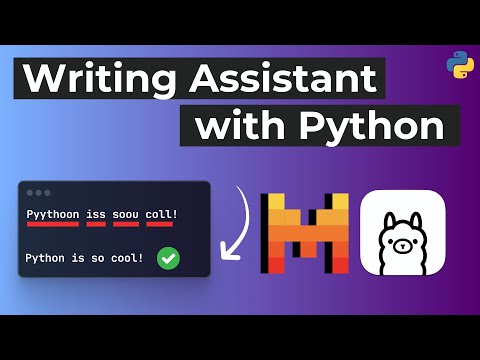
In this Python tutorial, we'll build a typing assistant with Mistral 7B and Ollama that's running locally. You'll also learn how to implement a hotkey listener and keyboard controller with Python. Follow along in this step-by-step coding tutorial. Code:...
In this Python tutorial, we'll build a typing assistant with Mistral 7B and Ollama that's running locally. You'll also learn how to implement a hotkey listener and keyboard controller with Python. Follow along in this step-by-step coding tutorial.
Code: https://github.com/patrickloeber/ai-typing-assistant
Blog post: https://patloeber.com/typing-assistant-llm/
Get my Free NumPy Handbook:
https://www.python-engineer.com/numpybook
✅ Write cleaner code with Sourcery, instant refactoring suggestions in VS Code & PyCharm: https://sourcery.ai/?utm_source=youtube&utm_campaign=pythonengineer *
⭐ Join Our Discord : https://discord.gg/FHMg9tKFSN
📓 ML Notebooks available on Patreon:
https://www.patreon.com/patrickloeber
If you enjoyed this video, please subscribe to the channel:
▶️ : https://www.youtube.com/channel/UCbXgNpp0jedKWcQiULLbDTA?sub_confirmation=1
~~~~~~~~~~~~~~~ CONNECT ~~~~~~~~~~~~~~~
🖥️ Website: https://www.python-engineer.com
🐦 Twitter - https://twitter.com/patloeber
✉️ Newsletter - https://www.python-engineer.com/newsletter
📸 Instagram - https://www.instagram.com/patloeber
🦾 Discord: https://discord.gg/FHMg9tKFSN
▶️ Subscribe: https://www.youtube.com/channel/UCbXgNpp0jedKWcQiULLbDTA?sub_confirmation=1
~~~~~~~~~~~~~~ SUPPORT ME ~~~~~~~~~~~~~~
🅿 Patreon - https://www.patreon.com/patrickloeber
#Python #ollama
Timeline:
00:00 - Intro and demo
01:25 - Hotkey listener
05:58 - Keyboard controller
12:37 - Ollama setup
----------------------------------------------------------------------------------------------------------
* This is an affiliate link. By clicking on it you will not have any additional costs, instead you will support me and my project. Thank you so much for the support! 🙏
Join me in a coding session with Sebastián Ramírez and learn how to build a Machine Learning app with FastAPI and Docker. Along the way we will show you some tips like the interactive coding session and Docker init command, and best practices when working with FastAPI. During...
Join me in a coding session with Sebastián Ramírez and learn how to build a Machine Learning app with FastAPI and Docker. Along the way we will show you some tips like the interactive coding session and Docker init command, and best practices when working with FastAPI.
During the premiere, there will also be a giveaway to win Docker swag!🐳🥳
Sebastián is the creator of FastAPI, Typer, and other cool Open Source tools, and he is also a Docker captain. You can connect with him here:
- Twitter: https://twitter.com/tiangolo
- Website: https://tiangolo.com/
Learn more about AI/ML and Docker: https://www.docker.com/products/ai-ml-development/
Resources:
- FastAPI: https://fastapi.tiangolo.com/
- ML model: https://huggingface.co/dandelin/vilt-b32-finetuned-vqa
- Docker init: https://github.com/patrickloeber/docker-fastapi-ml/tree/main
- Code: https://github.com/patrickloeber/docker-fastapi-ml/tree/main
Get my Free NumPy Handbook:
https://www.python-engineer.com/numpybook
⭐ Join Our Discord : https://discord.gg/FHMg9tKFSN
📓 ML Notebooks available on Patreon:
https://www.patreon.com/patrickloeber
If you enjoyed this video, please subscribe to the channel:
▶️ : https://www.youtube.com/channel/UCbXgNpp0jedKWcQiULLbDTA?sub_confirmation=1
~~~~~~~~~~~~~~~ CONNECT ~~~~~~~~~~~~~~~
🖥️ Website: https://www.python-engineer.com
🐦 Twitter - https://twitter.com/patloeber
✉️ Newsletter - https://www.python-engineer.com/newsletter
📸 Instagram - https://www.instagram.com/patloeber
🦾 Discord: https://discord.gg/FHMg9tKFSN
▶️ Subscribe: https://www.youtube.com/channel/UCbXgNpp0jedKWcQiULLbDTA?sub_confirmation=1
~~~~~~~~~~~~~~ SUPPORT ME ~~~~~~~~~~~~~~
🅿 Patreon - https://www.patreon.com/patrickloeber
#Python #docker
Timeline:
00:00 - Introduction
00:55 - Model Setup
09:35 - FastAPI Setup
26:15 - Docker Setup
Yesterday Chris Lattner announced a new programming language called Mojo, which builds on top of Python and is designed specifically for AI applications. They claim it’s up to 35000 times faster than Python. So let’s take a quick first look at it. Website:...
Yesterday Chris Lattner announced a new programming language called Mojo, which builds on top of Python and is designed specifically for AI applications. They claim it’s up to 35000 times faster than Python. So let’s take a quick first look at it.
Website: https://www.modular.com/mojo
Docs: https://docs.modular.com/mojo/
Keynote: https://youtu.be/-3Kf2ZZU-dg
Get my Free NumPy Handbook:
https://www.python-engineer.com/numpybook
✅ Write cleaner code with Sourcery, instant refactoring suggestions in VS Code & PyCharm: https://sourcery.ai/?utm_source=youtube&utm_campaign=pythonengineer *
⭐ Join Our Discord : https://discord.gg/FHMg9tKFSN
📓 ML Notebooks available on Patreon:
https://www.patreon.com/patrickloeber
If you enjoyed this video, please subscribe to the channel:
▶️ : https://www.youtube.com/channel/UCbXgNpp0jedKWcQiULLbDTA?sub_confirmation=1
~~~~~~~~~~~~~~~ CONNECT ~~~~~~~~~~~~~~~
🖥️ Website: https://www.python-engineer.com
🐦 Twitter - https://twitter.com/patloeber
✉️ Newsletter - https://www.python-engineer.com/newsletter
📸 Instagram - https://www.instagram.com/patloeber
🦾 Discord: https://discord.gg/FHMg9tKFSN
▶️ Subscribe: https://www.youtube.com/channel/UCbXgNpp0jedKWcQiULLbDTA?sub_confirmation=1
~~~~~~~~~~~~~~ SUPPORT ME ~~~~~~~~~~~~~~
🅿 Patreon - https://www.patreon.com/patrickloeber
#Python
Timeline:
00:00 - Intro & motivation
01:23 - Features
04:48 - How to try Mojo
----------------------------------------------------------------------------------------------------------
* This is an affiliate link. By clicking on it you will not have any additional costs, instead you will support me and my project. Thank you so much for the support! 🙏
PyScript is officially here! Build web apps with Python & HTML. In this Crash Course we take a look at the new PyScript platform, I show you all important features, and some example websites you can build with it. Get started here: https://bit.ly/40de9vS * Try Anaconda's...
PyScript is officially here! Build web apps with Python & HTML. In this Crash Course we take a look at the new PyScript platform, I show you all important features, and some example websites you can build with it.
Get started here: https://bit.ly/40de9vS *
Try Anaconda's other offerings and sign up for the Starter Tier level: https://bit.ly/3ULu8jA *
Demos:
- Code from video: https://adec3dd4-c366-46d3-9d45-84d3b0996a43.pyscriptapps.com/02ffcd65-a32b-43e1-baee-fed8c543b3a2/latest/
- ML & matplotlib demo: https://adec3dd4-c366-46d3-9d45-84d3b0996a43.pyscriptapps.com/554f713f-bc03-410c-9559-d94c7a3626a3/latest/
- ChatGPT demo: https://adec3dd4-c366-46d3-9d45-84d3b0996a43.pyscriptapps.com/07a0de9f-afd1-4975-a65d-17dfb3bf7b4e/latest/
- 2D game: https://8c8116d9-b305-4142-a0de-50165bdd4169.pyscriptapps.com/a705ef4a-62fc-4bf1-8944-5a95f9432b96/latest/
Resources:
- https://pyscript.net/
- https://docs.pyscript.net/latest/
Get my Free NumPy Handbook:
https://www.python-engineer.com/numpybook
⭐ Join Our Discord : https://discord.gg/FHMg9tKFSN
📓 ML Notebooks available on Patreon:
https://www.patreon.com/patrickloeber
If you enjoyed this video, please subscribe to the channel:
▶️ : https://www.youtube.com/channel/UCbXgNpp0jedKWcQiULLbDTA?sub_confirmation=1
~~~~~~~~~~~~~~~ CONNECT ~~~~~~~~~~~~~~~
🖥️ Website: https://www.python-engineer.com
🐦 Twitter - https://twitter.com/patloeber
✉️ Newsletter - https://www.python-engineer.com/newsletter
📸 Instagram - https://www.instagram.com/patloeber
🦾 Discord: https://discord.gg/FHMg9tKFSN
▶️ Subscribe: https://www.youtube.com/channel/UCbXgNpp0jedKWcQiULLbDTA?sub_confirmation=1
~~~~~~~~~~~~~~ SUPPORT ME ~~~~~~~~~~~~~~
🅿 Patreon - https://www.patreon.com/patrickloeber
#Python
Timeline:
00:00 - Introduction
00:50 - pyscript features
01:46 - pyscript.com platform
04:08 - how to use pyscript & main features
12:42 - example apps
----------------------------------------------------------------------------------------------------------
* This is a sponsored link. By clicking on it you will not have any additional costs, instead you will support me and my project. Thank you so much for the support! 🙏
In this LangChain Crash Course you will learn how to build applications powered by large language models. We go over all important features of this framework. Timeline: 00:00 - Introduction 01:09 - Installation 01:22 - LLMs 03:08 - Prompt Templates 04:58 - Chains 06:02 -...
In this LangChain Crash Course you will learn how to build applications powered by large language models. We go over all important features of this framework.
Timeline:
00:00 - Introduction
01:09 - Installation
01:22 - LLMs
03:08 - Prompt Templates
04:58 - Chains
06:02 - Agents and Tools
09:54 - Memory
11:15 - Document Loaders
12:24 - Indexes
Resources:
Written guide: https://www.python-engineer.com/posts/langchain-crash-course/
Colab: https://colab.research.google.com/drive/1VOwJpcZqOXag-ZXi-52ibOx6L5Pw-YJi?usp=sharing
Docs: https://python.langchain.com/en/latest/
GitHub: https://github.com/hwchase17/langchain
Chatbot example: https://github.com/hwchase17/chat-langchain
Get my Free NumPy Handbook:
https://www.python-engineer.com/numpybook
✅ Write cleaner code with Sourcery, instant refactoring suggestions in VS Code & PyCharm: https://sourcery.ai/?utm_source=youtube&utm_campaign=pythonengineer *
⭐ Join Our Discord : https://discord.gg/FHMg9tKFSN
📓 ML Notebooks available on Patreon:
https://www.patreon.com/patrickloeber
If you enjoyed this video, please subscribe to the channel:
▶️ : https://www.youtube.com/channel/UCbXgNpp0jedKWcQiULLbDTA?sub_confirmation=1
~~~~~~~~~~~~~~~ CONNECT ~~~~~~~~~~~~~~~
🖥️ Website: https://www.python-engineer.com
🐦 Twitter - https://twitter.com/patloeber
✉️ Newsletter - https://www.python-engineer.com/newsletter
📸 Instagram - https://www.instagram.com/patloeber
🦾 Discord: https://discord.gg/FHMg9tKFSN
▶️ Subscribe: https://www.youtube.com/channel/UCbXgNpp0jedKWcQiULLbDTA?sub_confirmation=1
~~~~~~~~~~~~~~ SUPPORT ME ~~~~~~~~~~~~~~
🅿 Patreon - https://www.patreon.com/patrickloeber
#Python
----------------------------------------------------------------------------------------------------------
* This is an affiliate link. By clicking on it you will not have any additional costs, instead you will support me and my project. Thank you so much for the support! 🙏
Learn how to work with the Notion API in Python. Code: https://www.python-engineer.com/posts/notion-api-python/ Notion Setup: https://developers.notion.com/docs/create-a-notion-integration Get my Free NumPy Handbook: https://www.python-engineer.com/numpybook ✅ Write cleaner...
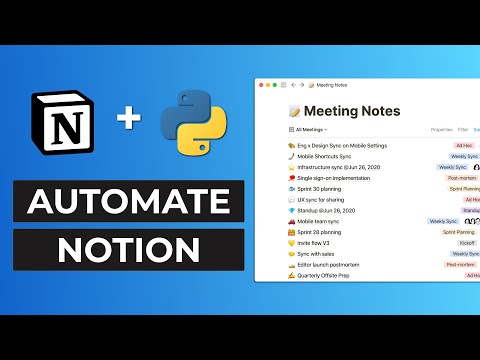
Learn how to work with the Notion API in Python.
Code: https://www.python-engineer.com/posts/notion-api-python/
Notion Setup: https://developers.notion.com/docs/create-a-notion-integration
Get my Free NumPy Handbook:
https://www.python-engineer.com/numpybook
✅ Write cleaner code with Sourcery, instant refactoring suggestions in VS Code & PyCharm: https://sourcery.ai/?utm_source=youtube&utm_campaign=pythonengineer *
⭐ Join Our Discord : https://discord.gg/FHMg9tKFSN
📓 ML Notebooks available on Patreon:
https://www.patreon.com/patrickloeber
If you enjoyed this video, please subscribe to the channel:
▶️ : https://www.youtube.com/channel/UCbXgNpp0jedKWcQiULLbDTA?sub_confirmation=1
~~~~~~~~~~~~~~~ CONNECT ~~~~~~~~~~~~~~~
🖥️ Website: https://www.python-engineer.com
🐦 Twitter - https://twitter.com/patloeber
✉️ Newsletter - https://www.python-engineer.com/newsletter
📸 Instagram - https://www.instagram.com/patloeber
🦾 Discord: https://discord.gg/FHMg9tKFSN
▶️ Subscribe: https://www.youtube.com/channel/UCbXgNpp0jedKWcQiULLbDTA?sub_confirmation=1
~~~~~~~~~~~~~~ SUPPORT ME ~~~~~~~~~~~~~~
🅿 Patreon - https://www.patreon.com/patrickloeber
#Python
Timeline:
00:00 - Introduction
00:27 - Create Notion Integration
01:47 - Create Database
03:52 - Query Pages
08:43 - Create Pages
09:57 - Update Pages
11:04 - Delete Pages
----------------------------------------------------------------------------------------------------------
* This is an affiliate link. By clicking on it you will not have any additional costs, instead you will support me and my project. Thank you so much for the support! 🙏
How to create a great local Python development environment with Docker. Learn about Docker Volumes, Docker Compose, how to debug in containers, and more. Repo: https://github.com/patrickloeber/python-docker-tutorial Timeline: 00:00 - Introduction 02:03 - Why Docker? 04:02 -...
How to create a great local Python development environment with Docker. Learn about Docker Volumes, Docker Compose, how to debug in containers, and more.
Repo: https://github.com/patrickloeber/python-docker-tutorial
Timeline:
00:00 - Introduction
02:03 - Why Docker?
04:02 - Dockerize an app
10:25 - Immediate file changes (Docker volumes)
13:08 - Use IDE in Docker container
17:38 - Docker Compose
25:54 - Debug inside Docker container
Get my Free NumPy Handbook:
https://www.python-engineer.com/numpybook
✅ Write cleaner code with Sourcery, instant refactoring suggestions in VS Code & PyCharm: https://sourcery.ai/?utm_source=youtube&utm_campaign=pythonengineer *
⭐ Join Our Discord : https://discord.gg/FHMg9tKFSN
📓 ML Notebooks available on Patreon:
https://www.patreon.com/patrickloeber
If you enjoyed this video, please subscribe to the channel:
▶️ : https://www.youtube.com/channel/UCbXgNpp0jedKWcQiULLbDTA?sub_confirmation=1
~~~~~~~~~~~~~~~ CONNECT ~~~~~~~~~~~~~~~
🖥️ Website: https://www.python-engineer.com
🐦 Twitter - https://twitter.com/patloeber
✉️ Newsletter - https://www.python-engineer.com/newsletter
📸 Instagram - https://www.instagram.com/patloeber
🦾 Discord: https://discord.gg/FHMg9tKFSN
▶️ Subscribe: https://www.youtube.com/channel/UCbXgNpp0jedKWcQiULLbDTA?sub_confirmation=1
~~~~~~~~~~~~~~ SUPPORT ME ~~~~~~~~~~~~~~
🅿 Patreon - https://www.patreon.com/patrickloeber
#Python #docker
----------------------------------------------------------------------------------------------------------
* This is an affiliate link. By clicking on it you will not have any additional costs, instead you will support me and my project. Thank you so much for the support! 🙏
Is this the best Data Science Platform? Anaconda Learning and Notebooks review ✅ Get started with Anaconda *: https://bit.ly/ytanacloud https://bit.ly/analearning https://bit.ly/anacloudtools https://bit.ly/anapractools https://bit.ly/ytanacommunity TIER UPDATE: Pro and...
Is this the best Data Science Platform? Anaconda Learning and Notebooks review
✅ Get started with Anaconda *:
https://bit.ly/ytanacloud
https://bit.ly/analearning
https://bit.ly/anacloudtools
https://bit.ly/anapractools
https://bit.ly/ytanacommunity
TIER UPDATE: Pro and Business users now receive 10GB of cloud storage and 4,000 CPU compute seconds (twice as much as the Starter tier)
⭐ Join Our Discord : https://discord.gg/FHMg9tKFSN
📓 ML Notebooks available on Patreon:
https://www.patreon.com/patrickloeber
If you enjoyed this video, please subscribe to the channel:
▶️ : https://www.youtube.com/channel/UCbXgNpp0jedKWcQiULLbDTA?sub_confirmation=1
~~~~~~~~~~~~~~~ CONNECT ~~~~~~~~~~~~~~~
🖥️ Website: https://www.python-engineer.com
🐦 Twitter - https://twitter.com/patloeber
✉️ Newsletter - https://www.python-engineer.com/newsletter
📸 Instagram - https://www.instagram.com/patloeber
🦾 Discord: https://discord.gg/FHMg9tKFSN
▶️ Subscribe: https://www.youtube.com/channel/UCbXgNpp0jedKWcQiULLbDTA?sub_confirmation=1
~~~~~~~~~~~~~~ SUPPORT ME ~~~~~~~~~~~~~~
🅿 Patreon - https://www.patreon.com/patrickloeber
#datascience #machinelearning #jupyternotebook
Timeline:
00:00 - Introduction
01:16 - Overview
04:03 - Pricing
05:16 - Anaconda Notebooks
09:03 - Kernels / Environments
10:49 - More notebook features
12:33 - Anaconda Learning
13:47 - Python course
14:37 - Machine Learning course
17:37 - Anaconda Community
18:15 - Conclusion
----------------------------------------------------------------------------------------------------------
* These are sponsored links. By clicking on it you will not have any additional costs, instead you will support me. Thank you so much for the support! 🙏
Best Platforms to Deploy and Host Python Apps/Scripts - Best Hosting Platforms for Python applications. Blog post: https://www.python-engineer.com/posts/hosting-platforms-for-python/ GitHub Action template: https://github.com/patrickloeber/python-github-action-template Heroku...
Best Platforms to Deploy and Host Python Apps/Scripts - Best Hosting Platforms for Python applications.
Blog post: https://www.python-engineer.com/posts/hosting-platforms-for-python/
GitHub Action template: https://github.com/patrickloeber/python-github-action-template
Heroku security breach: https://www.protocol.com/bulletins/heroku-github-cyberattack-passwords-stolen
Get my Free NumPy Handbook:
https://www.python-engineer.com/numpybook
✅ Write cleaner code with Sourcery, instant refactoring suggestions in VS Code & PyCharm: https://sourcery.ai/?utm_source=youtube&utm_campaign=pythonengineer *
⭐ Join Our Discord : https://discord.gg/FHMg9tKFSN
📓 ML Notebooks available on Patreon:
https://www.patreon.com/patrickloeber
If you enjoyed this video, please subscribe to the channel:
▶️ : https://www.youtube.com/channel/UCbXgNpp0jedKWcQiULLbDTA?sub_confirmation=1
~~~~~~~~~~~~~~~ CONNECT ~~~~~~~~~~~~~~~
🖥️ Website: https://www.python-engineer.com
🐦 Twitter - https://twitter.com/patloeber
✉️ Newsletter - https://www.python-engineer.com/newsletter
📸 Instagram - https://www.instagram.com/patloeber
🦾 Discord: https://discord.gg/FHMg9tKFSN
▶️ Subscribe: https://www.youtube.com/channel/UCbXgNpp0jedKWcQiULLbDTA?sub_confirmation=1
~~~~~~~~~~~~~~ SUPPORT ME ~~~~~~~~~~~~~~
🅿 Patreon - https://www.patreon.com/patrickloeber
#Python
Timeline:
00:00 - Intro
00:58 - Cloud Platforms
04:54 - VPS Hosting
06:00 Hidden Champions
----------------------------------------------------------------------------------------------------------
* This is an affiliate link. By clicking on it you will not have any additional costs, instead you will support me and my project. Thank you so much for the support! 🙏
Build a media library and content analysis dashboard with Python & Cloudinary
Signup: https://cld.media/plregister *
Python Quick Start: https://cld.media/plpython *
Code: https://github.com/patrickloeber/photo-tagging-app-cloudinary
⭐ Join Our Discord : https://discord.gg/FHMg9tKFSN
📓 ML Notebooks available on Patreon:
https://www.patreon.com/patrickloeber
If you enjoyed this video, please subscribe to the channel:
▶️ : https://www.youtube.com/channel/UCbXgNpp0jedKWcQiULLbDTA?sub_confirmation=1
~~~~~~~~~~~~~~~ CONNECT ~~~~~~~~~~~~~~~
🖥️ Website: https://www.python-engineer.com
🐦 Twitter - https://twitter.com/patloeber
✉️ Newsletter - https://www.python-engineer.com/newsletter
📸 Instagram - https://www.instagram.com/patloeber
🦾 Discord: https://discord.gg/FHMg9tKFSN
▶️ Subscribe: https://www.youtube.com/channel/UCbXgNpp0jedKWcQiULLbDTA?sub_confirmation=1
~~~~~~~~~~~~~~ SUPPORT ME ~~~~~~~~~~~~~~
🅿 Patreon - https://www.patreon.com/patrickloeber
#Python
Timeline:
00:00 - Introduction & Demo
01:58 - Cloudinary Setup
05:38 - Image Uploading
08:06 - Image Tagging
11:35 - Upload & Tag all images
14:47 - Search images and tags
23:33 - Create the app
31:52 - Implement the Image Gallery
39:32 - Implement the Dashboard
----------------------------------------------------------------------------------------------------------
* This is a sponsored link. By clicking on it you will not have any additional costs, instead you will support me and my project. Thank you so much for the support! 🙏
6 Tips to write BETTER For Loops in Python. Further resource: Talk "a deeper look at iteration in Python": https://youtu.be/Wd7vcuiMhxU Get my Free NumPy Handbook: https://www.python-engineer.com/numpybook ✅ Write cleaner code with Sourcery, instant refactoring suggestions in...
6 Tips to write BETTER For Loops in Python.
Further resource:
Talk "a deeper look at iteration in Python": https://youtu.be/Wd7vcuiMhxU
Get my Free NumPy Handbook:
https://www.python-engineer.com/numpybook
✅ Write cleaner code with Sourcery, instant refactoring suggestions in VS Code & PyCharm: https://sourcery.ai/?utm_source=youtube&utm_campaign=pythonengineer *
⭐ Join Our Discord : https://discord.gg/FHMg9tKFSN
📓 ML Notebooks available on Patreon:
https://www.patreon.com/patrickloeber
If you enjoyed this video, please subscribe to the channel:
▶️ : https://www.youtube.com/channel/UCbXgNpp0jedKWcQiULLbDTA?sub_confirmation=1
~~~~~~~~~~~~~~~ CONNECT ~~~~~~~~~~~~~~~
🖥️ Website: https://www.python-engineer.com
🐦 Twitter - https://twitter.com/patloeber
✉️ Newsletter - https://www.python-engineer.com/newsletter
📸 Instagram - https://www.instagram.com/patloeber
🦾 Discord: https://discord.gg/FHMg9tKFSN
▶️ Subscribe: https://www.youtube.com/channel/UCbXgNpp0jedKWcQiULLbDTA?sub_confirmation=1
~~~~~~~~~~~~~~ SUPPORT ME ~~~~~~~~~~~~~~
🅿 Patreon - https://www.patreon.com/patrickloeber
#Python
Timeline:
00:00 - Introduction
00:16 - Avoid loops
00:54 - enumerate
01:43 - zip
02:57 - Think Lazy
05:19 - Use itertools more - 3 cool functions
08:00 - Use NumPy
----------------------------------------------------------------------------------------------------------
* This is an affiliate link. By clicking on it you will not have any additional costs, instead you will support me and my project. Thank you so much for the support! 🙏
Fastest way to initialize a List in Python? (comparison of 3 options) Get my Free NumPy Handbook: https://www.python-engineer.com/numpybook ⭐ Join Our Discord : https://discord.gg/FHMg9tKFSN 📓 ML Notebooks available on Patreon: https://www.patreon.com/patrickloeber If you...
Fastest way to initialize a List in Python? (comparison of 3 options)
Get my Free NumPy Handbook:
https://www.python-engineer.com/numpybook
⭐ Join Our Discord : https://discord.gg/FHMg9tKFSN
📓 ML Notebooks available on Patreon:
https://www.patreon.com/patrickloeber
If you enjoyed this video, please subscribe to the channel:
▶️ : https://www.youtube.com/channel/UCbXgNpp0jedKWcQiULLbDTA?sub_confirmation=1
~~~~~~~~~~~~~~~ CONNECT ~~~~~~~~~~~~~~~
🖥️ Website: https://www.python-engineer.com
🐦 Twitter - https://twitter.com/patloeber
✉️ Newsletter - https://www.python-engineer.com/newsletter
📸 Instagram - https://www.instagram.com/patloeber
🦾 Discord: https://discord.gg/FHMg9tKFSN
▶️ Subscribe: https://www.youtube.com/channel/UCbXgNpp0jedKWcQiULLbDTA?sub_confirmation=1
~~~~~~~~~~~~~~ SUPPORT ME ~~~~~~~~~~~~~~
🅿 Patreon - https://www.patreon.com/patrickloeber
#Python
Top 10 Python One Liners YOU MUST KNOW! Find Python jobs: https://pythonengineer.pallet.com Get my Free NumPy Handbook: https://www.python-engineer.com/numpybook ✅ Write cleaner code with Sourcery, instant refactoring suggestions in VS Code & PyCharm:...
Top 10 Python One Liners YOU MUST KNOW!
Find Python jobs: https://pythonengineer.pallet.com
Get my Free NumPy Handbook:
https://www.python-engineer.com/numpybook
✅ Write cleaner code with Sourcery, instant refactoring suggestions in VS Code & PyCharm: https://sourcery.ai/?utm_source=youtube&utm_campaign=pythonengineer *
⭐ Join Our Discord : https://discord.gg/FHMg9tKFSN
📓 ML Notebooks available on Patreon:
https://www.patreon.com/patrickloeber
If you enjoyed this video, please subscribe to the channel:
▶️ : https://www.youtube.com/channel/UCbXgNpp0jedKWcQiULLbDTA?sub_confirmation=1
~~~~~~~~~~~~~~~ CONNECT ~~~~~~~~~~~~~~~
🖥️ Website: https://www.python-engineer.com
🐦 Twitter - https://twitter.com/patloeber
✉️ Newsletter - https://www.python-engineer.com/newsletter
📸 Instagram - https://www.instagram.com/patloeber
🦾 Discord: https://discord.gg/FHMg9tKFSN
▶️ Subscribe: https://www.youtube.com/channel/UCbXgNpp0jedKWcQiULLbDTA?sub_confirmation=1
~~~~~~~~~~~~~~ SUPPORT ME ~~~~~~~~~~~~~~
🅿 Patreon - https://www.patreon.com/patrickloeber
#Python
----------------------------------------------------------------------------------------------------------
* This is an affiliate link. By clicking on it you will not have any additional costs, instead you will support me and my project. Thank you so much for the support! 🙏