In this video, I'll share with you the three things I have found to be really helpful throughout my coding career and how you can implement these too. 00:00 The Psychopath principle 04:17 The Oscar Wilde Strategy 07:06 The Holistic Mindset So I used to think that to become a...
In this video, I'll share with you the three things I have found to be really helpful throughout my coding career and how you can implement these too.
00:00 The Psychopath principle
04:17 The Oscar Wilde Strategy
07:06 The Holistic Mindset
So I used to think that to become a better, more senior developer meant working with more and more complicated code and using the latest features of whatever the current hot framework is.
But you know what, during my time working in various different roles I’ve come to realise it's not about that and I discovered three things which I really wish I’d known sooner which if you stick to will skyrocket your career as a developer.
In this video we'll cover those three things and with a liberal sprinkling of JavaScript and the odd person knocking on the door, I'll show you these 3 web development secrets which will get you on track with your career.
#webdevelopment #codenewbie #developer

In this video, I'm going to unbox, setup and demonstrate the BenQ ScreenBar Pro and give you my honest opinion on whether or not it is a useful tool for doing late night coding. Here's the product homepage: https://www.benq.eu/en-uk/lighting/monitor-light/screenbar-pro.htm...
In this video, I'm going to unbox, setup and demonstrate the BenQ ScreenBar Pro and give you my honest opinion on whether or not it is a useful tool for doing late night coding.
Here's the product homepage: https://www.benq.eu/en-uk/lighting/monitor-light/screenbar-pro.htm
Visit the promotion page for your a chance to win some goodies: https://www.benq.com/en-us/campaign/screenbar-pro-launch-event.html
00:00 Intro
01:42 Unboxing
05:16 Attaching to a monitor
06:30 Demonstration
09:34 Halo attachment
12:18 Conclusion
#benqlighting #screenbar #screenbarpro
What happens when you change an argument inside a #JavaScript function? In this JavaScript tutorial video, I'm going to walk you through how JavaScript passes arguments to functions and explore what happens when you change them. We'll take a look at the way different data...
What happens when you change an argument inside a #JavaScript function?
In this JavaScript tutorial video, I'm going to walk you through how JavaScript passes arguments to functions and explore what happens when you change them. We'll take a look at the way different data types in JavaScript are changed when used as function arguments and whether or not this affects the original value that is passed in from outside the function.
This is the AAA approach to unit testing, otherwise known as Arrange, Act and Assert. It's a simple design pattern which will keep your unit tests organised, neat and easy to ready and debug in the future. #unittesting #codenewbie #javascript
This is the AAA approach to unit testing, otherwise known as Arrange, Act and Assert.
It's a simple design pattern which will keep your unit tests organised, neat and easy to ready and debug in the future.
#unittesting #codenewbie #javascript
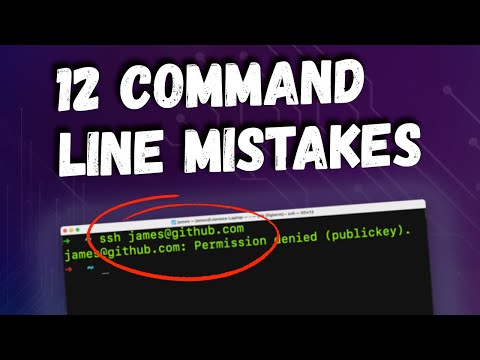
Are you making any of these 12 Command Line mistakes? You can read the full article here: https://codebubb.com/posts/12-command-line-mistakes-new-developers-make/ 00:00 Intro 00:10 Not killing a process 02:05 Not using system help 03:25 Not knowing which shell/prompt is being...
Are you making any of these 12 Command Line mistakes?
You can read the full article here: https://codebubb.com/posts/12-command-line-mistakes-new-developers-make/
00:00 Intro
00:10 Not killing a process
02:05 Not using system help
03:25 Not knowing which shell/prompt is being used
04:25 Looking through history manually
05:08 Searching for large files
06:07 rm -rf mistakes
07:29 Not ensuring Git is setup correctly
08:14 Misusing redirect operators
08:52 Not being able to exit vi
09:44 Not being able to launch VSCode from the prompt
10:41 Not managing Nodejs versions
12:04 Always logging on as the root user
In this command line tutorial for new developers, I'm going to highlight some of the common problems that can occur on the command prompt.
There are loads of commands that new developers don't know or misuse but I've included some of the practical, common and web development-related tasks that new developers will make here on the command line.
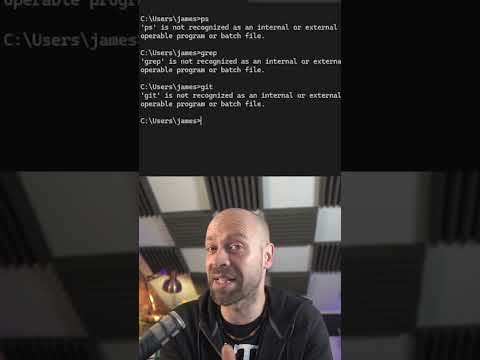
Most of these things are related to MacOS/bash-like command prompts but there are also some tips for Windows users too.
So check out these #commandline mistakes to make sure you're not making them if you're a #codenewbie and learn how to fix them to improve your coding experience!
If you're new to coding and want to use some of the commands available on Linux or MacOS based systems then you should check out the Git Bash tool which will enable you to not only use some commands that were previously unavailable to you but also get you set up with a...
If you're new to coding and want to use some of the commands available on Linux or MacOS based systems then you should check out the Git Bash tool which will enable you to not only use some commands that were previously unavailable to you but also get you set up with a version control system for your code to be managed by!
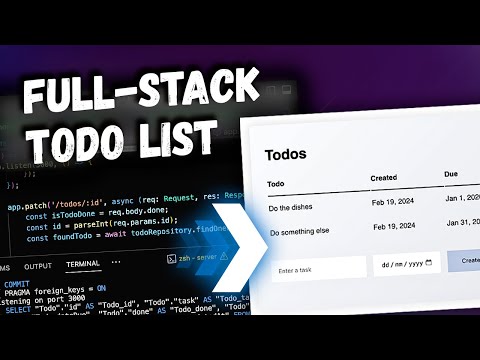
In this video we'll be building a full-stack Todo list app using Node, Express, TypeORM and SQLite to create an API and also integrating an Angular app to provide a front-end user interface! 00:00 Intro 00:42 Project Overview 01:35 Setup 05:16 Create Express App 07:14 Connect...
In this video we'll be building a full-stack Todo list app using Node, Express, TypeORM and SQLite to create an API and also integrating an Angular app to provide a front-end user interface!
00:00 Intro
00:42 Project Overview
01:35 Setup
05:16 Create Express App
07:14 Connect to the Database
10:20 Creating Interfaces and Data Model / Entity
16:26 Adding Data Model to TypeORM
16:57 GET Todos
20:13 POST Todos
23:27 Angular App Setup
23:56 Create Todo Table Component
29:46 Create Todo Service
35:35 Create New Todo Function
43:46 PATCH Todos
46:54 DELETE Todos
48:34 Adding additional Calls to service
50:58 Creating table events
53:52 Catching events
57:23 Styling
In this full-stack tutorial we're going to be creating a pretty basic Todo list app which will actually be powered by a REST API that we are going to create.
The API will be simplified by using an ORM (TypeORM) to handle the data that will be put into and retrieved from the database.
The real point of the tutorial here isn't to create an impressive looking app but more how you can quickly and easily setup your own APIs to work with data in your projects, rather than spending lots of time working on setting up a database like creating tables and so forth.
The ORM will save us loads of time because we won't have to actually worry about how the data is stored and retrieved from the database.
This confuses all new Angular Developers. Using the built-in Angular HTTP client doesn't work the way you might expect. Most libraries that make network requests will return Promises when fetching data because it's an asynchronous action right? Angular likes to be different...
This confuses all new Angular Developers.
Using the built-in Angular HTTP client doesn't work the way you might expect.
Most libraries that make network requests will return Promises when fetching data because it's an asynchronous action right? Angular likes to be different and each of the methods on the Angular HTTP service don't return Promises.
They return RxJS Observables instead.
This means you can't use the shorthand `async/await` keywords or access a `.then` property (if you're not into the whole brevity thing) on the returned object, you need to `subscribe` to the Observable returned instead.
Inside the subscription you can get the results from the network call from the `next` property and `error` will give you any errors thrown when making the call.
Hi 👋 I’m James and welcome to my YouTube channel where you can find everything you need to become a professional web developer. Personally, I know how difficult it can be to get hired as a Junior Developer. You might be unsure of what skills you need to have, struggling to...
Hi 👋 I’m James and welcome to my YouTube channel where you can find everything you need to become a professional web developer.
Personally, I know how difficult it can be to get hired as a Junior Developer. You might be unsure of what skills you need to have, struggling to understand some technical concepts and maybe have little to no experience.
That’s why I set up this YouTube channel, to share my many years of experience and knowledge with you to level up your coding skills to a professional standard, clarify any confusing terms and build up your portfolio of projects.
You can expect to see tutorials on a wide range of topics such as JavaScript and TypeScript on the front and back end, frameworks and libraries, databases, DevOps, dealing with cloud infrastructure plus much more web development goodness as well as inside information from the industry to increase your chances of getting employed.
I’m sure you’re going to get a ton of value from every single video here as I carefully plan, record and edit each tutorial to avoid any irrelevant information and I don’t like to waffle.
So thanks very much for checking out my channel and if you want to be part of the community here then make sure you subscribe for the latest web development tutorials and I look forward to working with you and levelling up your coding skills and getting you hired.
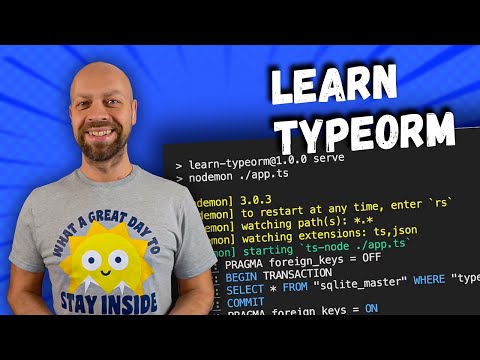
If you're looking to start using an ORM in your projects then you should take a look at TypeORM. In this video, you'll learn TypeORM in 10 Minutes and I'll take you through all the basics of creating a CRUD API using TypeORM for data storage and retrieval. 00:00 Intro 00:21...
If you're looking to start using an ORM in your projects then you should take a look at TypeORM. In this video, you'll learn TypeORM in 10 Minutes and I'll take you through all the basics of creating a CRUD API using TypeORM for data storage and retrieval.
00:00 Intro
00:21 Installation and Setup
01:47 Making a connection
02:36 Creating an Entity with TypeORM
03:58 CREATE operation with TypeORM
04:44 READ operation with TypeORM
05:52 UPDATE operation with TypeORM
06:26 DELETE operation with TypeORM
06:53 Relationships in TypeORM
You can read the article here: https://codebubb.com/posts/learn-typeorm-in-10-minutes/ and if you want to tinker with the code you can find the completed examples here: https://github.com/codebubb/learn-typeorm-in-10-minutes
So if you're planning on using an ORM in your project but you're not sure which one to use then this video will give you an overview of using TypeORM and how you might integrate it into an Express app.
In this TypeORM tutorial for beginners, I'll walk you through the installation steps for TypeORM and show you how to create a connection. Once connected, we'll create a data model (or Entity) and then proceed to look at CRUD operations for creating, reading, updating and deleting data using the TypeORM interface.
We'll also look at how TypeORM relationships work by creating multiple entities that are related to each other.
If there's one tool that can help speed up your development process then it's an ORM but what is an ORM and what does it do? 00:00 Intro 00:30 What is an ORM? 02:34 ORM Data Models 04:38 Relationships between ORM Data Models 05:31 Popular ORMs 06:11 Pros and Cons of using an...
If there's one tool that can help speed up your development process then it's an ORM but what is an ORM and what does it do?
00:00 Intro
00:30 What is an ORM?
02:34 ORM Data Models
04:38 Relationships between ORM Data Models
05:31 Popular ORMs
06:11 Pros and Cons of using an ORM
Read the article here: https://codebubb.com/posts/what-is-an-orm/
In this web development tutorial video, I'll give you an overview of what an ORM is and why you might want to make use of one in your next project.
We'll take a look at the definition of an ORM and also how ORMs use data models to work with data in your database including building relationships between different data models all whilst not having to touch a single line of SQL code!
In the video we'll also discuss some of the pros and cons of using an ORM and take a look at some popular ORM packages you might want to consider using in your next project.
Writing your own debounce function always seemed a bit complicated, scary and un-necessary to me until I discovered this simple way to write one. Essentially you just write another function which takes the function you want to debounce as an argument and the delay time. Then...
Writing your own debounce function always seemed a bit complicated, scary and un-necessary to me until I discovered this simple way to write one.
Essentially you just write another function which takes the function you want to debounce as an argument and the delay time.
Then you just return another function from the debounce function and set a timeout to call the actual function you want to call (with the delay as passed in as the argument).
You can then clear the timeout reference if the debounce function has been called again which will stop the previous execution of the function as the timeout hasn't expired yet and restart the timer again.
This way, the function you pass in as the callback function only gets called once the delay time has expired and the debounce function hasn't been called again during that time.
So is there any real difference between using the JavaScript substring and slice functions? Do they do the same thing? Well, yes and now. This short will discuss the slight differences in the way the arguments work with the JavaScript substring and slice string functions.
So is there any real difference between using the JavaScript substring and slice functions? Do they do the same thing?
Well, yes and now.
This short will discuss the slight differences in the way the arguments work with the JavaScript substring and slice string functions.