In this video, we will build a complete Analytics Dashboard for our POS Application using Gemini CLI and GEMINI.md. This is Part 8 of our AI Vibe Coding POS App tutorial series. We will guide Gemini with clear dashboard rules and generate a practical analytics dashboard...
In this video, we will build a complete Analytics Dashboard for our POS Application using Gemini CLI and GEMINI.md. This is Part 8 of our AI Vibe Coding POS App tutorial series.
We will guide Gemini with clear dashboard rules and generate a practical analytics dashboard inside modules/dashboard/index.php. In this dashboard, we will create summary cards, last 30 days sales bar chart, category-wise sales doughnut chart, top selling products table, and recent orders DataTable with server-side processing.
We will also implement role-based analytics where Admin can view all business data and Staff can view only their own order analytics. This tutorial is beginner friendly and useful for learning AI coding, Gemini CLI, PHP POS development, dashboard analytics, Chart.js, Bootstrap 5, and real-world business reporting.
Watch this video till the end to learn how to build a smart POS dashboard with AI Vibe Coding and Gemini CLI.
Copy GEMINI.md instruction file and all Gemini CLI prompts from here: https://www.webslesson.info/2026/06/gemini-cli-pos-app-php-mysql-gemini-md-prompts.html
How to Start a Real Project in Gemini CLI + GEMINI.md | AI Vibe Coding POS App Part 1 - https://youtu.be/tUTngCfuIBI
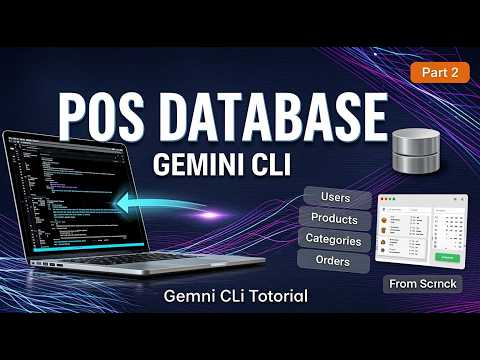
Generate POS Database Structure with Gemini CLI + GEMINI.md | AI Vibe Coding POS App Part 2 - https://youtu.be/VBWJdv_E_dc
Create Login & POS Dashboard using Gemini CLI + GEMINI.md | AI Vibe Coding POS App Part 3 - https://youtu.be/S1qf-_KwwkE
Create Category Management Module with Gemini CLI + GEMINI.md | AI Vibe Coding POS App Part 4 - https://youtu.be/LRpUqcinkgU
Build User Management Module using Gemini CLI + GEMINI.md | AI Vibe Coding POS App Part 5 - https://youtu.be/mTtk3VCFvIA
Create Product Management Module with Gemini CLI + GEMINI.md | AI Vibe Coding POS App Part 6 - https://youtu.be/fXeb1fO7e_E
Build Order Management Module with Gemini CLI + GEMINI.md | AI Vibe Coding POS App Part 7 - https://youtu.be/dQKmXbznnD0
Make POS App Analytics Dashboard with Gemini CLI + GEMINI.md | AI Vibe Coding POS App Part 8 - https://youtu.be/oqdwabeCFYs
In this video, we build the Order Management Module for our AI Vibe Coding POS App using Gemini CLI and GEMINI.md. We create an order list with jQuery DataTables, build a POS-style create order page, add real-time quantity and total updates with JavaScript, save orders into...
In this video, we build the Order Management Module for our AI Vibe Coding POS App using Gemini CLI and GEMINI.md. We create an order list with jQuery DataTables, build a POS-style create order page, add real-time quantity and total updates with JavaScript, save orders into MySQL tables, and implement Cancel Order and Print Order features.
This part makes our POS application ready for real order creation, billing, and order processing flow.
Copy GEMINI.md instruction file and all Gemini CLI prompts from here: https://www.webslesson.info/2026/06/gemini-cli-pos-app-php-mysql-gemini-md-prompts.html
How to Start a Real Project in Gemini CLI + GEMINI.md | AI Vibe Coding POS App Part 1 - https://youtu.be/tUTngCfuIBI
Generate POS Database Structure with Gemini CLI + GEMINI.md | AI Vibe Coding POS App Part 2 - https://youtu.be/VBWJdv_E_dc
Create Login & POS Dashboard using Gemini CLI + GEMINI.md | AI Vibe Coding POS App Part 3 - https://youtu.be/S1qf-_KwwkE
Create Category Management Module with Gemini CLI + GEMINI.md | AI Vibe Coding POS App Part 4 - https://youtu.be/LRpUqcinkgU
Build User Management Module using Gemini CLI + GEMINI.md | AI Vibe Coding POS App Part 5 - https://youtu.be/mTtk3VCFvIA
Create Product Management Module with Gemini CLI + GEMINI.md | AI Vibe Coding POS App Part 6 - https://youtu.be/fXeb1fO7e_E
Build Order Management Module with Gemini CLI + GEMINI.md | AI Vibe Coding POS App Part 7 - https://youtu.be/dQKmXbznnD0
Make POS App Analytics Dashboard with Gemini CLI + GEMINI.md | AI Vibe Coding POS App Part 8 - https://youtu.be/oqdwabeCFYs
In this video, we will create the Product Management Module in our POS App using Gemini CLI and GEMINI.md file. We will build the product list page, show product data with jQuery DataTables, use server-side processing, display category, product name, price, quantity, status,...
In this video, we will create the Product Management Module in our POS App using Gemini CLI and GEMINI.md file. We will build the product list page, show product data with jQuery DataTables, use server-side processing, display category, product name, price, quantity, status, and add Edit action. We will also restrict the full product module for Admin users only.
This is Part 6 of our AI Vibe Coding POS App series.
Copy GEMINI.md instruction file and all Gemini CLI prompts from here: https://www.webslesson.info/2026/06/gemini-cli-pos-app-php-mysql-gemini-md-prompts.html
How to Start a Real Project in Gemini CLI + GEMINI.md | AI Vibe Coding POS App Part 1 - https://youtu.be/tUTngCfuIBI
Generate POS Database Structure with Gemini CLI + GEMINI.md | AI Vibe Coding POS App Part 2 - https://youtu.be/VBWJdv_E_dc
Create Login & POS Dashboard using Gemini CLI + GEMINI.md | AI Vibe Coding POS App Part 3 - https://youtu.be/S1qf-_KwwkE
Create Category Management Module with Gemini CLI + GEMINI.md | AI Vibe Coding POS App Part 4 - https://youtu.be/LRpUqcinkgU
Build User Management Module using Gemini CLI + GEMINI.md | AI Vibe Coding POS App Part 5 - https://youtu.be/mTtk3VCFvIA
Create Product Management Module with Gemini CLI + GEMINI.md | AI Vibe Coding POS App Part 6 - https://youtu.be/fXeb1fO7e_E
Build Order Management Module with Gemini CLI + GEMINI.md | AI Vibe Coding POS App Part 7 - https://youtu.be/dQKmXbznnD0
Make POS App Analytics Dashboard with Gemini CLI + GEMINI.md | AI Vibe Coding POS App Part 8 - https://youtu.be/oqdwabeCFYs
The final part of my AI Vibe Coding POS App series is coming soon! In this tutorial series, I am building a complete PHP MySQL POS application using Gemini CLI and a powerful GEMINI.md instruction file. We already completed: ✅ Project setup ✅ Database structure ✅ Login system...
The final part of my AI Vibe Coding POS App series is coming soon!
In this tutorial series, I am building a complete PHP MySQL POS application using Gemini CLI and a powerful GEMINI.md instruction file.
We already completed:
✅ Project setup
✅ Database structure
✅ Login system
✅ POS dashboard
✅ Category module
✅ User management
✅ Product management
✅ Order management
Now in Part 8, we will build the final POS Analytics Dashboard with:
📊 Sales summary cards
📈 Last 30 days sales chart
🥧 Category-wise sales chart
🔥 Top selling products
🧾 Recent orders DataTable
Don’t miss the final part!
Subscribe for more AI coding, PHP MySQL projects, Gemini CLI tutorials, and real-world web application development.
#GeminiCLI #AICoding #PHPMySQL #POSApplication #WebDevelopment #GEMINIMD #CodingTutorial #YouTubeShorts
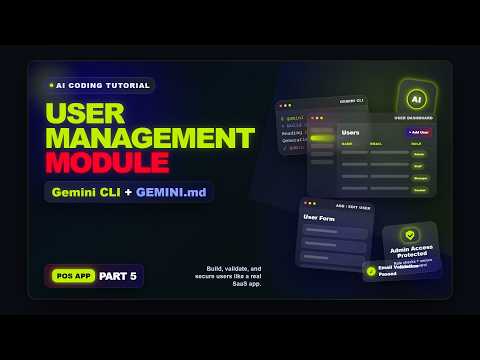
In this part, you can learn, how to build User Management Module in POS Application by using Vibe Coding with Gemini AI. Here we have use Gemini CLI in VS code for run prompt. For creating User Management Module in Web based POS Application, First we have to write instruction...
In this part, you can learn, how to build User Management Module in POS Application by using Vibe Coding with Gemini AI. Here we have use Gemini CLI in VS code for run prompt. For creating User Management Module in Web based POS Application, First we have to write instruction and specification in GEMINI.md file and then after we will write prompt according GEMINI.md file and run that prompt in Gemini CLI. So it will create User Management CRUD operation code in just seconds according to GEMINI.md instruction and prompt instruction. So here we have use combination of GEMINI.md + Prompt with Gemini CLI for create User Management Module in POS application using Vibe Coding.
Copy GEMINI.md instruction file and all Gemini CLI prompts from here: https://www.webslesson.info/2026/06/gemini-cli-pos-app-php-mysql-gemini-md-prompts.html
How to Start a Real Project in Gemini CLI + GEMINI.md | AI Vibe Coding POS App Part 1 - https://youtu.be/tUTngCfuIBI
Generate POS Database Structure with Gemini CLI + GEMINI.md | AI Vibe Coding POS App Part 2 - https://youtu.be/VBWJdv_E_dc
Create Login & POS Dashboard using Gemini CLI + GEMINI.md | AI Vibe Coding POS App Part 3 - https://youtu.be/S1qf-_KwwkE
Create Category Management Module with Gemini CLI + GEMINI.md | AI Vibe Coding POS App Part 4 - https://youtu.be/LRpUqcinkgU
Build User Management Module using Gemini CLI + GEMINI.md | AI Vibe Coding POS App Part 5 - https://youtu.be/mTtk3VCFvIA
Create Product Management Module with Gemini CLI + GEMINI.md | AI Vibe Coding POS App Part 6 - https://youtu.be/fXeb1fO7e_E
Build Order Management Module with Gemini CLI + GEMINI.md | AI Vibe Coding POS App Part 7 - https://youtu.be/dQKmXbznnD0
Make POS App Analytics Dashboard with Gemini CLI + GEMINI.md | AI Vibe Coding POS App Part 8 - https://youtu.be/oqdwabeCFYs
I gave Gemini CLI one prompt and used GEMINI.md as the project brain to build a real POS App step by step 🤯 In this tutorial series, we are building a complete POS application using Gemini CLI + GEMINI.md. Already published: ✅ Part 1: Project Setup ✅ Part 2: Database...
I gave Gemini CLI one prompt and used GEMINI.md as the project brain to build a real POS App step by step 🤯
In this tutorial series, we are building a complete POS application using Gemini CLI + GEMINI.md.
Already published:
✅ Part 1: Project Setup
✅ Part 2: Database Structure
✅ Part 3: Login + POS Dashboard
✅ Part 4: Category Management Module
Coming next:
🔥 Part 5: User Management Module
🔥 Part 6: Product Management Module
🔥 Part 7: Order Management Module
🔥 Part 8: Analytics Dashboard
Watch the full POS App tutorial series on my channel and start from Part 1.
#shorts #GeminiCLI #GEMINImd #AICoding #CodingTutorial