In this part, you can learn, how to build User Management Module in POS Application by using Vibe Coding with Gemini AI. Here we have use Gemini CLI in VS code for run prompt. For creating User Management Module in Web based POS Application, First we have to write instruction and specification in GEMINI.md file and then after we will write prompt according GEMINI.md file and run that prompt in Gemini CLI. So it will create User Management CRUD operation code in just seconds according to GEMINI.md instruction and prompt instruction. So here we have use combination of GEMINI.md + Prompt with Gemini CLI for create User Management Module in POS application using Vibe Coding. Copy GEMINI.md instruction file and all Gemini CLI prompts from here: https://www.webslesson.info/2026/06/gemini-cli-pos-app-php-mysql-gemini-md-prompts.html How to Start a Real Project in Gemini CLI + GEMINI.md | AI Vibe Coding POS App Part 1 - https://youtu.be/tUTngCfuIBI Generate POS Database Structure with Gemini CLI + GEMINI.md | AI Vibe Coding POS App Part 2 - https://youtu.be/VBWJdv_E_dc Create Login & POS Dashboard using Gemini CLI + GEMINI.md | AI Vibe Coding POS App Part 3 - https://youtu.be/S1qf-_KwwkE Create Category Management Module with Gemini CLI + GEMINI.md | AI Vibe Coding POS App Part 4 - https://youtu.be/LRpUqcinkgU Build User Management Module using Gemini CLI + GEMINI.md | AI Vibe Coding POS App Part 5 - https://youtu.be/mTtk3VCFvIA Create Product Management Module with Gemini CLI + GEMINI.md | AI Vibe Coding POS App Part 6 - https://youtu.be/fXeb1fO7e_E Build Order Management Module with Gemini CLI + GEMINI.md | AI Vibe Coding POS App Part 7 - https://youtu.be/dQKmXbznnD0 Make POS App Analytics Dashboard with Gemini CLI + GEMINI.md | AI Vibe Coding POS App Part 8 - https://youtu.be/oqdwabeCFYs
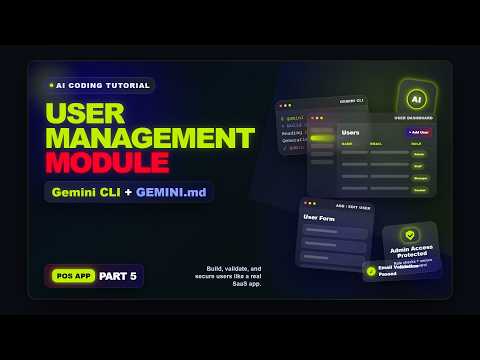
In this part, you can learn, how to build User Management Module in POS Application by using Vibe Coding with Gemini AI. Here we have use Gemini CLI in VS code for run prompt. For creating User Management Module in Web based POS Application, First we have to write instruction and specification in GEMINI.md file and then after we will write prompt according GEMINI.md file and run that prompt in Gemini CLI. So it will create User Management CRUD operation code in just seconds according to GEMINI.md instruction and prompt instruction. So here we have use combination of GEMINI.md + Prompt with Gemini CLI for create User Management Module in POS application using Vibe Coding.
Copy GEMINI.md instruction file and all Gemini CLI prompts from here: https://www.webslesson.info/2026/06/gemini-cli-pos-app-php-mysql-gemini-md-prompts.html
How to Start a Real Project in Gemini CLI + GEMINI.md | AI Vibe Coding POS App Part 1 - https://youtu.be/tUTngCfuIBI
Generate POS Database Structure with Gemini CLI + GEMINI.md | AI Vibe Coding POS App Part 2 - https://youtu.be/VBWJdv_E_dc
Create Login & POS Dashboard using Gemini CLI + GEMINI.md | AI Vibe Coding POS App Part 3 - https://youtu.be/S1qf-_KwwkE
Create Category Management Module with Gemini CLI + GEMINI.md | AI Vibe Coding POS App Part 4 - https://youtu.be/LRpUqcinkgU
Build User Management Module using Gemini CLI + GEMINI.md | AI Vibe Coding POS App Part 5 - https://youtu.be/mTtk3VCFvIA
Create Product Management Module with Gemini CLI + GEMINI.md | AI Vibe Coding POS App Part 6 - https://youtu.be/fXeb1fO7e_E
Build Order Management Module with Gemini CLI + GEMINI.md | AI Vibe Coding POS App Part 7 - https://youtu.be/dQKmXbznnD0
Make POS App Analytics Dashboard with Gemini CLI + GEMINI.md | AI Vibe Coding POS App Part 8 - https://youtu.be/oqdwabeCFYs